
♥ Wishlist
Compare 12 Security Surveillance Systems in Canada products in Canada. Reviews, ratings, pros, cons and buying advice updated for October 2026.





Choosing security surveillance equipment for a Canadian home, apartment, office, garage, cottage, or small business requires more than comparing camera resolution. A suitable system should match the property layout, installation environment, recording requirements, connectivity, privacy expectations, and budget.
The strongest buying decision usually comes from balancing image quality with dependable connectivity, useful detection features, practical storage options, weather resistance, and straightforward daily operation. A camera with an impressive specification can still be a poor choice if it cannot cover the required area or if its recording method does not suit the way you want to use it.
Before comparing models, identify exactly what needs surveillance. A front entrance has different requirements from a driveway, backyard, indoor hallway, detached garage, or remote cottage.
Indoor cameras do not normally need the same level of environmental protection as outdoor models. Outdoor equipment may be exposed to rain, snow, humidity, dust, freezing temperatures, and rapid temperature changes. Canadian buyers should therefore pay close attention to the manufacturer's stated operating conditions and weather-resistance specifications.
An outdoor camera should also be positioned where its field of view is not unnecessarily blocked by walls, trees, roof structures, or seasonal objects. A technically capable camera cannot provide useful surveillance when its installation position creates blind spots.
Resolution describes the amount of image detail a camera can capture. Higher resolution can make faces, packages, vehicles, and other objects easier to identify, but resolution alone does not guarantee better footage.
Image quality also depends on the sensor, lens, image processing, lighting, compression, viewing distance, and available bandwidth. A camera with a sensible resolution and strong low-light performance may be more useful than a higher-resolution model with poor nighttime imaging.
The field of view determines how much of an area the camera can see. A wider angle can reduce the number of cameras required, but extremely wide views can make distant subjects appear smaller.
For a narrow entrance, a moderate viewing angle may be sufficient. For a large backyard or driveway, wider coverage can be advantageous. When comparing products, consider the actual installation distance rather than selecting a camera solely because its advertised field of view looks impressive.
Security surveillance should not be evaluated only from daytime specifications. Nighttime performance can be critical because many incidents occur when ambient light is limited.
Infrared night vision can provide monochrome footage in darkness. Some cameras also offer colour imaging when sufficient light is available. Buyers should consider how much ambient lighting exists around the installation location and whether artificial illumination could affect image quality.
Basic motion detection can trigger alerts whenever movement is detected. More advanced systems may provide configurable activity zones or distinguish between different types of movement.
Detection settings should be adjustable so that users can reduce unnecessary notifications caused by trees, passing traffic, pets, shadows, or other recurring movement. A surveillance system that produces excessive alerts can become difficult to monitor consistently.
Some modern cameras use software-based analysis to classify detected activity. Depending on the product, this may include person or vehicle detection and other event categories.
These features can make notifications more useful, but buyers should check exactly which detection functions are included, whether they require a subscription, and whether processing occurs locally or through a cloud service.
Wireless does not automatically mean cable-free. Some wireless cameras still require continuous power, while battery-operated models need periodic charging or battery replacement. Buyers should distinguish between wireless data transmission and completely wire-free installation.
Battery cameras can be convenient for locations where running a power cable would be difficult. However, battery life depends on factors such as recording frequency, motion activity, temperature, network conditions, and camera settings.
Cold Canadian weather can also make battery performance an important consideration. Always check the manufacturer's stated operating temperature and battery guidance rather than assuming that every battery-powered camera will perform identically outdoors during winter.
For frequently monitored locations, a continuously powered camera may be more practical. For occasional activity monitoring, a battery model can offer greater installation flexibility.
Cloud storage can make recorded footage accessible from multiple locations. It can also reduce dependence on a local storage device. However, cloud services may involve subscriptions, storage limits, account requirements, or feature restrictions.
Local recording can provide greater control over stored footage and may reduce recurring service costs. Depending on the system, storage could use a microSD card, network video recorder, digital video recorder, or another compatible device.
Before buying, determine how much recording history you actually need. Continuous high-resolution recording can consume substantially more storage than motion-triggered recording.
Internet-connected surveillance equipment should be treated as part of your digital environment. Camera selection should therefore include privacy and account-security considerations alongside image quality.
Buyers should also review the manufacturer's privacy documentation and terms before purchasing a connected camera, particularly when surveillance footage could include family members, visitors, employees, neighbours, or public areas.
Smart security equipment can become more useful when it works with the rest of a connected home. Depending on the product, compatibility may involve platforms such as Amazon Alexa, Google Home, Apple Home, or the manufacturer's own ecosystem.
Compatibility should not be assumed simply because a product is described as a smart camera. Check the current manufacturer's compatibility information for the exact model and determine which functions are supported. Basic camera viewing may be available on a platform while advanced detection or recording controls remain exclusive to the manufacturer's application.
Two-way audio can allow users to communicate with someone near the camera through a smartphone application. This can be useful for communicating with visitors or delivery personnel without opening the door.
Notification quality is equally important. A camera should ideally allow users to control notification sensitivity and activity areas. Frequent false alerts can make important notifications easier to overlook.
Pan-tilt cameras can change their viewing direction electronically or mechanically. This can provide broader coverage from a single installation point.
However, moving coverage should not automatically be considered equivalent to having several fixed cameras. A PTZ camera may be facing one direction when activity occurs elsewhere. For properties with multiple critical entry points, several fixed cameras can sometimes provide more predictable coverage.
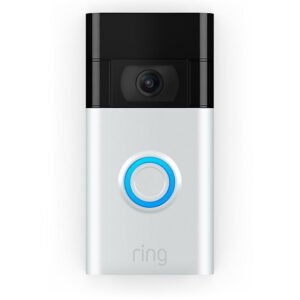
A video doorbell is designed primarily around an entrance. It can combine a camera with visitor notifications, a doorbell function, two-way communication, and activity detection.
A conventional security camera can be more flexible for monitoring driveways, side entrances, yards, garages, or indoor spaces. For comprehensive coverage, some households may benefit from combining an appropriate doorbell camera with strategically positioned security cameras.
Brand reputation can be useful when comparing security equipment, but it should not replace model-by-model evaluation. Established names such as Arlo, Ring, Blink, Reolink, Eufy, Google Nest, TP-Link Tapo, and Lorex offer different approaches to connectivity, storage, smart features, installation, and pricing.
The best choice depends on the specific model and your requirements. Compare the manufacturer's specifications, supported storage methods, subscription requirements, application features, privacy controls, and compatibility before choosing a product.
Canada's climate makes environmental specifications particularly relevant for outdoor surveillance. Do not rely on marketing phrases such as “all weather” without checking the detailed manufacturer specifications.
More pixels are not automatically better. Sensor quality, lens performance, lighting, compression, and viewing distance all affect usable detail.
Cloud-connected cameras depend on network connectivity for remote functions. Before installation, consider Wi-Fi signal strength at the intended camera position and the network demands created by multiple connected devices.
A low initial purchase price can be less attractive if important recording or detection features require an ongoing subscription. Check which functions work without a paid plan.
Wide coverage can be useful, but distant subjects may become too small for reliable identification. Identify critical zones first and decide whether one camera can realistically cover them.
Battery, USB, mains-powered, solar-assisted, and wired installations each have different maintenance requirements. Select the power method according to the installation location rather than convenience alone.
Consider what happens after the camera detects an event. Determine where the footage is stored, how long it remains available, and how easily it can be exported when needed.
A good deal is not necessarily the product with the lowest advertised price. Compare the complete ownership proposition.
The right number of cameras depends on the property rather than a universal formula. Begin by mapping entry points and vulnerable areas.
A small apartment may need only one or two carefully positioned cameras. A detached house may require separate views of the front entrance, driveway, rear entrance, and backyard. Larger properties can benefit from a more structured surveillance layout.
Avoid placing every camera in obvious locations while leaving side entrances or less visible access points uncovered. Effective surveillance is primarily about strategic coverage.
Security equipment should be checked periodically rather than installed and forgotten. Dust, dirt, insects, condensation, vegetation, and weather can gradually affect performance.
Apartment residents often face different installation restrictions from detached homeowners. Permanent drilling, exterior mounting, and changes to shared areas may require permission from a landlord, property manager, condominium corporation, or other responsible authority.
For renters, portable indoor cameras or removable mounting solutions may be more practical where permitted. Privacy should also be considered carefully when cameras can capture shared hallways, neighbouring doors, or communal areas.
Detached homes and cottages may have larger outdoor areas and more complicated connectivity requirements. A remote property can require particular attention to internet availability, power reliability, storage, and the ability to receive useful alerts when nobody is present.
For seasonal properties, buyers should also consider how the equipment will be maintained when the property is unoccupied. A camera that requires frequent physical intervention may be unsuitable for a location that is visited only occasionally.
Small businesses can have requirements that differ from residential surveillance. Depending on the premises, important areas may include entrances, cash-handling locations, stockrooms, loading areas, offices, and exterior access points.
Before installing surveillance equipment in a workplace, consider applicable privacy obligations and organizational policies. The appropriate setup should balance legitimate security requirements with reasonable expectations of privacy.
Once you have narrowed down suitable models, compare the exact model number rather than relying only on the product family name. Specifications can differ between generations and regional versions.
There is no single best camera for every Canadian home. The right option depends on whether you need indoor or outdoor monitoring, wired or battery power, local or cloud recording, specific smart-home compatibility, and the size of the area requiring coverage.
Wireless cameras can be reliable when installed within a suitable network range and supplied with dependable power. Wi-Fi signal strength, network congestion, distance from the router, building materials, and environmental conditions can all affect performance.
They can be suitable for some installations, but buyers should check the exact manufacturer's operating-temperature specifications and battery guidance. Cold conditions can affect battery performance, so a camera designed for the intended environment is important.
Not all security cameras require Wi-Fi. Some use wired Ethernet connections, while other systems can record locally without depending on continuous internet access. However, remote viewing and cloud-based features generally require an appropriate network connection.
1080p can be adequate for many basic surveillance applications, particularly when the camera is positioned close to the area being monitored. Higher resolution can provide additional detail, but lens quality, lighting, viewing distance, and image processing also matter.
Cloud recording is convenient for remote access and centralized storage, while local recording can provide greater control over footage and may reduce recurring subscription costs. Compare the storage capacity, retention period, accessibility, and required fees for each option.
No. Subscription requirements vary by manufacturer and model. Some cameras provide core recording and monitoring functions without a subscription, while others reserve certain cloud storage, detection, or advanced features for paid plans.
No. A more expensive camera may offer features you do not need. The better purchase is the model whose capabilities match your property, installation environment, storage requirements, privacy expectations, and budget.
Check them periodically and whenever weather, construction, landscaping, or other changes could affect the view. Outdoor cameras may need additional inspection after severe weather or seasonal changes.
Before choosing from the best smart buy security surveillance deals available in Canada, work through this checklist:
The strongest surveillance purchase is not necessarily the newest, highest-resolution, or most heavily featured product. It is the system that provides dependable coverage where it matters, records footage in a way that suits your needs, remains practical in the Canadian environment, and fits your preferred maintenance and privacy approach.
Use the recommendations on this page as a starting point for comparison, then verify the current specifications, included accessories, storage requirements, subscription conditions, compatibility, and retailer information for each model before making a final decision. Product features and pricing can change during 2026, so checking the latest information immediately before purchase is essential.