

♥ Wishlist
Compare 8 Home Security Systems & Security Surveillance products in Canada. Reviews, ratings, pros, cons and buying advice updated for October 2026.


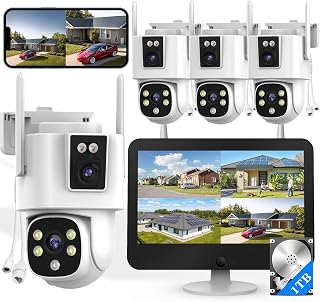

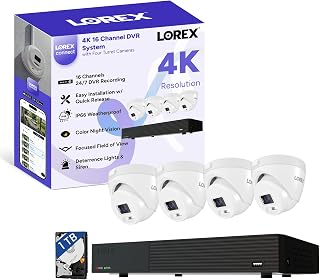

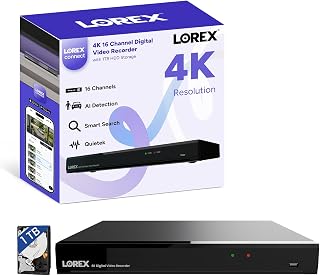
Choosing a smart home security system involves more than comparing camera resolution or the number of devices included in a package. The right setup should match the size of your property, your preferred monitoring method, internet connection, privacy expectations, weather conditions, and the way you want to receive security alerts. Canadian buyers should also consider whether outdoor equipment is suitable for local seasonal conditions, whether devices continue to function during an internet outage, and whether important features require a recurring subscription.
A useful comparison starts with the complete security ecosystem rather than one individual camera. A modern system can combine indoor and outdoor cameras, door and window sensors, motion detectors, smart locks, video doorbells, sirens, keypads, smoke or carbon-monoxide monitoring, and mobile notifications. Some systems are designed primarily for self-monitoring, while others can be paired with professional monitoring services.
Brands such as Ring, Google Nest, Arlo, Eufy, Reolink, Blink, TP-Link Tapo, Wyze, SimpliSafe and ecobee offer different approaches to smart security. However, brand recognition alone should not determine a purchase. Compare the actual model, included accessories, storage arrangements, connectivity requirements, compatible platforms and ongoing costs before choosing.
A strong home security system should provide useful protection without creating unnecessary complexity. The best option for one Canadian household may be completely different from the best option for another. A renter in a condominium may need a compact wireless camera and door sensor setup, while a detached suburban home may benefit from several outdoor cameras, entry sensors, a video doorbell and a dedicated alarm hub.
One of the most important buying decisions is whether you need a camera-only solution or a complete security system. A camera can provide visual evidence and notifications, but it does not necessarily replace dedicated entry sensors, alarm sirens or professional monitoring.
A camera-focused setup can make sense when the main goal is checking entrances, driveways, garages, pets or specific rooms. It can also be a practical starting point for buyers who want to expand their system gradually.
A complete alarm system is more appropriate when you want multiple types of detection. Door and window sensors can identify an entry event even when a camera does not detect useful movement. Motion sensors can provide another layer of detection, while a siren or keypad can make the system more obvious during an alarm event.
For many homes, the most useful approach is a combination of cameras and sensors. Cameras provide visual awareness, while sensors and alarms address security events that may not be captured clearly on video.
Indoor cameras are useful for monitoring living areas, entrances, home offices, nurseries, pets and other interior spaces. When comparing indoor models, consider viewing angle, low-light performance, two-way audio, motion detection and privacy controls.
Privacy deserves particular attention with indoor cameras. Look for features such as physical privacy shutters, software privacy modes, configurable activity zones and clear controls for disabling recording or notifications when appropriate.
Outdoor cameras require more careful selection because they are exposed to rain, snow, dust, temperature changes and direct sunlight. Check the manufacturer's environmental specifications rather than assuming that a camera is suitable for year-round Canadian installation.
Placement also matters. A camera mounted under an eave may experience different exposure than one installed on an open exterior wall. Cable routing, power availability, glare, snow accumulation and the distance from the Wi-Fi router can all affect real-world performance.
A smart video doorbell can combine visitor detection, live video, two-way communication and motion notifications at the front entrance. Some models support package-related alerts or other intelligent detection features, although capabilities vary significantly between models and subscription plans.
Before buying, determine whether your existing doorbell wiring is compatible. Battery-powered models can simplify installation, but charging frequency depends on settings, weather, activity levels and battery capacity.
Entry sensors are among the simplest and most useful components of an alarm system. They typically detect whether a door, window or other opening has changed position. They can complement cameras because they provide a direct indication that a protected opening has been opened.
Motion sensors can protect hallways, rooms and other areas where movement is expected to be limited. Placement is critical because furniture, pets, heating sources and normal household movement can influence detection behaviour.
Smart locks can add convenient access control to a security setup. Depending on the model, features may include smartphone control, temporary access codes, activity records or integration with other smart-home devices. Buyers should verify door compatibility carefully before purchasing.
A keypad can provide convenient arming and disarming, while a siren can provide an audible response to a security event. These components are especially useful when a household wants a system that behaves like a traditional alarm rather than relying entirely on smartphone notifications.
Higher resolution can provide more image detail, but resolution should not be considered in isolation. A 4K camera with poor placement, insufficient lighting, excessive compression or an unreliable network may produce less useful footage than a well-positioned lower-resolution camera.
Think about what you need to identify. If a camera watches a narrow doorway at close range, extreme resolution may offer limited practical benefit. If it covers a driveway or large yard, additional detail may be more useful.
Security incidents do not necessarily happen during daylight, so nighttime performance deserves careful consideration. Infrared night vision is common, but the effective range and image quality differ between models.
Colour night vision can provide additional visual information when sufficient ambient or integrated lighting is available. However, buyers should distinguish between a camera that genuinely performs well in low light and one that simply advertises a colour-night mode.
Consider nearby lighting, reflective surfaces, headlights, porch lights and the camera's viewing angle. Infrared illumination can also reflect from nearby walls or objects and reduce image clarity.
Motion detection is useful only when it produces meaningful alerts. Excessive notifications can quickly become frustrating, especially when a camera repeatedly detects trees moving in the wind, passing vehicles, pets or other expected activity.
More advanced systems may distinguish between categories such as people, vehicles, animals or packages. These features can improve notification relevance, but the exact detection capabilities vary by model and may depend on software updates or a subscription plan.
Storage is one of the most important differences between security camera ecosystems. Cloud recording can make footage accessible from multiple locations, while local storage can provide greater control over where recordings are kept.
Cloud services can be convenient, but buyers should examine subscription requirements, recording retention periods, supported video history and what happens when the subscription expires. A camera may continue operating without a subscription while losing access to certain recording or intelligent detection features.
Local storage can reduce dependence on recurring cloud fees, but it introduces other considerations. Memory cards and local storage devices can fail, become full or require maintenance. Some systems also support a combination of local and cloud storage, providing additional flexibility.
The purchase price of a security device is only part of its long-term cost. Some systems offer basic live viewing and notifications without a subscription but reserve video history, advanced detection or extended storage for paid plans.
Before purchasing, separate features into three categories: functions available without a subscription, functions available with a subscription, and functions that require additional hardware or a separate service.
A system with a lower initial price may become more expensive over several years if important features require a recurring payment. Conversely, a system with a higher initial hardware cost may offer the features you need without the same ongoing commitment. Compare total ownership cost rather than only the purchase price.
Wireless cameras are convenient because they can often be installed without running video cables through walls. However, wireless does not necessarily mean completely independent of power or the internet. Many wireless cameras still need regular charging or a nearby power source.
Wired cameras can provide continuous power and may be preferable for locations where charging a battery would be inconvenient. Installation can be more involved, especially when cables must pass through exterior walls or ceilings.
A smart security system is only as dependable as the communication path used by its devices. Wi-Fi cameras require adequate wireless coverage at their installation points. A strong internet connection in the living room does not guarantee strong Wi-Fi at a detached garage or exterior camera.
Before installing multiple cameras, consider router location, wall construction, distance, interference and the number of connected devices. Mesh Wi-Fi can help in larger homes, but the actual suitability depends on the property layout and network equipment.
For alarm systems, some ecosystems offer cellular backup or other connectivity options. This can provide an additional communication path when the primary internet connection becomes unavailable. Check the exact model and service plan because backup connectivity is not universal.
Security equipment can be affected by a power outage. Battery-powered devices may continue operating, while wired cameras and network equipment may stop unless connected to backup power.
If continuous security monitoring is important, consider the entire power chain rather than the camera alone. A backup power solution may need to support the router, modem, security hub and relevant cameras. Check the expected runtime rather than assuming that any battery backup will keep a complete system operating for an extended period.
Canadian buyers should pay close attention to environmental operating specifications for outdoor equipment. Winter temperatures, snow, ice, rain, humidity and rapid temperature changes can affect batteries, cables, mounting hardware and electronic devices.
Do not confuse a weather-resistant rating with unlimited exposure. Follow the manufacturer's installation instructions, operating temperature range and mounting requirements.
Cold temperatures can affect battery performance, making battery-powered outdoor cameras a particularly important consideration for Canadian installations. A camera that performs well under mild conditions may require more frequent attention during periods of severe cold.
Activity levels, recording settings, live viewing, Wi-Fi signal strength and temperature can all influence battery consumption. Buyers should therefore avoid relying on a single advertised battery-life figure as a guarantee for their particular installation.
Home security devices collect information about the spaces around your property, and cameras may record family members, visitors, neighbours or public areas. Privacy should therefore be treated as a core buying criterion rather than an afterthought.
Smart security becomes more useful when devices work within the household's existing smart-home environment. Before purchasing, check compatibility with platforms and products you already use.
Depending on the ecosystem, security devices may integrate with Google Home, Amazon Alexa, Apple Home or other supported platforms. Compatibility can vary by individual model, so do not assume that every product from a particular brand supports every smart-home function.
Interoperability can be particularly useful for routines. For example, a supported smart lock, camera and lighting system may work together to create a more convenient arrival or departure routine. However, security-critical functions should not be assumed to work across platforms unless the manufacturer explicitly supports the integration.
Buying an excellent camera does not compensate for poor placement. Start by identifying the areas that matter most rather than attempting to monitor every square metre of the property.
Avoid placing cameras where strong sunlight, headlights or reflective surfaces regularly dominate the image. Also consider whether the camera angle unnecessarily captures neighbouring properties or areas where recording is not needed.
There is no universal camera count. The right number depends on the home's layout, entrances, blind spots and desired coverage. A small apartment may require only one or two carefully positioned cameras, while a detached property with multiple entrances and a garage may require a larger system.
Coverage should be evaluated from the camera's actual field of view rather than simply counting cameras. Two overlapping cameras may be useful at a critical entrance, while a poorly positioned camera can leave a significant blind spot despite appearing to cover a large area.
A wider field of view can cover more area, but wider views can also make distant subjects appear smaller. Narrower views may provide more detail over a specific area. Pan-and-tilt cameras can add flexibility, but movement does not necessarily mean that every part of an area is recorded simultaneously.
For security-critical locations, fixed cameras can offer predictable coverage. Pan-and-tilt models can be useful for broader monitoring where active viewing is important. Compare the camera's actual viewing angle and mounting position rather than relying solely on marketing terminology.
Two-way audio can allow homeowners to communicate with visitors or people near a camera. This feature can be useful for doorbells, entrances, deliveries and remote property checks.
Audio quality depends on microphone and speaker design, background noise, network conditions and the distance between the camera and the person being addressed. Look for practical controls such as microphone muting and speaker volume adjustment.
Basic motion alerts can be useful but may generate a large number of notifications. Smart detection can reduce unnecessary alerts by classifying detected activity, but classification is not infallible.
For important areas, configure notifications according to the consequences of missing an event. A driveway may need vehicle-related notifications, while an interior hallway may be more appropriate for person detection. Spend time adjusting zones and sensitivity after installation rather than leaving every setting at its default.
Recording requirements depend on camera resolution, frame rate, compression, motion frequency and retention settings. Higher-quality video generally requires more storage. Continuous recording can consume substantially more storage than motion-triggered clips.
Think about how far back you realistically need to review footage. A household primarily interested in immediate notifications may have different requirements from someone who wants a longer historical record.
Many consumer security cameras are designed for DIY installation, particularly battery-powered models. However, installation difficulty increases when cameras require hardwired power, elevated mounting, cable routing or integration with existing electrical infrastructure.
DIY installation can be suitable when the manufacturer's instructions are straightforward and the mounting location is safe and accessible. Professional installation may be preferable when electrical work, difficult cable routing or complex multi-device configuration is involved.
Do not attempt electrical modifications beyond your knowledge or the manufacturer's permitted installation method. When an installation involves household wiring or other regulated work, follow applicable Canadian requirements and use an appropriately qualified professional where necessary.
When comparing products in a top-10 buying guide, use consistent criteria. A system should not rank highly simply because it has a long feature list. Consider whether its features are genuinely useful for the intended household.
Apartment and condominium residents may benefit from compact wireless cameras, video doorbells where permitted, and portable entry sensors. Installation restrictions can be an important consideration, particularly where exterior modifications are not allowed.
Detached homes generally provide more opportunities for layered security. A combination of entrance cameras, outdoor cameras, door and window sensors, a video doorbell and an alarm hub can provide broader coverage.
Larger properties require careful attention to network coverage and power. A system that works well in a small house may become difficult to manage when cameras are spread across garages, sheds, side entrances and distant outdoor areas.
Renters should prioritise removable equipment, battery-powered devices and installation methods that do not permanently alter the property. Always check lease terms or building rules before installing exterior cameras or other equipment.
For cottages, vacation properties and other locations that are not occupied continuously, connectivity and power reliability become especially important. Consider internet availability, backup power, remote access, environmental conditions and whether someone can respond when an alert occurs.
Several established brands compete across the Canadian smart security market, but each ecosystem has different strengths and limitations.
These brands should be compared by individual product and service plan rather than by brand reputation alone. Product generations, software capabilities, storage policies and subscription structures can change over time.
Buying multiple products from one compatible ecosystem can simplify account management, device setup and automation. It may also make it easier to view multiple cameras or manage security settings through one application.
However, choosing a single ecosystem can reduce flexibility. Before committing to a brand, check whether the cameras, sensors, doorbells, locks and other devices you may want in the future are supported. A low-cost first camera can become a poor long-term purchase if it forces you to replace other equipment later.
A smart security system should be protected at the account level as well as the physical device level. If an attacker gains access to a cloud account, connected cameras and recordings may be exposed regardless of how advanced the hardware is.
False alarms can reduce the practical value of a security system. A system that produces constant alerts may cause household members to ignore notifications over time.
Use activity zones, appropriate detection settings and sensible notification schedules where supported. Consider normal household routines when placing motion sensors. Pets, heating systems, moving curtains and frequent traffic can all influence detection depending on the equipment.
A limited budget does not mean that you need to buy the cheapest possible camera. A better strategy is to protect the most important locations first and expand later.
Compare the total cost of the system, including accessories, storage and subscriptions. A cheap camera that requires expensive additional services may not represent the best long-term value.
Premium buyers should focus on capability rather than simply purchasing the most expensive model. Useful premium features can include higher image quality, stronger low-light performance, advanced detection, continuous recording, broader integration, local storage, backup connectivity or more sophisticated alarm hardware.
Premium equipment is worthwhile when the additional capability solves a real requirement. Paying more for features that will never be used does not automatically improve home security.
Customer reviews can provide useful information about installation, application usability, connectivity and everyday operation, but they should be interpreted carefully. Look for patterns rather than relying on one unusually positive or negative comment.
Prioritise recent reviews that refer to the exact model. Separate comments about hardware from comments about software or subscription changes. A review written for an older product generation may not accurately represent the current version.
Regular maintenance helps preserve the usefulness of a smart security system. Even a system that has worked reliably for months should be checked periodically.
Outdoor security equipment deserves additional attention before and after winter. Snow, ice and freezing conditions can obscure lenses, affect battery performance and place additional stress on exterior components.
Before winter, check that cameras have an unobstructed view and that mounting hardware is secure. During winter, inspect equipment when conditions permit. After severe weather, confirm that cameras have not shifted and that lenses remain clear.
Replacement is worth considering when a camera no longer receives necessary software support, cannot maintain a reliable connection, has deteriorating image quality, suffers from failing power components or lacks features that are now important to the household.
Before replacing hardware, determine whether the problem is actually caused by the camera. Weak Wi-Fi, a failing power supply, storage problems or incorrect settings can sometimes create symptoms that appear to be hardware failure.
The real cost of a security system includes more than the initial hardware purchase. Consider cameras, sensors, mounts, cables, memory cards, hubs, replacement batteries, cloud subscriptions and monitoring services where applicable.
A useful comparison is to estimate the cost over the period you expect to use the system. This makes it easier to distinguish between a product that is inexpensive to purchase and one that is economical over several years.
Security deals can be attractive, but a discount should not be the primary reason for choosing a system. Compare the discounted product with its current specifications, included accessories and ongoing costs. Also verify that the deal concerns the exact model you intend to buy.
Bundles can provide good value when every included component is useful. However, a large bundle is not necessarily better than a smaller package if several devices will remain unused.
When comparing offers, look beyond headline discounts and compare the complete ownership package. A product with a lower initial cost may have different storage or subscription requirements from a competing system.
A balanced ranking should consider overall usefulness rather than one specification. For commercial comparison, the following criteria provide a practical framework:
Specifications, software features, subscription policies and package contents can change. Before placing an order, verify the current product information for the exact model you are considering. This is especially important when a product has multiple generations or similarly named variants.
Check current specifications, compatible accessories, storage requirements, power requirements, operating temperature, subscription details and smart-home compatibility. If customer reviews are important to your decision, review recent feedback for the same model and configuration.
There is no single best system for every Canadian household. The right choice depends on property size, camera requirements, alarm features, budget, storage preferences, smart-home compatibility and whether you want self-monitoring or professional monitoring.
They can be valuable for monitoring entrances, driveways, garages, indoor areas and other important locations. Their usefulness depends heavily on correct placement, reliable connectivity and appropriate notification settings.
If you want visual monitoring, cameras may be sufficient for some situations. If you want dedicated entry detection and audible alarms, a complete system with sensors and an alarm hub can provide additional functionality. Many households benefit from combining both.
Wireless cameras can be reliable when they have adequate Wi-Fi coverage and suitable power. Reliability depends on the specific device, network environment, installation location and internet connection.
They can be suitable when the model's operating temperature and battery specifications support the intended environment. Cold weather can affect battery performance, so Canadian buyers should check manufacturer specifications carefully.
It depends on the camera and its recording architecture. Some cameras rely heavily on an internet connection for remote access and cloud services, while other systems can support local recording or alternative connectivity. Check the exact model's offline functionality before buying.
Some systems support local recording or basic functions without a subscription, while others restrict video history or advanced features to paid plans. Always check the current model-specific storage policy before purchasing.
Neither is universally better. Local storage can offer greater control and reduce dependence on recurring cloud fees, while cloud storage can simplify remote access and off-site recording. Some systems support both approaches.
Install enough cameras to cover important entrances and vulnerable areas without creating unnecessary overlap. The appropriate number depends on property layout, camera field of view and the level of monitoring you want.
1080p can be suitable for basic monitoring, while 2K and 4K can provide additional detail. Consider lighting, field of view, storage and network requirements instead of choosing solely according to resolution.
Smart locks can add convenient access control and may integrate with compatible security ecosystems. Before buying, verify door compatibility, power requirements, access methods and supported integrations.
A common mistake is choosing hardware without considering the entire system. Network coverage, power, storage, subscriptions, climate suitability, privacy and future expansion can all be just as important as camera specifications.
A single ecosystem can simplify setup and management, but it is not mandatory. Compare compatibility and features before deciding whether an integrated ecosystem or a mixed setup is more suitable.
Many systems support expansion, but the number and type of compatible devices vary. Check supported cameras, sensors, hubs and accessories before committing to an ecosystem if future expansion is important.
Many wireless and battery-powered systems can work well for renters because they may require less permanent installation. Building rules and lease conditions should be checked before installing exterior equipment.
A useful independent buying guide should focus on the factors that affect everyday ownership rather than simply repeating manufacturer feature lists. That means comparing image quality, detection features, connectivity, storage, installation, climate suitability, privacy, compatibility and ongoing costs together.
For Canadian shoppers, the purchasing decision should also account for seasonal conditions and the practical realities of maintaining equipment throughout the year. A well-chosen system is one that provides useful coverage, generates manageable alerts, remains practical to maintain and fits the household's preferred balance between convenience, privacy and cost.
Before making a final decision, compare the specifications of the exact products you are considering, review current customer feedback, check today's retailer pricing and confirm any subscription or compatibility requirements. This approach helps you choose a security system based on long-term suitability rather than a single headline feature or temporary deal.