

♥ Wishlist
Compare 34 Amazon Smart Home Devices and Gadgets in Canada products in Canada. Reviews, ratings, pros, cons and buying advice updated for October 2026.







Smart home shopping in Canada is no longer limited to choosing between a smart speaker and a connected light bulb. Today's ecosystem can include video doorbells, indoor and outdoor security cameras, smart locks, thermostats, robot vacuums, smart displays, lighting systems, plugs, sensors, hubs and whole-home automation platforms. The best purchase depends less on having the most features and more on whether the device fits your existing technology, home layout, connectivity, privacy expectations and long-term budget.
When comparing Amazon smart home deals, look beyond the advertised discount. A lower purchase price does not necessarily make a device the better value if it requires an additional hub, subscription, proprietary accessories or replacement components. Conversely, a more expensive device can be worthwhile when it provides broader compatibility, better automation options, local control or a stronger support ecosystem.
A strong smart home purchase should solve a specific problem while remaining practical to operate for several years. Before comparing individual products, consider the following factors:
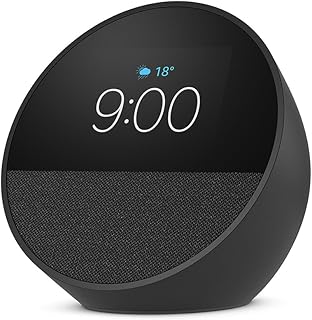
Smart speakers remain one of the easiest entry points into home automation. A suitable speaker can provide voice control for lights, plugs, thermostats, entertainment equipment and other compatible devices.
Amazon Echo devices are particularly relevant to shoppers already using Alexa. Google Nest products may be preferable for households centred on Google services, while Apple HomePod models can make more sense for users deeply invested in the Apple ecosystem.
When comparing smart speakers, pay attention to microphone controls, audio quality, display requirements, multi-room functionality, smart-home compatibility and the physical size of the device. A compact speaker can be ideal for a bedroom or office, while a larger model may be more appropriate where music quality matters.
Smart displays add a screen to voice-controlled home automation. Depending on the platform and model, they can show timers, calendars, recipes, weather information, compatible camera feeds and smart-home controls.
Amazon Echo Show devices and Google Nest Hub products are common examples of this category. The right choice depends on the services and devices already present in the household.
Screen size matters more than many buyers expect. A small display can be convenient on a bedside table, whereas a larger screen can be easier to use in a kitchen or shared living area. Consider viewing angle, physical footprint, camera availability, microphone controls and whether the display remains useful when you are not actively using voice commands.
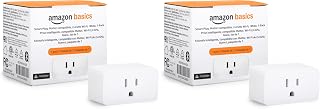
Smart plugs are among the simplest ways to automate ordinary electrical appliances. They can be useful for lamps, seasonal decorations, fans and other compatible devices that resume their previous state when power is restored.
The important distinction is that a smart plug generally controls electrical power rather than transforming the connected appliance into a fully intelligent device. A lamp connected to a smart plug may become remotely controllable, but its own physical switch still needs to remain in the appropriate position.
Before buying, verify electrical ratings, plug dimensions, app compatibility, scheduling functions and whether energy monitoring is included. Compact designs can also matter when several outlets are positioned close together.
Smart lighting ranges from individual connected bulbs to complete lighting systems with switches, dimmers, motion sensors and scenes. Philips Hue is one of the best-known ecosystems, while brands such as TP-Link Kasa and Govee offer other approaches across different price ranges and product categories.
Do not judge smart bulbs only by brightness or colour count. Consider colour temperature, dimming range, physical bulb format, response time, connectivity, automation support and whether a separate hub is necessary.
For households with many lights, a coordinated ecosystem can be more convenient than buying unrelated bulbs from several manufacturers. For a single lamp, however, a simpler Wi-Fi bulb or smart plug may provide better value.
A smart thermostat can be one of the most consequential smart-home purchases because it interacts with a home's heating and cooling system rather than simply adding remote control to a lamp.
Canadian buyers should pay particular attention to HVAC compatibility. Heating systems vary considerably between homes, including furnaces, boilers, heat pumps, electric systems and other configurations. Some thermostats require a common wire or have specific installation requirements.
Products from ecobee and Google Nest are prominent options to investigate, but compatibility should be confirmed against the actual HVAC equipment before purchase.
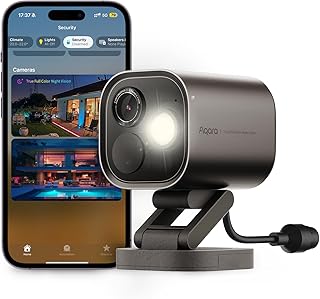
Security cameras are among the most searched smart-home products, but they also require more careful evaluation than basic connected accessories. Image quality is only one part of the buying decision.
Compare field of view, night vision, motion detection, person detection, storage options, notification controls, two-way audio, weather resistance and mounting requirements. For outdoor installations, verify that the model is designed for the environmental conditions of the intended location.
Brands such as Ring, Arlo, Google Nest and Eufy offer products across different smart-security ecosystems. Features and subscription structures vary significantly, so buyers should examine what is available without an ongoing plan and what requires paid cloud services.
Privacy is equally important. Before installing a camera, consider where footage is stored, how accounts are protected, what sharing controls are available and whether recording areas can be restricted.
A video doorbell combines a doorbell with a network-connected camera and can provide notifications when activity occurs near an entrance. It can be particularly useful for monitoring deliveries and visitors.
When comparing models, determine whether the device is wired or battery-powered, how frequently the battery may need attention, whether existing doorbell wiring is compatible and whether cloud recording requires a subscription.
Ring is a major ecosystem to consider, while Google Nest and other manufacturers provide alternatives. The best choice is usually the one that integrates cleanly with the rest of the home's security and smart-home platform.
Smart locks can provide keyless entry, temporary access codes, remote status checking and automation. They can be particularly useful for households that regularly need to grant access to family members, guests or service providers.
Compatibility with the existing door is critical. Buyers should check lock type, door thickness, backset, handle configuration and whether the chosen product replaces the complete lock or only part of the existing hardware.
Security should take priority over convenience. Examine physical locking mechanisms, authentication options, access-history features, emergency entry procedures and what happens if the batteries become depleted or connectivity is lost.
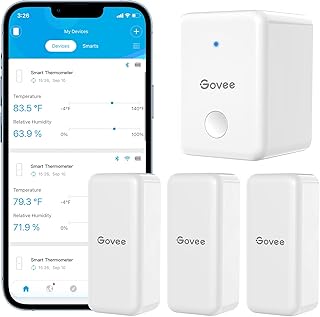
Door sensors, motion sensors, temperature sensors, water-leak detectors and other small connected devices can turn individual smart products into a more useful automation system.
For example, a motion sensor can trigger lighting, a door sensor can initiate an alert, and a leak detector can provide an early warning when water is detected. These products are often inexpensive compared with major appliances, but their usefulness depends heavily on reliable connectivity and automation compatibility.
Thread and Matter have become important terms in smart-home shopping because they are designed to improve interoperability across supported ecosystems. However, compatibility should be checked at the individual product level rather than assuming that every device carrying a particular standard will support every feature across every platform.
Robot vacuums sit at the intersection of smart-home automation and household appliances. Current models can offer mapping, scheduled cleaning, room selection, obstacle detection and automated docking, while some higher-end systems combine vacuuming with mopping.
Brands including Roborock, Dreame, Ecovacs, iRobot and Shark are worth considering when researching this category. Specifications vary substantially, so compare the actual features instead of assuming that a higher price automatically means better performance.
Important considerations include navigation technology, mapping, floor compatibility, brush design, dustbin capacity, mop maintenance, dock size, replacement-part availability and app functionality.
Connectivity terminology can make smart-home shopping unnecessarily confusing. The communication technology used by a device affects installation, reliability, power consumption and compatibility.
Wi-Fi is convenient because most homes already have a Wi-Fi network. Many smart plugs, cameras, bulbs and appliances connect directly to a router or access point. However, a large number of Wi-Fi devices can increase network traffic, and devices placed far from the router may have connectivity problems.
Bluetooth can be useful for short-range communication and device setup. It is common in certain sensors, locks and accessories, although its capabilities depend on the specific product and ecosystem.
Zigbee is a low-power wireless protocol used by many smart-home devices. Compatible products can form mesh networks, potentially improving coverage when several powered devices are distributed throughout a home. A compatible hub or controller may be required.
Thread is another low-power mesh networking technology designed for connected-home devices. It is increasingly relevant when evaluating newer smart-home products, particularly where Matter compatibility is involved.
Matter is an interoperability standard intended to make compatible smart-home products easier to use across supported ecosystems. It does not mean that every Matter device has identical functionality on every platform. Buyers should still check the specific device, supported controller and features available through their chosen ecosystem.
The smartest purchase is often determined by the platform you already use.
Alexa can be a strong choice for households that already use Amazon Echo products and want a broad collection of compatible smart-home accessories. Echo speakers and displays can provide convenient central control, depending on the devices being connected.
Google Home can make sense for users who already rely heavily on Google services and compatible Nest hardware. Google Nest devices can work particularly well as part of a broader Google-connected household.
Apple Home is particularly relevant for households built around iPhone, iPad, Apple TV and other Apple hardware. HomePod devices can serve as part of the Apple smart-home environment, while Matter and compatible accessories can broaden device choices.
There is no universally superior platform. The better ecosystem is the one that supports the devices you already own and the automations you actually intend to use.
Before purchasing anything, make a list of the smart products already installed. Record the ecosystem, connection type and controlling application for each device. This simple step can prevent buying a product that technically works as advertised but cannot participate in the automations you want.
Smart-home reliability often depends on network coverage. A camera at the edge of a property, a smart lock near an exterior door or a sensor in a basement may experience different conditions from devices positioned beside the router.
If your network is already unreliable, adding more connected devices may not solve the underlying problem. Consider router placement, mesh networking and the physical construction of the home before expanding the system.
The purchase price is only the first part of the calculation. A realistic smart-home budget can include:
A device that costs less initially may become more expensive over several years if essential features require recurring payments.
When reviewing a deal, separate the product's genuine value from the promotional presentation. A percentage discount can be useful, but the original reference price alone does not tell you whether the product is the right purchase.
A product can be excellent on its own and still be the wrong purchase for your home. Always identify the ecosystem and connectivity requirements before ordering.
A large discount does not compensate for incompatible hardware, expensive subscriptions or features you will never use. Evaluate the final value rather than the size of the sale badge.
Security cameras and other connected services can have ongoing cloud-storage or premium-feature costs. Establish what you need before choosing the hardware.
A mixture of incompatible applications can make a smart home more difficult to manage. Consolidating around one primary platform can simplify voice commands, automation and troubleshooting.
Product specifications may look impressive until you discover that a device does not fit the intended location, requires wiring or cannot operate correctly with the existing equipment.
Many devices become genuinely useful only after you configure schedules, routines, scenes or sensor-based automations. Consider the setup effort before purchasing several products at once.
Smart-home devices can collect information about household activity. Cameras may capture video, voice assistants can process spoken commands, and sensors can reveal when doors open or rooms are occupied.
Before installing connected products, review account-security options, two-factor authentication availability, data-sharing controls, recording settings and cloud-storage arrangements. Use strong, unique passwords and keep firmware and companion applications updated.
For cameras and microphones, placement matters. Avoid unnecessarily monitoring private areas, and use available privacy features when appropriate. Security should be considered both digitally and physically.
Start with smart plugs, one or two lights and a compatible voice assistant. This approach keeps the initial investment manageable while teaching you how routines and voice controls fit into daily life.
Prioritise compact smart plugs, lighting, sensors and a small smart speaker or display. Avoid purchasing large hardware unless it addresses a specific need, particularly when floor and storage space are limited.
A family-oriented setup can benefit from multiple lighting zones, door sensors, a thermostat, security equipment and room-specific automation. Reliability and simple control become increasingly important as the number of users and devices increases.
Consider a coordinated combination of doorbell, cameras, door sensors, motion detection and smart locks. Pay close attention to subscriptions, local versus cloud storage and account-security controls.
Users who enjoy deeper automation may want to explore Matter, Thread, compatible hubs and advanced routines. The greater flexibility can be worthwhile, but it also introduces more setup and troubleshooting considerations.
Canada's climate introduces considerations that are less important in milder environments. Outdoor cameras, doorbells, sensors and other exterior equipment should be checked for the manufacturer's specified operating-temperature range and environmental protection.
Battery-powered outdoor products can require particular attention during cold weather because battery performance can be affected by low temperatures. Where a device is intended for exterior use, follow the manufacturer's installation and temperature guidance rather than assuming that an indoor product can safely be placed outdoors.
Snow and ice can also obstruct camera views, sensors and solar-powered accessories. Positioning should therefore be considered alongside the technical specifications.
The most cost-effective strategy is incremental expansion. Start with one problem, solve it, and then add devices that create a meaningful improvement.
This approach can produce a more reliable system than purchasing a large bundle simply because multiple products are discounted at the same time.
Customer ratings can provide useful information, but the headline rating should not be the only factor in a purchase decision. Look for patterns across reviews.
It is also useful to distinguish a problem with the product itself from an issue caused by an unusual installation or incompatible network configuration.
Use this checklist before adding a product to your shortlist:
Price should not be viewed independently of reliability and ownership cost. Paying more can make sense when the additional investment provides a feature that materially improves everyday use.
Examples include a thermostat that properly supports a complex HVAC configuration, a security camera with the storage and detection features you actually require, a robot vacuum with substantially better navigation for a complicated floor plan, or a smart-home ecosystem that reduces the need for multiple hubs and applications.
However, premium pricing is not automatically evidence of superior performance. Compare the specific feature difference and ask whether you will use it.
Brand selection can help narrow a large marketplace, but no single manufacturer is necessarily the best choice across every smart-home category. Depending on the product, Canadian shoppers may encounter brands such as Amazon, Google Nest, Apple, Ring, Arlo, Eufy, ecobee, Philips Hue, TP-Link Kasa, Govee, Roborock, Dreame, Ecovacs, iRobot and Shark.
Compare each product on its own specifications, ecosystem compatibility, software requirements, subscription model, installation needs and long-term ownership considerations rather than choosing a brand solely because it is familiar.
There is no single best smart-home product for every Canadian household. Smart plugs and lighting are straightforward starting points, while thermostats, security devices and robot vacuums can provide greater benefits when they address specific household needs.
They can be, particularly when the discounted product is compatible with your existing ecosystem and the total ownership cost is reasonable. Compare specifications, customer feedback, subscriptions and competing products before deciding.
Matter is worth considering because it is designed to improve interoperability among supported smart-home ecosystems. Nevertheless, check the exact product's supported features and controller requirements rather than treating the Matter logo as a guarantee of universal functionality.
No. Depending on the product, smart-home devices may use Wi-Fi, Bluetooth, Zigbee, Z-Wave, Thread or other communication methods. Some products also communicate through a dedicated hub.
Not universally. Subscription requirements vary by manufacturer and model. Some devices provide useful local or basic functionality without a subscription, while other features such as extended cloud recording or advanced services may require a paid plan.
Smart locks can provide convenient access controls, but they should be evaluated as both physical locks and connected devices. Check the mechanical design, authentication options, battery backup or emergency-entry procedures, account security and compatibility with your door.
Amazon Alexa, Google Home and Apple Home can all be suitable. The best option usually depends on the smartphones, speakers, displays, appliances and other connected products already used in your household.
They can be worthwhile when scheduled or automated cleaning saves meaningful time. Compare navigation, mapping, floor compatibility, maintenance requirements, replacement parts and dock functionality rather than focusing only on suction or advertised cleaning features.
Smart-home recommendations should be reviewed regularly because product generations, software capabilities, compatibility standards, pricing and subscription models can change. For 2026 purchasing decisions, verify the current model and specifications before ordering.
The strongest smart-home deal is not necessarily the product with the largest advertised discount. It is the product that delivers the right combination of compatibility, reliability, useful features, privacy controls and reasonable long-term ownership costs.
For a first purchase, smart plugs and lighting can provide an inexpensive introduction to automation. Buyers focused on comfort may want to investigate smart thermostats. Security-focused households can compare cameras, doorbells, sensors and smart locks. Those looking to reduce household chores can explore robot vacuums and other connected appliances.
Before making a purchase in Canada, compare the exact model number, ecosystem compatibility, connectivity requirements, installation method, subscription obligations, operating environment and customer feedback. Checking these details can prevent the most common smart-home buying mistake: getting an attractive deal on a product that does not fit the way your home actually works.
Because Amazon pricing, inventory, promotions, product generations and retailer offers can change, treat any deal as time-sensitive. Always verify the current specification, seller information, included accessories, applicable subscription requirements and total price before completing a purchase.