

♥ Wishlist
Compare 44 Smart Locks And Entry for Canadian Homes products in Canada. Reviews, ratings, pros, cons and buying advice updated for October 2026.


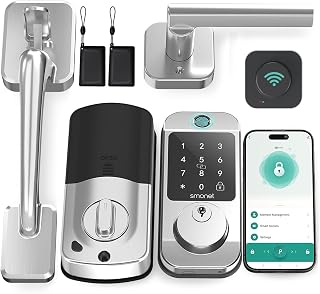


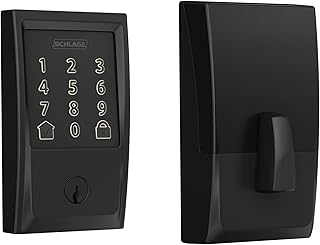


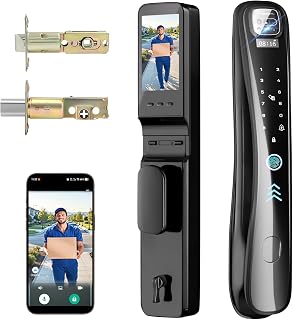


Choosing a smart lock is different from choosing a conventional door lock because the right product must balance physical security, electronic access, convenience, compatibility and long-term reliability. A model that looks impressive on a product page may not be suitable for every Canadian home. Door thickness, deadbolt design, exterior exposure, smartphone compatibility, connectivity and battery access can all affect the buying decision.
This 2026 buying guide is designed to help Canadian shoppers compare smart locks and entry products by the features that matter most. Instead of focusing only on ratings or promotional pricing, consider how each lock fits your existing door, how you intend to unlock it and what happens if the battery, wireless connection or smartphone is unavailable.
Brands such as Yale, Schlage, Kwikset, August, Level and Aqara offer different approaches to smart access. However, brand recognition alone should not determine the purchase. Always compare the exact model, installation requirements, connectivity options and included hardware before ordering.
A strong smart lock should provide convenient access without unnecessarily complicating the mechanical security of the door. The best option depends on your priorities. A homeowner who wants keyless entry may value a keypad, while someone building a connected home may prioritise Apple Home, Google Home, Amazon Alexa or another compatible platform.
Keypad locks are among the most practical choices for households that frequently need keyless entry. Instead of carrying a traditional key, users enter a PIN. This can be particularly useful for family members, guests, cleaners or short-term access arrangements.
Before choosing a keypad model, examine how access codes are managed. Some systems support multiple codes and temporary permissions, while others provide simpler keypad functionality. A lock with a well-designed keypad can also be easier to use when your phone is unavailable.
Fingerprint locks use biometric recognition to provide another form of keyless access. They can be convenient for households where several people regularly enter and leave through the same door.
Fingerprint performance can depend on sensor design, finger placement and environmental conditions. Consider whether the lock also provides a keypad, physical key or another backup method rather than relying exclusively on biometric access.
Bluetooth models can communicate directly with compatible smartphones over a relatively short range. They are often suitable for users who want smartphone-based unlocking without necessarily requiring a permanent internet connection.
The main limitation is remote access. Depending on the product architecture, Bluetooth alone may not provide the same remote-control capabilities as a lock connected through Wi-Fi or a compatible smart-home hub.
Wi-Fi connectivity can make a smart lock easier to monitor and control remotely. Depending on the model, you may be able to check lock status, manage access or receive notifications while away from home.
Wi-Fi functionality can increase power consumption and may require additional setup. Check whether a bridge or hub is included or required. Also consider the location of your router and whether the door receives a dependable wireless signal.
Z-Wave and Zigbee locks are generally designed to work as part of a broader smart-home network. They can be appealing if you already operate a compatible hub or home automation system.
Compatibility is more complicated than simply seeing a wireless protocol listed on the product page. Confirm that the specific lock model works with your hub and that the functions you want are supported. Basic connection compatibility does not always mean every advanced feature will be available.
Thread and Matter are increasingly relevant when comparing modern smart-home devices. Matter is designed to improve interoperability between supported smart-home platforms, while Thread provides a low-power mesh networking technology used by compatible devices.
Do not assume that a product labelled with Matter will automatically support every feature across every platform. Check the exact compatibility information for the lock and your existing smart-home equipment before buying.
One of the most common mistakes is selecting a smart lock based solely on its electronic features. The physical door configuration matters just as much.
Check the dimensions and configuration of your current deadbolt or latch. Installation requirements vary between products, so a lock designed for one configuration may not be a direct replacement for another.
Smart locks can have specific door-thickness requirements. Measure the door rather than assuming that a standard-looking residential door will automatically meet the specification.
A smart lock can perform poorly if the deadbolt does not move smoothly into the strike plate. Test the existing deadbolt with the door closed and unlocked. If it requires excessive force, pushing or lifting the door, resolve the alignment issue before installing a motorised lock.
Canadian homes can experience significant seasonal temperature changes. A lock installed on an exposed exterior door may encounter cold weather, moisture, snow and condensation. Review the manufacturer's environmental and installation specifications carefully before choosing a model for an exposed entrance.
Battery management deserves special attention in Canada. Low temperatures can affect battery performance, and an exterior-facing lock may experience conditions that differ substantially from the indoor environment where many electronic devices are normally used.
Look for clear information about supported batteries, low-battery warnings and emergency power or backup-entry procedures. Avoid choosing a lock solely because a listing advertises a particular battery-life figure. Actual battery life can vary according to usage, connectivity, temperature and configuration.
Smart functionality does not automatically make a lock mechanically stronger. A connected lock still depends on its physical components, installation and door hardware.
When comparing models, examine the construction of the deadbolt, cylinder, strike components and exterior housing. Also consider the condition of the door frame. A sophisticated electronic lock cannot correct a weak or poorly secured installation.
For a replacement project, assess the complete entry point rather than considering only the smart lock itself. The door, frame, strike plate, hinges and existing hardware all contribute to the overall physical security of the entrance.
Phone-based access is convenient for users who regularly carry a compatible smartphone. Depending on the model, the phone may communicate through Bluetooth, Wi-Fi or another wireless system.
Consider what happens if your phone battery is empty, your phone is lost or the app experiences a problem. A backup access method can make everyday ownership considerably easier.
PIN entry removes the need to carry a key or smartphone. It can also make controlled guest access easier. However, users should avoid predictable codes and should understand how codes are added, removed and managed.
A physical key can provide valuable redundancy. Some shoppers prefer a smart lock that retains a conventional key cylinder, while others prefer a fully keyless design. Neither approach is universally best. The right choice depends on how you want to handle emergencies and backup access.
If you regularly provide access to family members, contractors, housekeepers or guests, examine whether the lock supports separate access credentials. Look for controls that allow unwanted permissions to be removed without changing every other user's access.
Smart-home integration can turn a standalone lock into part of a broader automation system. Depending on the product, you may be able to connect the lock with compatible smart speakers, hubs, sensors or automation routines.
Before buying, identify the ecosystem you already use. For example, households using Apple Home, Google Home or Amazon Alexa should verify compatibility with the specific smart lock model rather than relying on general platform branding.
Matter compatibility may be useful for shoppers who want greater flexibility between supported smart-home platforms. However, compatibility should always be checked at the model level because features and setup requirements can differ.
Yale is a long-established name in residential access hardware and offers smart locking products across different configurations. When considering a Yale model, compare the exact product generation, connectivity method, keypad design and compatibility requirements.
Schlage is another established lock brand with smart entry products. Its range includes different approaches to keypad and connected access. Compare individual models carefully because features, connectivity and installation requirements can vary.
Kwikset is widely associated with residential door hardware and offers smart lock options with different access and connectivity features. Buyers should compare the exact deadbolt format, smart-home support and security features rather than judging the range as a whole.
August has focused heavily on connected access and retrofit-style smart locks. These products can appeal to homeowners who want smart functionality while retaining aspects of existing door hardware. Check compatibility with the current deadbolt before selecting a retrofit model.
Level takes a design-focused approach to smart entry products, with models intended to integrate smart functionality into comparatively conventional-looking door hardware. Buyers should pay close attention to compatibility, access methods and connectivity for the exact model.
Aqara offers smart-home products that can appeal to shoppers building a broader connected-home system. Its smart entry products may be particularly relevant to buyers comparing biometric access, keypad functionality and smart-home integration. Always verify hub and platform requirements before purchase.
Auto-lock functionality can be useful for households where doors are frequently closed without manually turning the lock. However, review the timing controls and ensure the feature fits your routine. Automatic locking can be inconvenient if the door needs to remain unlocked temporarily.
Access logs can help users understand when supported credentials were used. This feature can be useful in a household with several authorised users, provided the app offers clear controls and appropriate privacy settings.
A low-battery warning is one of the most practical smart features because it can reduce the likelihood of discovering a power problem at an inconvenient time.
Separate credentials are generally more useful than sharing a single PIN. Individual access can make it easier to manage household members and remove access when circumstances change.
Emergency access should be considered before purchase rather than after installation. Depending on the model, this may involve a physical key, external battery contacts or another manufacturer-supported method.
Because connected locks can communicate with smartphones, hubs or cloud services, digital security deserves the same attention as physical construction. Review the manufacturer's current security documentation, app permissions, account protections and update policy before buying.
Many residential smart locks are designed for consumer installation, but installation difficulty varies considerably. A straightforward replacement may require only basic tools, while unusual door configurations can require additional adjustment.
Read the installation requirements before purchasing. Pay attention to the required interior clearance, deadbolt type, door thickness and strike alignment. If your existing hardware is damaged, heavily worn or unusually configured, professional installation may be preferable.
After installation, test the lock with the door open before relying on it as the primary entry mechanism. Confirm that the bolt extends and retracts smoothly, the keypad or app responds correctly and every intended backup access method works.
A discounted smart lock may look attractive, but the purchase should be evaluated by total functionality and compatibility. A cheaper model that requires an additional hub or lacks your preferred access method may not provide the best overall value.
Not every smart lock fits every deadbolt. Always verify the mechanical configuration before ordering.
Wi-Fi can provide useful remote functionality, but it may increase power demands and introduce additional network dependencies. Bluetooth, Thread, Zigbee or Z-Wave can be more appropriate depending on your smart-home setup.
Smart devices can experience depleted batteries, connectivity problems or smartphone issues. A suitable backup method can prevent a minor technical problem from becoming a serious inconvenience.
Fingerprint recognition, advanced automation and remote management can be valuable, but only if they solve a real problem. A simpler keypad lock may be a better purchase for someone who mainly wants keyless entry.
When comparing smart lock deals in Canada, separate the headline price from the complete ownership requirements. A product's advertised price may not tell you whether a hub, bridge, compatible battery or other accessory is necessary for the features you want.
A keypad smart lock is often the most straightforward choice for people who want to stop carrying keys without building a complex smart-home system. Focus on dependable keypad operation, mechanical compatibility and battery management.
Choose a model that integrates with the ecosystem you already use. Matter, Thread, Wi-Fi, Zigbee and Z-Wave can all be relevant, but the best option depends on your existing hub and automation setup.
Look for multiple user credentials, straightforward code management and reliable backup access. Separate access codes can be more convenient than sharing one code among everyone.
Consider models that support temporary credentials or manageable user permissions. The ability to remove access without physically replacing the lock can be particularly useful when access needs change.
A retrofit smart lock may be attractive if you want to retain compatible existing exterior hardware. Confirm that the current deadbolt and interior mechanism meet the manufacturer's requirements before buying.
Canada's climate makes environmental suitability an important part of the buying process. Exterior doors may experience freezing temperatures, wind, precipitation and rapid seasonal changes. These conditions can affect both the mechanical movement of a door and the performance of batteries.
Before installation, make sure the door closes and latches correctly without excessive force. A door that swells, shifts or becomes difficult to align can create problems for a motorised deadbolt. Check the manufacturer's specified operating conditions and installation guidance for the exact model.
Smart locks require both mechanical and electronic maintenance. Keep the exterior clean according to the manufacturer's instructions and avoid introducing unsuitable liquids or cleaning products into electronic components.
A traditional lock is mechanically straightforward and does not depend on batteries, apps or wireless connectivity. A smart lock adds convenience through features such as keyless entry, remote control, user management and automation.
The choice is therefore less about whether smart technology is universally better and more about whether the additional functionality solves a genuine need. If you value remote access, temporary codes or smart-home automation, a smart lock can offer meaningful convenience. If simplicity and minimal maintenance are the priority, conventional hardware may remain preferable.
A smart lock controls physical access, while a smart doorbell or camera can help you see or communicate with visitors. These devices can complement each other, but they perform different functions.
If your main goal is to control who can unlock the door, prioritise the lock. If your main concern is identifying visitors, a doorbell camera may be more relevant. For a connected entrance, verify that the products can operate within the same smart-home ecosystem before assuming that an integrated experience will be available.
Customer reviews can provide useful information, but they should be interpreted carefully. Look for recurring comments rather than relying on a single positive or negative experience.
The best deal is not necessarily the product with the largest percentage discount. A useful deal combines appropriate specifications, reliable compatibility and a price that makes sense for the features you actually need.
When browsing Canadian retailers and Amazon listings, compare the exact model number, included accessories, current price, seller information and applicable product specifications. Prices and promotions can change, so verify the current details immediately before purchase.
There is no single smart lock that is best for every Canadian household. The right choice depends on door compatibility, preferred access method, smart-home ecosystem, budget, battery requirements and the need for remote access. Compare the exact models from brands such as Yale, Schlage, Kwikset, August, Level and Aqara against your requirements.
A smart lock can provide useful security and access-management features, but security depends on both the mechanical hardware and digital implementation. Use strong account credentials, keep supported software updated and choose a lock that provides an appropriate backup entry method.
Suitability depends on the specific product and installation location. Exterior locks can be exposed to low temperatures, moisture and other environmental conditions. Check the manufacturer's operating specifications and consider battery behaviour, door alignment and weather exposure before installation.
Not all smart locks require Wi-Fi. Some use Bluetooth, while others use Thread, Zigbee, Z-Wave or another connection method. Wi-Fi is useful for certain remote-control functions, but the best connectivity option depends on how you plan to use the lock.
Some models provide keypads, fingerprint sensors, physical keys or other access methods. If smartphone independence is important, choose a model with a backup method that matches your needs.
The answer varies by model. Some locks retain physical key access, while others may provide an external emergency power method. Check the exact product specifications before buying and understand the emergency procedure before relying on the lock.
Neither is universally better. A keypad may be easier for sharing access with family or guests, while fingerprint access can be convenient for users who want biometric entry. Compare reliability, backup access, credential management and installation requirements.
Matter can be valuable for shoppers who want interoperability across supported smart-home platforms. However, compatibility should be confirmed for the exact lock, controller and features you intend to use. The presence of Matter alone does not guarantee identical functionality across every ecosystem.
If the existing hardware is compatible and your door is in good condition, a smart lock can be a practical upgrade. Check dimensions, deadbolt movement, door alignment and installation requirements before choosing a replacement.
There is no universal replacement interval. Battery life varies according to the model, battery type, usage, connectivity and environmental conditions. Follow the manufacturer's guidance and replace batteries when the lock provides a low-power warning.
Higher pricing does not automatically mean a product is better for your situation. A less expensive model with the right compatibility and access features can be more suitable than a premium model containing functions you will never use.
The strongest smart lock purchase is the one that fits your door, supports the way you enter your home and remains practical when technology does not behave as expected. Start with physical compatibility, then evaluate access methods, connectivity, smart-home integration, battery management and security features.
For Canadian shoppers, environmental conditions should also be part of the decision. A lock installed on an exposed exterior door has different requirements from one installed in a sheltered entrance. Consider temperature, moisture, battery access and mechanical alignment before making a final choice.
Use this guide as a framework for comparing the top smart lock options and entry deals available for the Canadian market in 2026. Compare exact model specifications, read verified customer feedback, check current retailer information and confirm today's price before purchasing. The best deal is ultimately the product that delivers the right combination of access convenience, compatibility, physical fit and long-term practicality for your home.