

♥ Wishlist
Compare 26 Surveillance Cameras for Home & Business in Canada products in Canada. Reviews, ratings, pros, cons and buying advice updated for October 2026.

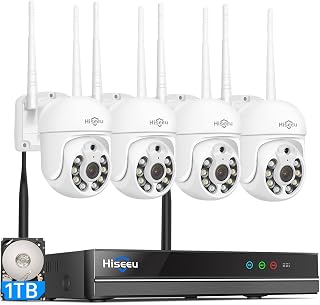


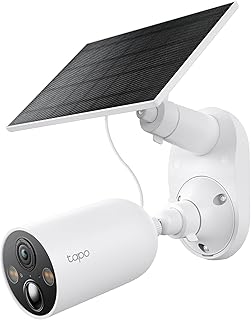


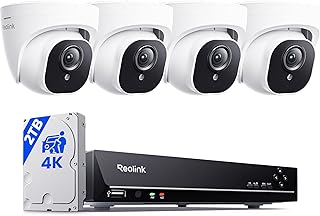


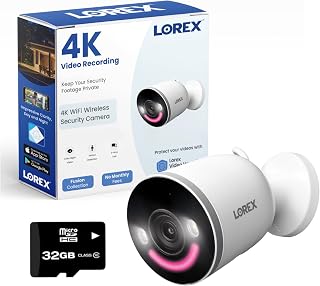

Choosing a surveillance camera is no longer simply a matter of selecting the highest resolution. A good security camera needs to match the property, lighting conditions, network environment, weather exposure and the way you intend to review recordings. Canadian buyers also need to consider cold-weather operation, indoor versus outdoor installation, local storage, cloud subscriptions and compatibility with existing smart-home equipment.
The best choice for one household may be completely different from the best choice for another. A compact indoor camera can be ideal for monitoring an entryway or living area, while a weather-resistant outdoor model may be more appropriate for a driveway, garage entrance or detached property. Battery-powered cameras can simplify installation, whereas wired PoE cameras can provide a more consistent connection for demanding surveillance locations.
This 2026 buying guide focuses on the features that matter when comparing smart surveillance cameras in Canada. Brands commonly encountered in this category include Arlo, Ring, Google Nest, Eufy, Reolink, TP-Link Tapo, Blink, Lorex, Wyze and Aqara. Always compare the specifications of the exact model rather than assuming that every camera from a brand provides the same features.
A smart surveillance camera combines video capture with connectivity and software features. Depending on the model, it may provide motion alerts, person detection, two-way audio, night vision, activity zones, cloud recording, local recording or integration with a broader smart-home platform.
However, more features do not automatically mean a better purchase. A camera with advanced artificial intelligence can be unnecessary for a simple indoor monitoring task, while a basic motion-only camera may not provide enough control for an exposed driveway.
Indoor cameras generally have fewer environmental requirements than outdoor models. They can be useful for monitoring entrances, hallways, pets, children, home offices or other interior areas.
Because rain, snow and freezing temperatures are not normally concerns indoors, buyers can focus more heavily on video quality, audio, privacy features, mounting flexibility and smart-home integration.
A compact camera with a wide viewing angle may cover a room effectively without requiring a large installation. Pan-and-tilt functionality can also be useful when one camera needs to monitor a broader area.
Outdoor surveillance requires more careful product selection. A camera mounted outside may be exposed to rain, snow, wind, dust, direct sunlight and significant temperature changes.
Canadian buyers should pay particular attention to the manufacturer's stated operating-temperature range. A camera being marketed as weather resistant does not necessarily mean it is suitable for every Canadian climate. Check the exact model's environmental specifications before installing it in an exposed location.
Outdoor placement also affects Wi-Fi performance. A camera may work reliably indoors but experience connection problems after being moved farther from the router or placed behind multiple walls and exterior materials.
Resolution describes the amount of image detail captured by the camera, but it is only one part of image quality.
Higher resolution is most useful when the camera, lens, lighting and recording system can actually preserve that additional detail. A poorly positioned 4K camera may produce less useful footage than a well-positioned lower-resolution model.
The field of view determines how much of an area the camera can see. A wide-angle lens can cover more space from a single mounting point, but extremely wide views may make distant objects appear smaller.
Before buying, consider what you actually need to observe. A narrow entrance may benefit from a different lens perspective than a large backyard or driveway.
Security cameras need to produce useful footage after dark, not just during daylight. Infrared night vision is common, while some newer cameras use colour imaging in low-light conditions when sufficient illumination is available.
When comparing cameras, do not judge night performance from resolution alone. Lens aperture, sensor characteristics, infrared illumination and image processing can all influence the final result.
For outdoor installations, consider how far the camera needs to identify movement at night. A camera covering a short pathway has different requirements from one monitoring a large driveway.
Basic motion detection can generate notifications whenever something moves. That can be useful, but it can also result in frequent alerts from pets, branches, shadows or changing light.
More advanced cameras may distinguish between categories such as people, vehicles and animals. Some systems also allow users to define activity zones or sensitivity levels.
When comparing smart surveillance cameras, ask what detection features are actually included with the model and whether certain functions require a subscription. Feature names can vary between manufacturers, so checking the exact specification is important.
Artificial intelligence is increasingly used to analyse camera footage and classify detected activity. Depending on the system, this may include person, vehicle, animal or other object detection.
These features can improve the usefulness of notifications because the camera can potentially distinguish relevant activity from general movement. However, detection is not infallible. Lighting, camera angle, distance, obstructions and environmental conditions can influence results.
Do not purchase a camera solely because its product page lists an AI feature. Check which detections are supported, where processing occurs, whether the feature is included in the purchase and whether ongoing fees apply.
Storage is one of the most important differences between surveillance camera systems.
Cloud recording stores footage through the manufacturer's online service. It can make remote access convenient because recordings may remain available even if the camera itself is damaged or removed.
The disadvantage is that advanced recording features may require a recurring subscription. Buyers should calculate the long-term cost rather than comparing cameras only by their initial purchase price.
Local storage can reduce dependence on recurring cloud fees. Depending on the camera, footage may be stored on a microSD card, network storage device, base station or another compatible storage system.
Local storage also requires attention to capacity, recording modes, overwrite behaviour and physical security. If the storage device is accessible to an intruder, it may not provide the same resilience as footage stored remotely.
Some surveillance systems support both local and cloud-based recording. This can give buyers greater flexibility, although the available features and subscription requirements vary considerably between models.
Wi-Fi cameras are convenient because they can often be installed without running dedicated network cables. They are particularly attractive for renters or locations where cable installation is difficult.
The main consideration is network reliability. A camera positioned far from the router may experience weaker connectivity, especially through multiple walls or exterior construction.
Battery cameras can simplify installation and provide flexibility when there is no convenient power outlet. They are useful for locations where running cables would be difficult.
Battery life depends on factors such as recording frequency, motion activity, temperature, signal strength and camera settings. Cold Canadian weather can make battery performance an especially important consideration for outdoor installations.
Power over Ethernet cameras use a network cable to provide both connectivity and power. They can be attractive for permanent installations where dependable network connectivity is a priority.
PoE systems generally require more planning during installation, but they can be a strong option for homeowners seeking a structured surveillance setup.
Canada includes a wide range of climates, so an outdoor camera should be selected according to its stated environmental specifications rather than a generic claim that it is suitable for outdoor use.
A camera can be weather resistant while its power connection or mounting arrangement still requires protection. Installation quality therefore matters almost as much as the camera specification.
Many smart cameras include a microphone and speaker for two-way communication. This can be useful for speaking with someone at the door or communicating with people inside the property.
Some outdoor models also include sirens, warning lights or integrated spotlights. These features can provide an additional deterrent, but they should be evaluated according to the installation location and local considerations.
Two-way audio is also affected by placement. Strong background noise, wind and distance can reduce its usefulness, so buyers should not evaluate audio features purely from the specification sheet.
Smart-home integration can make a surveillance camera more convenient to use. Depending on the model and ecosystem, a camera may work with platforms such as Amazon Alexa, Google Home or Apple Home.
Compatibility should be checked at the individual product level. A brand may support a particular smart-home platform while some camera models have limited functionality or require a specific hub.
If you already use devices from brands such as Ring, Google Nest, Eufy, Arlo, Aqara or TP-Link Tapo, consider whether adding another ecosystem will make your setup easier or more complicated.
A connected camera is part of your home's digital environment, so privacy and account security should be included in the buying decision.
Buyers should also think carefully about camera placement. Avoid unnecessary monitoring of areas where privacy is expected, and consider the people who may regularly enter or occupy the monitored space.
A high-resolution camera cannot compensate for poor positioning. Glare, obstructions, excessive distance and inadequate lighting can still reduce useful image detail.
A camera with an attractive purchase price may become more expensive over time if essential recording or detection functions require a recurring subscription.
Wireless connectivity should be evaluated at the intended installation point. A reliable connection near the router does not guarantee reliable service at an outdoor camera several metres away.
Battery-powered outdoor cameras need special consideration in regions with cold winters. Frequent motion events and low temperatures can affect how often the camera requires attention.
Indoor and outdoor cameras are designed for different environments. An indoor model should not be treated as an outdoor substitute simply because it has a similar resolution or smart features.
One camera can provide useful coverage, but it may leave important areas outside its viewing angle. Draw a basic property map and identify entrances, pathways, parking areas and other locations that genuinely require monitoring before deciding how many cameras to buy.
A structured comparison makes it easier to separate meaningful differences from marketing terminology.
The Canadian smart-camera market includes several established brands, but brand recognition should not replace model-level research.
Product lines change over time, so always compare the specifications, included accessories, storage policy and compatibility of the exact model available when you purchase.
A compact indoor Wi-Fi camera may be sufficient for monitoring an entrance or main living area. Prioritize easy installation, privacy controls, two-way audio and reliable connectivity.
A combination of indoor and outdoor cameras can provide broader coverage. Consider the driveway, front entrance, rear entrance and other locations where visibility is important.
Large properties can benefit from cameras with wider coverage, strong network connectivity and, where appropriate, PoE infrastructure. Plan camera locations before purchasing equipment.
Wireless or battery-powered cameras can reduce the need for permanent modifications. Check lease rules and choose mounting options that suit the property.
Remote locations require careful attention to internet connectivity, power availability, storage and environmental conditions. A camera is only useful remotely if the complete system can remain connected and powered.
There is no single price point that defines a good security camera. The appropriate budget depends on the required coverage and features.
Instead of choosing solely by price, calculate the total ownership cost. Include the camera, mounting hardware, power accessories, memory card or storage equipment, hub requirements and any recurring subscription.
A less expensive camera with local storage may be more economical over several years than a camera that requires a subscription for the features you actually need. Conversely, cloud storage may be worth considering if convenient remote access and off-site recording are priorities.
Correct installation can significantly influence the usefulness of surveillance footage. A camera should be positioned to capture the areas that matter without being unnecessarily exposed to glare or obstructions.
For entrances, consider the height and direction of approach. For driveways, make sure the camera can cover the relevant distance. For indoor areas, avoid placing the lens directly toward bright windows where possible.
After installation, review the camera's motion zones and notification settings. Excessive sensitivity can create unnecessary alerts, while overly restrictive settings can cause important events to be missed.
A discount is only useful when the product still meets your requirements. Before buying a camera deal, compare the current model with newer alternatives and check whether the advertised price includes the accessories you need.
Deal shoppers should also examine the long-term cost. A discounted camera that requires an expensive subscription may not represent the best overall value. Similarly, a low-priced camera may lack a feature that is important for your installation, such as local storage, suitable outdoor operation or a particular smart-home integration.
If you are unsure where to start, use this sequence:
There is no universal best camera. The right choice depends on where it will be installed, the required image quality, power source, storage preference, connectivity and budget. Compare the exact models against your specific requirements.
Wireless cameras can be reliable when they have a strong and stable connection. Distance from the router, building materials, network congestion and outdoor placement can all affect performance.
They can be suitable when the specific model is designed for the expected environmental conditions. Check the manufacturer's operating-temperature specifications and remember that cold temperatures can affect battery performance.
Some cameras offer useful functions without a subscription, while others place certain cloud recording or advanced detection features behind a paid plan. Check the exact model's current service requirements before purchasing.
Neither option is universally better. Local storage can reduce recurring fees and provide direct control over recordings, while cloud storage can offer convenient remote access and off-site storage. Some systems provide both.
Not always. Higher resolution can provide more image detail, but lens quality, lighting, viewing distance and camera placement are equally important. A properly positioned 1080p or 2K camera may be sufficient for many applications.
A driveway camera should provide an appropriate field of view, useful night performance, reliable connectivity and enough detail for the required viewing distance. Outdoor environmental specifications are also important in Canada.
Some cameras can operate through wired Ethernet, PoE or dedicated security systems rather than Wi-Fi. The available options depend on the product design.
Some cameras operate independently through their own application and network connection. Others require a hub or bridge for particular functions. Check the manufacturer's requirements for the exact model.
Check the exact model number, resolution, field of view, night vision, detection features, storage options, power requirements, weather rating, smart-home compatibility and any subscription costs. Also compare the current price against competing models rather than judging the discount alone.
The strongest surveillance camera purchase is not necessarily the most expensive or the camera with the longest specification list. It is the model that provides dependable coverage for the location where you actually need it.
For Canadian buyers, begin with the environment and installation requirements. Then compare image quality, night performance, detection, storage, connectivity, power and smart-home compatibility. Outdoor shoppers should give additional attention to temperature and weather specifications, while battery-camera buyers should consider how cold conditions may affect practical operation.
Before completing a purchase, compare several exact models, read verified customer feedback, review the manufacturer's specifications and calculate the complete cost of ownership. This approach makes it easier to identify genuine value among surveillance camera deals in 2026 rather than choosing based on resolution, brand recognition or a temporary discount alone.