
Best Document Cameras for Classrooms, Teaching & Presentations Products online Canada
Explore our real-time updated product directory index curated for performance, verified star metrics, and historical consumer trust rankings.
Verified Deal Selections
53 Items Indexed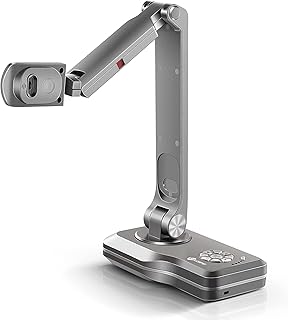






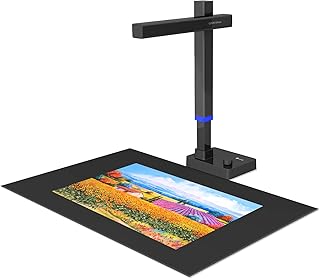


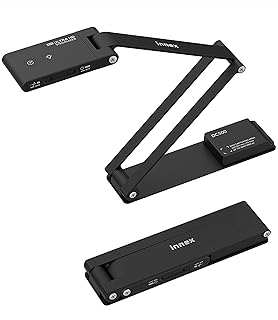


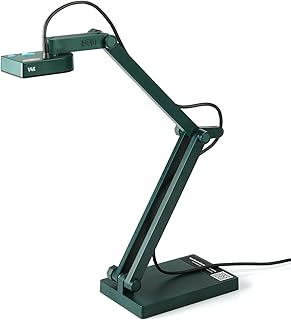


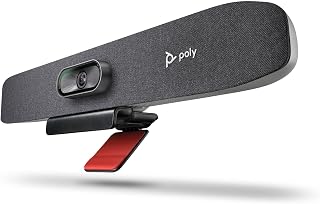


Explore Document Cameras for Clear, Real-Time Visual Sharing
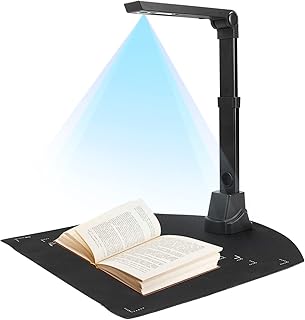
A document camera is a specialised camera designed to capture physical documents, books, objects, artwork and demonstrations and display them in real time. Unlike a conventional webcam that is generally positioned toward a person, a document camera can point downward toward a work surface, making it useful when the subject needs to be shown clearly to an audience. This makes document cameras a practical choice for teachers, presenters, trainers, students and professionals who regularly demonstrate physical materials.
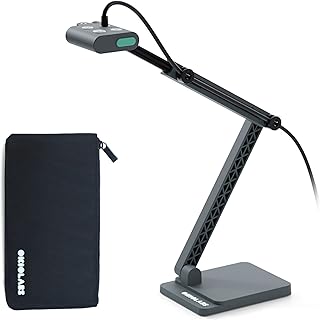
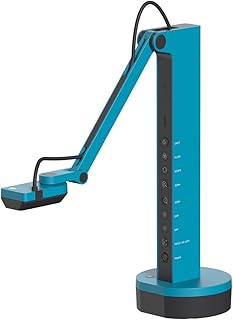
The document cameras available in this category cover a range of configurations and capabilities. Depending on the model, shoppers may find USB document cameras, HDMI-connected visual presenters, wireless options, portable folding designs and models that combine document-camera, webcam and scanning functions. The product selection also includes cameras with different image resolutions, capture areas, lighting options, microphones and focusing systems. Checking these specifications before purchasing can help ensure the camera fits the intended environment.
Document Cameras for Classrooms and Teaching
Teachers can use a document camera to display worksheets, textbooks, handwritten notes, diagrams, experiments, craft projects and small physical objects to an entire class. A live camera view can make demonstrations easier to follow because students can see the material as it is being handled. Some models are designed for real-time projection, while others support video recording or online teaching applications.
For Canadian schools and educators working with computers, projectors or interactive displays, connectivity is an important consideration. USB models can be convenient for computer-based teaching, while HDMI-equipped models may connect directly to compatible displays or presentation equipment. Some document cameras support more than one connection method, providing greater flexibility when moving between classroom and remote-learning setups.
Features to Compare When Choosing a Document Camera
Resolution and Image Detail
Resolution affects how clearly text, diagrams and objects appear on screen. Higher-resolution models can be useful when showing fine details, printed material or artwork. The category includes models advertised with HD, Full HD, 4K and various megapixel specifications, so compare the stated resolution with the display and software you plan to use.
Autofocus and Manual Control
Autofocus can help keep documents and objects sharp as they are moved beneath the camera. Some models also provide manual focus controls for users who want more direct control over image clarity. This can be particularly useful for demonstrations involving objects at different distances from the lens.
Connectivity and Compatibility
Before buying, check whether the camera supports the computer, Chromebook, Mac, Windows device, projector or display you intend to use. USB, USB-C, HDMI, VGA and wireless connectivity can appear across different models. Compatibility with video-conferencing and classroom software may also matter for users who plan to teach or present online.
Capture Area and Portability
Capture size is another important consideration. A compact camera may work well for standard documents and desk demonstrations, while an A3-capable model can accommodate larger sheets, books or artwork. Foldable arms and compact designs can make portable document cameras easier to store and transport between classrooms, offices or meeting spaces.
Document Cameras for Remote Learning and Online Meetings
A document camera can add a physical demonstration view to an online lesson or meeting. Teachers can show handwritten work, books, diagrams and objects while continuing to communicate through a computer or conferencing platform. Some models include built-in microphones, LEDs or webcam functionality, potentially reducing the amount of equipment needed for a basic presentation setup.
Document Cameras for Scanning and OCR
Some products in this category combine camera and scanning functionality. Features such as optical character recognition, automatic flattening, deskewing and document conversion may help users digitise printed materials. These capabilities are different from basic real-time visual presentation, so shoppers should check the product specifications carefully if scanning is a primary requirement.
How to Choose a Document Camera in Canada
Start by identifying how the camera will be used. For classroom demonstrations, consider image quality, autofocus, capture area and display connectivity. For remote teaching, check USB compatibility, webcam support, microphone features and compatibility with your computer or Chromebook. For frequent travel, prioritise a foldable or compact design. For books, artwork or larger documents, look for an appropriate capture area and adjustable camera arm.
It is also useful to consider the lighting conditions in the intended workspace. Built-in LED illumination can help provide additional lighting for documents and objects, while flexible positioning can make it easier to frame the subject. If you need to record lessons or demonstrations, verify whether the chosen model and associated software support video recording.
Shop Document Cameras by Your Intended Use
Whether you need a classroom visualiser, a USB document camera for online teaching, a portable model for presentations or a multifunction device that can also scan documents, compare the specifications that matter most to your workflow. Look at resolution, focus type, connectivity, operating-system compatibility, capture size, portability and additional features before making a purchase.
The Document Cameras category on UseBuyOnline presents a range of products available through the site's shopping directory, including models intended for teaching, presentations, remote learning, document scanning and visual demonstrations. Reviewing the individual product specifications can help Canadian shoppers identify a camera that suits their equipment, workspace and intended application.
Introduction
Find document cameras designed to make books, worksheets, notes, objects, artwork and live demonstrations easier to display on a larger screen. The Document Cameras category brings together options suited to classrooms, remote learning, office presentations, training sessions and other visual communication needs. Canadian shoppers can compare features such as resolution, autofocus, connectivity, portability, capture area and compatibility to find a model that matches their setup.
Frequently Asked Questions
What is a document camera?
A document camera is a camera designed to display physical documents, books, objects, artwork and demonstrations in real time on a compatible screen, computer or presentation system.
What are document cameras used for?
Document cameras are commonly used for classroom teaching, remote learning, presentations, training, demonstrations, online meetings and showing physical materials to an audience.
Are document cameras suitable for online teaching?
Many document cameras are designed for online teaching and can connect to compatible computers for use with video and conferencing software. Always check the individual product's operating-system and software compatibility before purchasing.
Should I choose a USB or HDMI document camera?
The choice depends on your equipment. USB models can be convenient when connecting to a computer, while HDMI models may be useful with compatible displays and presentation equipment. Some models support multiple connection methods.
Do document cameras support 4K resolution?
Yes, some models in this category are advertised with 4K video or image resolution. If 4K is important to you, verify the product specifications and confirm that your connected hardware can support the desired resolution.
Can a document camera scan documents?
Some multifunction models combine document-camera and scanning capabilities and may include OCR, deskewing or automatic document flattening. Basic document cameras may focus primarily on real-time visual presentation rather than scanning.
What should I check before buying a document camera in Canada?
Consider resolution, autofocus, connectivity, operating-system compatibility, capture area, portability, lighting and any recording or scanning functions you need. Matching these specifications to your existing equipment can help avoid compatibility issues.
Frequently Asked Questions (FAQ)
❓ How are these Document Cameras for Classrooms, Teaching & Presentations options ranked?
Our custom data engine continuously scans product entries to verify high-performing items that carry a consistent rating above 4.2 stars, filtering out unreliable listings or items with artificial review jumps.
❓ Does clicking outbound links increase my checkout price?
Absolutely not. All generated product buttons use standard, secure commercial tracking tags. The item cost values reflect the official live marketplace catalog pricing identically.
❓ How often are the pricing deals updated on this page?
Our data tables utilize automated cache transients refreshed continuously throughout the week to fetch the freshest inventory nodes, live pricing metrics, and tracking structures.
❓ Are these products backed by standard consumer warranties?
Yes. Because our directory routes you directly to the verified official listing pages on Amazon, your purchases qualify for complete merchant protections, returns, and original brand manufacturing warranties.