
Best Computers Accessories for Work, Study & Everyday Computing Products online Canada
Explore our real-time updated product directory index curated for performance, verified star metrics, and historical consumer trust rankings.
Verified Deal Selections
60 Items Indexed


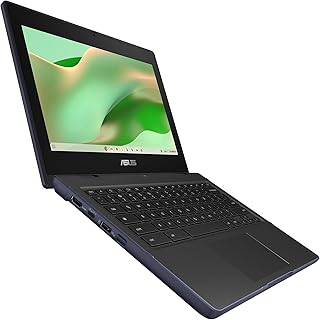


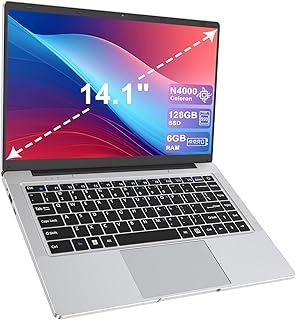


Shop Computers Accessories for Everyday Computing
Choosing the right computer setup often involves more than selecting a single device. Your everyday experience can depend on the computer itself, available connectivity, storage, memory, display requirements and the accessories that help you work or study comfortably. The Computers Accessories category at UseBuyOnline brings together computer-related shopping options for Canadian customers who want to explore products for home, office, education, entertainment and general computing needs.
The current category selection includes a range of computer formats and configurations, including desktop computers, all-in-one PCs, mini PCs, laptops and Chromebooks. Product specifications can vary considerably, so shoppers can compare details such as processor type, RAM, storage capacity, screen size, operating system, graphics capabilities, wireless connectivity and included peripherals before choosing a suitable option.
Explore Computers for Home, Office and Study
For home users, a computer may be used for browsing, streaming, communication, personal administration and everyday productivity. Office users may need a dependable setup for documents, spreadsheets, video meetings, web applications and multitasking. Students can look for portable laptops or compact computers that suit coursework, research and online learning.
Desktop computers can be useful when you prefer a dedicated workstation, while all-in-one computers combine the main computer components with a display in a streamlined format. Mini PCs can be an option for shoppers who want a compact desktop footprint, while laptops and Chromebooks provide portability for people who regularly move between rooms, classrooms, offices or other locations.
Compare Key Computer Specifications
Processor and Performance
The processor affects how a computer handles applications and multitasking. When comparing products, consider the processor family, generation and stated performance alongside the tasks you expect to perform rather than relying on a processor name alone.
RAM and Storage
RAM supports active applications and multitasking, while storage provides space for the operating system, applications and personal files. Products in this category may feature different combinations of RAM and SSD or other storage capacities. Think about how many applications you use simultaneously and how much local storage your files require.
Display and Form Factor
Screen size and computer design can influence comfort and workspace requirements. Larger displays may suit stationary workstations, while smaller laptops can be easier to carry. All-in-one computers can help reduce cable clutter, and compact desktop formats can be useful where desk space is limited.
Connectivity
Connectivity is another important consideration. Depending on the product, features may include Wi-Fi, Bluetooth, USB ports, USB-C, HDMI, DisplayPort, wired networking and other connections. Check the exact product specification to ensure that the computer supports the peripherals and displays you plan to use.
Choose a Computer Setup for Your Needs
Canadian shoppers can narrow their options by starting with the way they intend to use the computer. A basic home or study setup may prioritise affordability, portability and sufficient storage. A business workstation may place greater emphasis on multitasking, connectivity and long-term usability. Creative or demanding applications may require stronger processors, more memory or dedicated graphics, depending on the software.
If portability matters, pay attention to screen size, weight, battery information and available ports. For a fixed workspace, desktop and all-in-one designs may offer a practical alternative. Buyers considering refurbished or renewed computers should also review the individual product description carefully, including its condition, specifications and included items.
Shop Computer Products with Practical Comparison in Mind
Computer specifications can differ significantly even when two products appear similar at first glance. Before purchasing, compare the processor, RAM, storage, operating system, display, connectivity and included accessories. Also consider whether the product comes with a keyboard, mouse, charger or other peripherals when these items are important to your setup.
UseBuyOnline's Computers Accessories category provides a starting point for exploring computer products and related shopping options available for the Canadian market. Product availability and specifications can change, so review the current product information and retailer details before completing a purchase.
Make Your Computer Purchase More Informed
A suitable computer setup should match the user's tasks, workspace and preferred level of portability. Rather than selecting a product based only on a headline specification, consider how the complete configuration fits your needs. Checking compatibility, storage, memory, ports, display requirements and operating system support can help reduce surprises after purchase.
Whether you are replacing an older home computer, setting up a workspace, looking for a student laptop or exploring compact computing solutions, the Computers Accessories category can help you compare different computer formats in one place. Start with your intended use, identify the specifications that matter most and then compare the available products for a practical fit.
Introduction
Find computers accessories and computer essentials for everyday use, home offices, study spaces and professional tasks. This category brings together computer-related products available for Canadian shoppers, making it easier to explore options by device type, specifications, intended use and practical requirements.
Frequently Asked Questions
What can I find in the Computers Accessories category?
The category includes computer-related products such as desktop computers, all-in-one PCs, mini PCs, laptops and Chromebooks, along with different configurations and specifications.
How much RAM should I look for in a computer?
The right amount of RAM depends on your workload. Basic browsing and everyday tasks require less memory than multitasking, professional applications or other demanding workloads. Compare the RAM specification with the applications you plan to use.
Is an SSD important when choosing a computer?
An SSD can provide fast storage performance and responsive system operation. When comparing computers, consider both the storage type and capacity so the configuration matches your applications and file-storage needs.
Should I choose a laptop or desktop computer?
A laptop can suit shoppers who need portability, while a desktop can be appropriate for a dedicated workspace. Your choice should depend on how often you need to move the computer, your workspace and the specifications required for your tasks.
What should I check before buying computer accessories?
Check compatibility, connector types, supported devices, operating system requirements, available ports and the exact specifications listed for the product. These details can help ensure that an accessory works with your existing setup.
Are refurbished computers worth considering?
Refurbished or renewed computers can be an option for shoppers considering previously used equipment. Review the individual listing carefully for its condition, processor, RAM, storage, operating system, included components and retailer information before purchasing.
How do I choose a computer for home or office use?
Start by identifying your main tasks, such as web browsing, documents, video meetings, study or multitasking. Then compare processor performance, RAM, storage, display, connectivity and form factor to find a configuration that fits those requirements.
Frequently Asked Questions (FAQ)
❓ How are these Computers Accessories for Work, Study & Everyday Computing options ranked?
Our custom data engine continuously scans product entries to verify high-performing items that carry a consistent rating above 4.2 stars, filtering out unreliable listings or items with artificial review jumps.
❓ Does clicking outbound links increase my checkout price?
Absolutely not. All generated product buttons use standard, secure commercial tracking tags. The item cost values reflect the official live marketplace catalog pricing identically.
❓ How often are the pricing deals updated on this page?
Our data tables utilize automated cache transients refreshed continuously throughout the week to fetch the freshest inventory nodes, live pricing metrics, and tracking structures.
❓ Are these products backed by standard consumer warranties?
Yes. Because our directory routes you directly to the verified official listing pages on Amazon, your purchases qualify for complete merchant protections, returns, and original brand manufacturing warranties.