
Best Copiers for Home, Office & Business in Canada Products online Canada
Explore our real-time updated product directory index curated for performance, verified star metrics, and historical consumer trust rankings.
Verified Deal Selections
51 Items Indexed


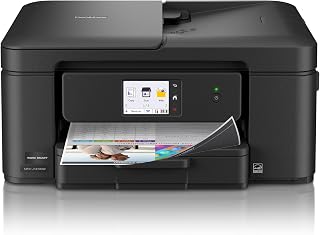


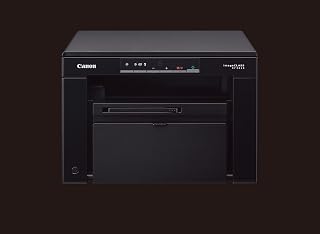


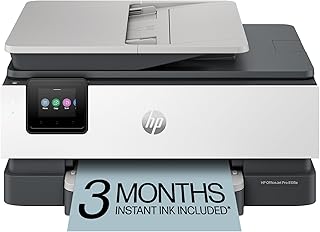


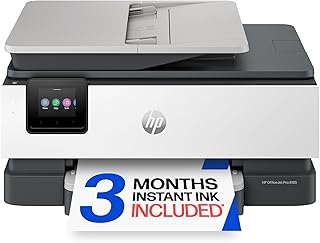


Shop Copiers for Different Printing Needs
A copier can make everyday document handling easier at home, in a small office, or across a larger workplace. Modern copy machines can support more than basic photocopying, with many models combining copying, printing and scanning in one device. Choosing the right copier starts with understanding how you plan to use it, how often you expect to copy documents, and which features matter most for your workspace.
For Canadian shoppers, the ideal copier depends on factors such as available space, document volume, paper requirements and connectivity. A compact copier may suit occasional household or home-office tasks, while a larger office machine can provide more practical paper handling and workflow features for regular use. Consider the type of documents you normally work with before selecting a model.
Choose a Copier Based on Your Workspace
Home offices often benefit from machines that fit comfortably on a desk or dedicated workstation. If copying is occasional, a straightforward model can provide the functionality you need without taking up unnecessary space. Small businesses may require additional features for invoices, forms, reports and other frequently handled documents.
Busy offices typically need equipment designed around higher document workloads. Look at paper capacity, supported paper sizes, copying speed, automatic document handling and network connectivity when comparing suitable options. These specifications can help you match a copier to the demands of your workplace rather than choosing solely by appearance or purchase price.
Copier Features to Compare
Black-and-White or Colour Copying
Black-and-white copiers can be suitable for workplaces that mainly produce text-based documents. Colour copiers can be more appropriate when presentations, marketing materials, graphics or other colour documents are part of your regular workflow. Consider the documents you create most often when deciding which format fits your needs.
Paper Capacity and Supported Sizes
Paper capacity affects how frequently you need to reload the machine. Also check which paper sizes and media types a copier supports. Standard office documents may require different handling from envelopes, forms or larger presentation materials. Matching paper support to your everyday requirements can make routine copying more convenient.
Scanning and Printing Functions
Many modern copiers combine multiple document functions. A multifunction copier may allow you to copy, scan and print from one machine. This can simplify a workspace where several document tasks are performed throughout the day. Review the functions included with each model to avoid paying for features that you will not use.
Connectivity
Connectivity is another important consideration for modern offices. Depending on the model, connection options may include USB or network-based printing. If several people need access to the copier, check the available connectivity and compatibility before making a purchase.
How to Find the Right Copier
Start by estimating your typical copying volume. Occasional users can focus on practical size, essential functionality and ease of use. Regular office users should pay closer attention to paper capacity, document handling and workflow features. Businesses with multiple users may also want to consider how the machine will connect to existing office equipment.
Next, consider available space and placement. Copiers can vary significantly in physical size, so measure the intended area before ordering. Leave sufficient room for opening paper trays, replacing supplies and accessing controls. A copier that fits the available workspace can be easier to operate and maintain.
Shop Copiers in Canada
Explore copier options for home offices, small businesses and professional workplaces. Compare the specifications that matter to your workflow, including copying capabilities, colour support, paper handling, connectivity and multifunction features. By matching the machine to your expected workload and workspace, you can make a more informed purchasing decision.
Whether you need a dependable machine for occasional documents or a more capable office copier for regular workloads, browse the available category options and compare individual product specifications carefully. Check the manufacturer's listed requirements and included functions before placing an order.
Introduction
Find copiers for a wide range of printing and document-copying needs in Canada. Whether you need a compact machine for a home office or a higher-capacity copier for a busy workplace, this category helps you explore options by features, functionality and intended use.
Frequently Asked Questions
What type of copier is suitable for a home office?
A compact copier with the functions you regularly need can suit a home office. Consider available space, expected document volume, paper capacity and whether you also need printing or scanning.
Should I choose a colour or black-and-white copier?
Choose based on the documents you normally produce. Black-and-white models can suit text-focused documents, while colour copiers can be useful for presentations, graphics and other documents where colour matters.
What should I check before buying a copier?
Compare copying speed, paper capacity, supported paper sizes, document handling, connectivity, physical dimensions and included functions. Also consider your expected copying volume and available workspace.
Are multifunction copiers useful for offices?
Multifunction copiers can combine copying with printing and scanning. This can be useful when a workplace regularly handles several types of document tasks from one location.
How important is paper capacity when choosing a copier?
Paper capacity matters more when a copier is used frequently. A larger capacity can reduce the need for repeated paper refills, while occasional users may have less need for a high-capacity setup.
Can multiple people use an office copier?
Some copiers support network connectivity that allows multiple users to access the machine. Check the individual model's connectivity specifications and compatibility before purchasing.
How do I choose a copier for a small business?
Consider the number of users, typical document volume, paper requirements, colour needs, scanning and printing functions, connectivity and available space. Compare these factors against the specifications of each copier.
Frequently Asked Questions (FAQ)
❓ How are these Copiers for Home, Office & Business in Canada options ranked?
Our custom data engine continuously scans product entries to verify high-performing items that carry a consistent rating above 4.2 stars, filtering out unreliable listings or items with artificial review jumps.
❓ Does clicking outbound links increase my checkout price?
Absolutely not. All generated product buttons use standard, secure commercial tracking tags. The item cost values reflect the official live marketplace catalog pricing identically.
❓ How often are the pricing deals updated on this page?
Our data tables utilize automated cache transients refreshed continuously throughout the week to fetch the freshest inventory nodes, live pricing metrics, and tracking structures.
❓ Are these products backed by standard consumer warranties?
Yes. Because our directory routes you directly to the verified official listing pages on Amazon, your purchases qualify for complete merchant protections, returns, and original brand manufacturing warranties.