
♥ Wishlist
Compare 51 Smart Home Utilities for Connected Canadian Homes products in Canada. Reviews, ratings, pros, cons and buying advice updated for October 2026.








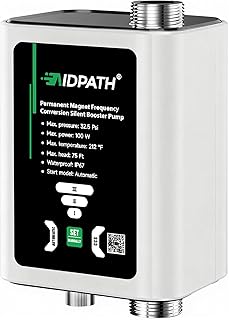


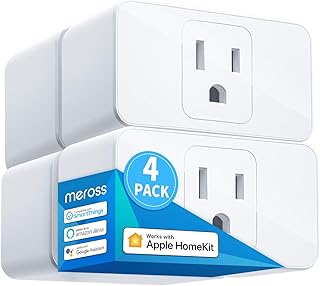


Smart home utilities have moved beyond simple convenience devices. Today's connected products can help manage lighting, heating, security, energy use, indoor comfort, cleaning routines and everyday household tasks from a phone, voice assistant or central smart home platform. For Canadian households, the right choice also depends on factors such as winter temperatures, heating systems, electrical standards, Wi-Fi coverage, home size and compatibility with existing devices.
This guide is designed to help Canadian shoppers compare smart home utilities more carefully in 2026. Instead of focusing only on discounts or headline features, consider compatibility, reliability, installation requirements, privacy, ongoing costs, automation options and long-term usefulness before choosing a product.
A smart home utility should solve a genuine household problem rather than simply add another connected device. A useful product can reduce repetitive tasks, improve control over an existing appliance, provide useful information or make a routine easier to manage.
For example, a smart thermostat can provide more flexible temperature scheduling, while a smart plug can add app-based control to a compatible electrical device. Smart lighting can provide automation and scheduling, and sensors can trigger actions based on motion, temperature, doors or other conditions.
The most useful purchase is not necessarily the product with the longest feature list. It is the one that fits your home, works with your existing ecosystem and provides functions you are likely to use regularly.
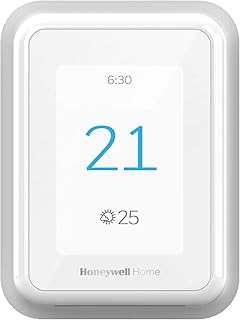
Smart thermostats are particularly relevant in Canada because heating can be an important part of household energy use. Before buying one, check whether it is compatible with your heating and cooling system. Compatibility can vary between central HVAC systems, heat pumps, boilers, radiant heating and other configurations.
Look for useful features such as programmable schedules, remote temperature control, occupancy-based adjustments, energy monitoring and compatibility with your preferred smart home platform. Products from brands such as Google Nest, ecobee and Honeywell Home are commonly associated with connected thermostat solutions, but compatibility should always be checked for the exact model and installation.
Do not assume that every smart thermostat works with every Canadian heating system. Wiring requirements, power availability and HVAC configuration can affect installation. If you are unsure about your system, verify the manufacturer's compatibility information or consult a qualified professional.
Smart plugs are among the simplest ways to introduce automation into a home. They can provide remote switching, schedules and routines for compatible plug-in devices.
Before purchasing, check the electrical rating and the type of device you intend to control. A smart plug designed for ordinary household loads should not automatically be assumed suitable for high-power appliances, heaters or other demanding equipment. Always follow the manufacturer's electrical specifications.
Wi-Fi smart plugs can be convenient because they may not require a dedicated hub. Other products use technologies such as Zigbee, Z-Wave or Thread and may require a compatible hub or controller. Matter-compatible devices can also be attractive when interoperability across supported smart home platforms is important.
Smart bulbs, switches, dimmers and lighting controllers can make everyday lighting easier to automate. Useful functions may include scheduling, dimming, scenes, occupancy automation and remote control.
Smart bulbs are usually easy to install when the existing fixture and bulb type are compatible. Smart switches can provide a more permanent solution but may require additional wiring considerations. In some installations, a neutral wire or other electrical requirements can affect compatibility.
Brands such as Philips Hue, TP-Link Kasa and Nanoleaf offer connected lighting products across different categories. Compare the exact product specifications rather than assuming that products within the same brand have identical connectivity or platform support.
Small sensors can add automation without requiring a major installation. Motion sensors, contact sensors, temperature sensors, humidity sensors and water-leak sensors can provide information that helps trigger household routines.
A door sensor could notify you when a monitored entry point opens. A temperature sensor can provide readings from a room that is far from the main thermostat. A leak sensor can provide an early alert when water is detected in an area where a leak could cause damage.
Battery life, wireless range, notification speed and ecosystem compatibility are important comparison points. Sensor placement also matters. A technically capable sensor can provide poor results if it is installed in an unsuitable location.
Smart security products can include video doorbells, indoor cameras, outdoor cameras, smart locks and alarm-related accessories. When comparing these products, look beyond image resolution or promotional specifications.
Consider field of view, night vision, motion detection, local versus cloud storage, subscription requirements, notification controls, account security and compatibility with your existing smart home platform.
Privacy should be a central consideration for cameras and other devices that collect household information. Read the manufacturer's privacy documentation and understand where recordings or other data are stored. A feature is only useful if you are comfortable with the way it operates.
Robot vacuums and other connected cleaning products can automate repetitive household tasks. Depending on the model, features may include mapping, room selection, scheduled cleaning, obstacle avoidance, app controls and automated charging.
When comparing robot vacuums, consider the type of flooring in your home, carpet thickness, thresholds, furniture clearance, pet hair, maintenance requirements and the size of the areas being cleaned.
A sophisticated navigation system does not remove the need for routine maintenance. Brushes, filters, sensors, wheels and dust containers may still require regular cleaning or replacement.
Connectivity is one of the most important technical considerations when comparing smart home utilities. Two products can provide similar functions while using very different communication technologies.
Wi-Fi products can be convenient because many homes already have a Wi-Fi network. They may connect directly to a router without requiring a separate smart home hub.
However, adding many connected devices can increase demands on the wireless network. Placement of the router, building materials, distance and network configuration can affect reliability.
Bluetooth can work well for products that operate relatively close to a phone, hub or compatible controller. It may be useful for certain sensors, locks and accessories, although capabilities vary considerably between products.
Zigbee and Z-Wave are established smart home technologies used by many sensors, switches and automation products. They can be useful when building a broader smart home system, but device compatibility depends on the hub or controller being used.
Thread is a low-power mesh networking technology designed for connected home devices. It is increasingly relevant to modern smart home ecosystems and can be particularly useful for compatible low-power devices.
Matter is an industry-backed smart home standard intended to improve interoperability among compatible devices and platforms. A Matter-compatible product can be appealing if you want greater flexibility between supported ecosystems.
However, the presence of a Matter logo does not mean every feature works identically across every platform. Check the exact device capabilities, controller requirements and supported features before buying.
Your existing ecosystem should influence your purchasing decision. A household already using Google Home may prefer devices with strong Google Home compatibility. Apple users may prioritize Apple Home support, while Amazon Alexa users may want products that integrate smoothly with Alexa.
Some households use multiple platforms. In that situation, interoperability can become more important than brand loyalty. Matter support may help, but always verify the precise feature set offered by the combination of device, controller and platform.
Compatibility should be checked before purchase, not after installation. Look for explicit support for your preferred platform and operating environment.
Canada presents several practical considerations that may be less important in milder climates. Winter heating, insulated construction, basements, detached garages and significant seasonal temperature changes can influence which smart home products are most useful.
For cold-weather applications, verify the manufacturer's specified operating temperature before placing an outdoor smart device in an exposed location. A product intended for indoor use should not automatically be installed outside simply because it has wireless connectivity.
Basements may also require additional attention. Wi-Fi signals can weaken through floors and dense construction materials. A sensor or smart plug positioned far from the main router may need a compatible mesh network, hub or different connectivity approach.
Canadian shoppers should also consider the electrical requirements of each product. Verify voltage, current ratings, plug configuration and installation requirements before connecting a device to household power.
A smart product is only convenient when its controls are practical. Examine whether the companion app provides scheduling, automation, notifications, device sharing and useful configuration options.
Consider whether the product can still perform its core function if the internet connection is temporarily unavailable. Some devices depend heavily on cloud services, while others retain selected local functionality.
Voice control can be useful for lights, plugs, thermostats and other household utilities. Check compatibility with the voice assistant you already use rather than selecting a product solely because it advertises voice control.
Automation is often more valuable than remote control. Turning a light on from a phone is convenient, but automatically controlling it based on time, motion or another condition can provide greater everyday value.
Before buying, check which automation rules are supported directly by the manufacturer's app and which require an external platform or hub.
Some smart home functions depend on cloud servers. Others can operate locally or retain certain functions without an active internet connection. If reliable operation is important, investigate what happens during an internet outage.
Some connected products offer core functionality without a subscription but reserve advanced features for a paid plan. This is especially relevant to security cameras and cloud recording services.
Compare the total cost rather than the initial purchase price. A cheaper device with recurring fees can have a different long-term cost from a product with a higher upfront price and fewer ongoing charges.
Smart home products can collect information about household activity, device usage and, in some cases, audio or video. Privacy should therefore be considered alongside price and features.
A large advertised discount does not necessarily make a product a good purchase. Check compatibility, specifications, functionality and long-term costs first.
One of the most common smart home purchasing mistakes is assuming that all connected products work together. Check operating systems, smart home platforms, wireless standards, hubs and required accessories before ordering.
More features can increase complexity without improving your experience. A simple smart plug may be a better choice than a more advanced controller if you only need scheduled on-and-off control.
Hardwired products may involve electrical work. Thermostats may require specific wiring. Smart locks may depend on door and lock compatibility. Always review installation instructions before purchase.
A smart device located at the edge of your home's Wi-Fi coverage may behave inconsistently. Consider router placement and wireless coverage when planning your smart home.
Connected devices still require physical maintenance. Batteries need replacement, filters become dirty, robotic cleaners need servicing and outdoor products can require seasonal attention.
When evaluating a smart home deal, separate the advertised price from the actual value. Start with the exact model number because product families often contain several versions with different features.
Brand recognition can help narrow a large selection, but brand name alone should not determine the purchase. Different manufacturers often specialize in different product categories.
Google Nest is relevant to connected home controls, thermostats and related products. ecobee is well known for smart thermostats and home comfort technology. Philips Hue focuses heavily on smart lighting, while Nanoleaf offers connected lighting products. TP-Link provides products across smart plugs, networking and connected home categories through product families such as Kasa and Tapo. Amazon offers Alexa-compatible smart home products and ecosystem integration. Samsung SmartThings is also relevant for broader smart home automation.
Always evaluate the individual model. A strong reputation does not guarantee that every product from a particular manufacturer will match your requirements.
Renters and condo residents may have different priorities from homeowners. Portable smart plugs, bulbs and sensors can be easier to install and remove than hardwired switches or permanent equipment.
For rented properties, consider whether installation requires drilling, rewiring or modification of existing equipment. Products that can be returned to their original configuration may be more practical when permanent changes are restricted.
Wireless connectivity can also be affected by shared buildings, concrete walls and the location of networking equipment. Test your network coverage before purchasing a large number of connected devices.
Larger houses can create different challenges. A single router may not provide reliable coverage throughout every room, basement and outdoor area. Before installing numerous devices, evaluate the strength and consistency of the existing network.
Mesh Wi-Fi can help address coverage limitations where appropriate, while compatible smart home hubs and mesh technologies can provide alternatives for certain low-power devices.
For larger installations, it can be useful to plan device locations before buying. Grouping devices around practical automation zones can reduce unnecessary complexity and make troubleshooting easier.
Smart technology can provide greater visibility and control over household energy use, but the presence of a smart feature does not automatically guarantee energy savings. Actual results depend on how the product is configured and used.
Smart thermostats can support temperature schedules. Smart plugs can help automate selected devices. Energy-monitoring products can provide information about consumption where supported. Smart lighting can reduce unnecessary operation when properly automated.
For meaningful comparison, look for products that provide useful control or information rather than simply marketing themselves as energy-saving devices.
You do not need to automate the entire house at once. A gradual approach can make it easier to identify which technology actually improves your routine.
Start with one practical problem. If temperature control is the main concern, research smart thermostats. If lighting is inconvenient, begin with a compatible bulb or switch. If you frequently forget whether a device is turned off, a suitable smart plug may be enough.
Once the first devices work reliably, expand the system around compatible products. This approach reduces unnecessary purchases and makes compatibility easier to manage.
Use the following checklist when comparing two or more products in the same category:
There is no single best option for every Canadian household. The right choice depends on your home, budget, heating system, network, existing devices and the problem you want to solve. A smart thermostat may be valuable for one household, while smart lighting, sensors or plugs may provide more useful automation for another.
They can be worthwhile when they solve a specific problem or provide automation that you will actually use. Consider compatibility, reliability, privacy, installation and ongoing costs rather than buying simply because a product is connected.
It depends on the device and its design. Some products retain limited local functionality, while others depend heavily on cloud services. Check the manufacturer's documentation for offline operation before buying.
Matter can be useful when interoperability is a priority. However, compatibility should still be checked at the individual product level because supported features can vary between devices and smart home platforms.
Not always. Some Wi-Fi products connect directly to a router, while other products may require or benefit from a compatible hub. The requirement depends on the device and connectivity technology.
Do not assume that a smart plug is suitable for a heater or other high-power appliance. Check the plug's electrical rating, the appliance requirements and the manufacturer's approved use before connecting them.
Check compatibility with your heating and cooling equipment, wiring requirements, power requirements, supported control systems and installation instructions. Canadian homes can use different heating technologies, so compatibility should be confirmed for the exact system.
Security and privacy depend on the device, account configuration, software and storage model. Use strong credentials, enable multi-factor authentication where available, keep firmware updated and review how recordings and other data are handled.
Compare the exact model, specifications, compatibility, installation requirements, subscription costs, maintenance needs and verified customer feedback. A lower upfront price is not necessarily better value if the product lacks an important feature or creates additional ongoing costs.
Using one ecosystem can simplify setup and automation, but it is not always necessary. Prioritize compatibility and functionality. If multiple ecosystems are involved, investigate whether the devices can communicate through supported standards or platforms.
The strongest smart home purchase is usually the one that provides practical value without creating unnecessary complexity. Start by identifying the household task you want to improve, then compare products based on compatibility, connectivity, installation, security, privacy, maintenance and total cost.
For Canadian shoppers, also consider the realities of local homes and climate. Heating systems, cold-weather installation, basement connectivity, electrical requirements and seasonal use can all influence product suitability.
Before purchasing a deal, verify the exact model and current specifications, compare competing products, read verified customer feedback and review the manufacturer's documentation. Prices, promotions, stock and retailer terms can change, so confirm the current information before completing a purchase.
This buying guide is intended for independent product research and comparison. It does not represent a manufacturer, retailer or service provider. Product specifications, features and compatibility should be confirmed from the relevant manufacturer's current documentation before purchase.