

♥ Wishlist
Compare 39 Smart Home Sensors for Connected Homes in Canada products in Canada. Reviews, ratings, pros, cons and buying advice updated for October 2026.


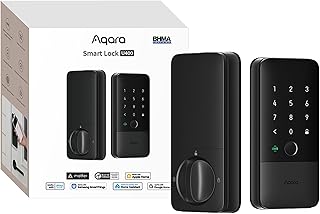


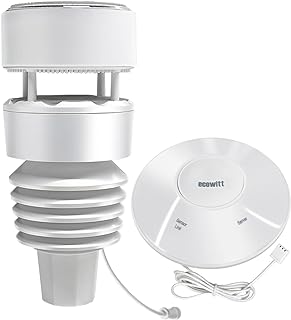


Choosing smart home sensors in Canada requires more than comparing star ratings or looking for the lowest advertised price. The right sensor should match the way your home is used, the smart home platform you already own, and the conditions in which the device will operate. A motion sensor for a heated indoor hallway has very different requirements from a water leak sensor placed near a basement sump pump or a temperature sensor used in a cold garage.
This buying guide focuses on the factors that matter when comparing smart home sensors, including connectivity, compatibility, power requirements, installation, detection accuracy, privacy, automation support, and long-term practicality. Product specifications and retailer pricing can change, so check the latest information before purchasing.
Smart home sensors are connected devices that detect changes in an environment and communicate those events to a smart home system. Depending on the model, a sensor may detect motion, doors opening or closing, temperature changes, humidity, water leaks, smoke, air quality, light levels, or other conditions.
The main advantage is automation. Instead of requiring you to manually check every part of your home, sensors can provide information that triggers an action or notification. For example, a door sensor can indicate when an entrance has opened, while a temperature sensor can help a compatible automation system respond to unusual temperature changes.
Popular smart home ecosystems and manufacturers include Samsung SmartThings, Aqara, Philips Hue, Ring, Eve, Google Home, Amazon Alexa, Apple Home, and other platforms. Compatibility varies significantly between products, so ecosystem support should be checked before buying.
Motion sensors detect movement within a defined area. They can be useful for lighting automation, room monitoring, occupancy-based routines, and security-related notifications. Placement is important because furniture, walls, pets, direct sunlight, and the sensor's detection angle can affect performance.
When comparing motion sensors, look at detection technology, field of view, mounting options, battery life, response time, and compatibility with your smart home platform. Some models are designed primarily for automation, while others are intended to complement a broader home security setup.
Contact sensors generally use two pieces that detect whether an opening is closed or separated. They are useful for doors, windows, cabinets, gates, and other openings.
A good model should be easy to align, compact enough for the intended installation location, and compatible with your preferred ecosystem. Check the maximum recommended gap between the sensor components because installation tolerances differ between products.
Temperature sensors can help monitor rooms where the thermostat does not provide sufficient information. They can be useful in bedrooms, nurseries, offices, basements, storage areas, and other spaces where temperature changes matter.
Canadian homes may also have areas with substantial seasonal temperature differences. Before purchasing, verify the sensor's operating temperature range and whether the manufacturer recommends indoor-only use. Do not assume that an indoor sensor is suitable for an unheated garage, shed, or exterior location.
Humidity sensors measure moisture levels in the surrounding air. They can provide useful information in bathrooms, basements, laundry rooms, and other areas where humidity fluctuates.
Humidity monitoring can complement ventilation and climate-control routines, but a consumer smart sensor should not be treated as a substitute for professional moisture assessment or building inspection when there is evidence of water damage, mould, or persistent dampness.
Water leak sensors are designed to detect unwanted water in locations such as beneath sinks, near washing machines, around water heaters, beside sump pumps, or close to plumbing fixtures.
For leak protection, placement matters as much as the sensor itself. A device positioned too far from a potential leak may provide little practical protection. Consider sensors for several high-risk locations rather than relying on one device to monitor an entire floor.
Air quality sensors may monitor selected environmental measurements such as particulate matter, carbon dioxide, volatile organic compounds, temperature, or humidity, depending on the device. These measurements are not interchangeable, so examine exactly what the product measures rather than choosing solely based on the phrase “air quality.”
For health and safety decisions, understand the limitations of consumer sensors and follow the recommendations of appropriate Canadian authorities and qualified professionals.
Connectivity is one of the most important differences between smart sensors. Common technologies include Wi-Fi, Bluetooth, Zigbee, Z-Wave, Thread, and Matter-enabled setups. Each has different implications for installation, range, power consumption, hubs, and ecosystem compatibility.
Wi-Fi sensors can connect directly to a compatible wireless network and may not require a separate hub. This can simplify installation, particularly for users who already have reliable Wi-Fi coverage.
The trade-off is that Wi-Fi connectivity can consume more power than some low-energy protocols. Battery-powered devices therefore need careful consideration when comparing expected battery life and replacement frequency.
Zigbee is a low-power wireless technology commonly used in smart home products. Many Zigbee networks use a mesh design in which compatible powered devices can help extend communication across the home.
A Zigbee sensor generally requires a compatible hub or controller unless the particular setup provides another method of connecting it. Confirm compatibility before purchase.
Z-Wave is another smart home wireless protocol designed for connected home devices. It is particularly relevant for users building a dedicated smart home or security ecosystem.
Regional frequency requirements can matter. Canadian buyers should verify that the product is intended for the Canadian market and uses the appropriate regional version.
Thread is a low-power mesh networking technology, while Matter is a smart home interoperability standard designed to improve communication between supported devices and platforms.
Matter compatibility does not automatically mean that every feature will work identically across every ecosystem. Check the product's supported device types, required controller, border router requirements, and platform-specific features before purchasing.
A sensor can have excellent specifications and still be inconvenient if it does not work properly with your existing smart home setup. Before buying, identify the platform you intend to use and check whether the sensor is officially compatible with it.
For example, users invested in Apple Home may prioritize Home-compatible products, while households using Alexa or Google Home may have different requirements. Samsung SmartThings users should verify SmartThings support. Users building a Matter-based setup should check the exact Matter device category and supported controller environment.
Do not assume that two products using the same wireless technology are automatically interchangeable. Protocol support, hub requirements, software integration, regional versions, and supported automations can all differ.
Look beyond marketing terminology and identify what the sensor actually measures. For motion products, investigate the detection method and intended coverage. For temperature sensors, examine the measurement range and stated accuracy. For water sensors, consider where the detection contacts are positioned.
Battery-powered sensors are convenient because they can be installed without wiring. However, battery life depends on factors such as communication technology, reporting frequency, temperature, signal strength, and usage.
Consider the battery type as well. A sensor that uses a widely available battery may be easier to maintain than one requiring an unusual battery format. Check whether the battery is replaceable and whether the manufacturer specifies an expected service interval.
Some sensors operate independently, while others require a hub, bridge, controller, or compatible smart speaker. The additional hardware can affect the overall cost and complexity of your installation.
When calculating the real purchase cost, include any required hub or bridge rather than comparing the sensor's individual price alone.
Wireless range depends on construction materials, walls, floors, interference, device placement, and the networking technology used. A manufacturer's stated range should not be interpreted as a guarantee for every Canadian home.
Concrete walls, metal structures, appliances, and large distances can create connectivity challenges. Mesh-based systems can sometimes provide a more practical approach for larger properties, provided the required devices are compatible.
Check whether the sensor supports adhesive mounting, screws, magnetic mounting, brackets, or another installation method. Consider the surface before installation because some adhesives may not be suitable for painted walls, textured surfaces, outdoor materials, or high-humidity environments.
Door contact sensors and motion sensors can work together to provide useful information about movement through an entrance. A door sensor can identify an opening event, while a motion sensor can detect movement within a particular area.
The kitchen can benefit from motion, temperature, humidity, and water leak monitoring. Sensors should be positioned away from heat, steam, splashing water, and cooking surfaces unless the manufacturer specifically indicates that the device is suitable for those conditions.
Humidity sensors can help monitor environmental changes, while water leak sensors can provide additional awareness around plumbing fixtures. Electronics should be installed according to their stated environmental limitations.
Basements can be suitable locations for temperature, humidity, and water leak sensors. If a home contains a sump pump, water heater, or other equipment where a leak could cause significant damage, sensor placement should prioritize those areas.
Garage installations require additional attention to temperature ranges and environmental conditions. A product designed for normal indoor rooms may not be suitable for an unheated Canadian garage during winter.
Cold weather is an important buying consideration for Canadian households. Indoor sensors should remain within their specified operating conditions. If a sensor will be installed in an unheated space, examine the manufacturer's operating-temperature specifications carefully.
Battery performance can also be affected by temperature. If a device is intended for a cold environment, check whether the manufacturer provides guidance for battery operation in those conditions.
For outdoor installations, verify the device's environmental rating and installation requirements. Water resistance alone does not necessarily mean that a product is suitable for prolonged exposure to freezing temperatures, snow, ice, or rapid temperature changes.
Smart sensors can generate information about activity inside a home. Before connecting a device, review what information the product collects, how it communicates with its cloud services, what account is required, and what controls are available in the manufacturer's application.
Where privacy is important, investigate whether relevant features can operate locally rather than depending entirely on cloud processing. Also review account security options, software update practices, permissions, and the manufacturer's current privacy documentation.
Security should be considered separately from privacy. Use strong, unique account credentials and enable available multi-factor authentication where appropriate.
The cheapest sensor may not offer the best overall value if it requires additional hardware, has limited compatibility, uses difficult-to-find batteries, or lacks the automation features you need.
Buying a sensor before checking compatibility can lead to unnecessary hubs, limited functionality, or a frustrating installation. Start with your current smart home platform and work backward to suitable products.
Detection technology, sensitivity, coverage, mounting height, and software behavior vary. A sensor suitable for turning on hallway lights may not be the right choice for another application.
Even a well-designed sensor can perform poorly when installed in an unsuitable location. Before permanently mounting a device, consider line of sight, obstructions, temperature, moisture, signal strength, and accessibility for battery replacement.
A low-priced sensor can become more expensive when several devices require a dedicated hub or bridge. Compare the complete setup rather than the individual product price.
Smart devices still require maintenance. Batteries need replacement, firmware may require updates, wireless networks can change, and integrations can evolve. Choose products that you can realistically maintain over several years.
A useful comparison starts by identifying the problem you want the sensor to solve. Write down the location, the event you need to detect, the smart platform you use, and whether the device will be battery-powered or mains-powered.
When researching smart home sensors, Canadian shoppers may encounter brands such as Aqara, Eve, Philips Hue, Ring, Samsung SmartThings, Tapo, ecobee, SwitchBot, and other established smart home manufacturers. The best choice is not necessarily the most recognizable brand. Compare the specific model's compatibility, features, protocol, installation requirements, and current documentation.
Brand ecosystems can be particularly important if you plan to add more smart devices later. Staying within a compatible ecosystem can simplify automations and management, although standards such as Matter may provide additional flexibility for supported products.
A basic setup can start with one or two sensors that solve an immediate problem. A door sensor, motion sensor, or water leak sensor may be enough for a specific area of the home. This approach minimizes complexity and allows you to learn how your chosen platform works.
A larger setup can combine door and window sensors with motion, temperature, humidity, and water sensors. The goal should be useful coverage rather than installing a sensor in every room without a clear purpose.
Advanced users may combine multiple sensor types with smart lighting, thermostats, locks, cameras, speakers, and automation routines. In this type of setup, interoperability becomes increasingly important because one sensor may be expected to trigger actions across several devices.
Traditional sensors can provide a simple local indication, while smart sensors can communicate with connected devices and applications. The smart option can offer notifications, automation, remote visibility, and historical information where supported.
However, smart products introduce additional dependencies. Network connectivity, accounts, applications, hubs, firmware, and cloud services can all become part of the system. For simple tasks, a traditional device may sometimes be sufficient. For automation and connected monitoring, smart sensors can provide substantially more flexibility.
Customer reviews can help identify recurring practical issues, but they should be evaluated carefully. Look for patterns rather than relying on a single positive or negative comment.
There is no single best sensor for every Canadian home. The right choice depends on the type of event you want to detect, your existing smart home ecosystem, installation location, connectivity requirements, budget, and environmental conditions.
Not always. Some sensors communicate through Zigbee, Z-Wave, Thread, Bluetooth, or other technologies. Some require a hub or bridge to connect them to your wider smart home system.
Matter can be worth considering for shoppers who value interoperability between supported smart home platforms. However, compatibility should be checked at the individual product and ecosystem level because supported features can vary.
It depends on the product and automation architecture. Some functions may continue locally, while others depend on cloud services or an internet connection. Check the manufacturer's documentation for offline behavior before relying on a sensor for an important automation.
There is no universal number. Start with locations where monitoring provides a clear benefit, such as entrances, water-risk areas, important rooms, or spaces with unusual temperature or humidity conditions. Expand the system only when additional sensors provide useful information or automation.
They can provide additional information about events such as doors opening or movement being detected. However, individual consumer sensors should not automatically be treated as a complete security system. For security-critical applications, evaluate the entire system, including alarms, monitoring, communications, and professional requirements where applicable.
They can provide early awareness when water reaches the sensor. Their usefulness depends heavily on correct placement, battery status, connectivity, notification configuration, and the number of potential leak points being monitored.
Before choosing a smart home sensor in 2026, focus on practical compatibility rather than specifications alone. Confirm that the device detects the event you care about, works with your preferred ecosystem, supports the required connectivity method, and can operate safely in its intended location.
For Canadian homes, also pay attention to seasonal temperature conditions, especially when installing sensors in garages, basements, utility spaces, cottages, or other areas that may experience significant temperature changes. Review current product specifications, installation instructions, customer feedback, privacy information, and retailer details before making a purchase.
The strongest buying decision is usually the sensor that fits your existing smart home architecture and solves a specific problem without introducing unnecessary complexity. Compare the complete system cost, ongoing maintenance, compatibility, and real-world installation requirements before selecting from the available options.