

♥ Wishlist
Compare 57 Plugs Hardware for Electrical Connections & Power Applications products in Canada. Reviews, ratings, pros, cons and buying advice updated for October 2026.


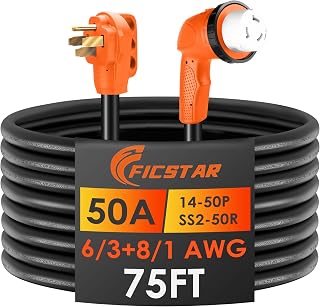


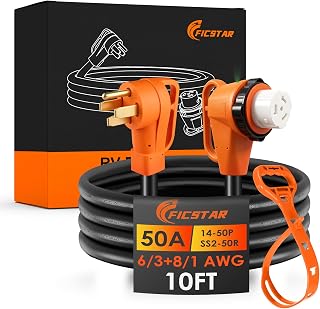

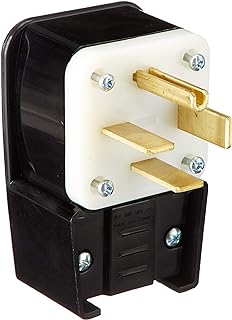


Choosing among smart plugs is not simply a matter of finding the lowest price. The right model should match the electrical requirements of your home, the devices you want to control, your preferred smart-home platform, and the type of automation you expect to use. For Canadian shoppers, compatibility with local electrical systems and Canadian-certified products should be treated as essential buying considerations.
Start by confirming that the smart plug is designed for use in Canada. Look for the appropriate Canadian electrical certification or approval marking on the product and packaging, and check the manufacturer's specifications for voltage, current rating and intended region of use.
A smart plug should be suitable for the electrical load connected to it. Small electronics, lamps and chargers generally present different demands from high-power appliances such as heaters, kettles or cooking equipment. Never assume that a smart plug is suitable for a high-wattage appliance simply because the plug physically fits the outlet.
Electrical capacity is one of the most important technical specifications to compare. A product listing may state a maximum amperage, wattage or both. Use those specifications to determine whether the plug is appropriate for your intended appliance.
For demanding appliances, a purpose-designed control solution may be more appropriate than a conventional consumer smart plug. If the electrical rating is unclear, do not use the product for that application.
Connectivity can significantly affect the ownership experience. Traditional Wi-Fi smart plugs are popular because they can connect directly to a home network without requiring a separate hub. This can make installation relatively straightforward, although performance depends on wireless coverage and the manufacturer's ecosystem.
Matter-compatible products deserve attention when building a smart home intended to work across multiple platforms. Matter is designed to improve interoperability between supported smart-home ecosystems. However, compatibility depends on the specific plug, controller, app and features being used, so shoppers should verify the exact supported configuration before purchasing.
Thread-based products can also be attractive for compatible smart-home installations. Thread is a low-power mesh networking technology, but a compatible border router or smart-home controller may be required. The best choice therefore depends on the equipment already installed in your home.
Before choosing a smart plug, identify the platform you intend to use. Common ecosystems include Amazon Alexa, Google Home and Apple Home, while newer Matter-enabled setups can provide broader interoperability.
Platform support can vary between models from the same manufacturer. Always compare the precise model number instead of relying on the brand name alone.
When researching smart plugs, established brands such as TP-Link, Kasa, Amazon, Philips Hue, Eve, Meross and Govee may appear across different product categories and ecosystems. Brand recognition should not replace specification checking, however. A well-known manufacturer can offer several models with different connectivity standards, electrical ratings and smart-home compatibility.
Compare the exact product specifications, supported platforms, electrical rating, app requirements, physical dimensions and customer feedback before making a decision.
Scheduling is one of the most useful smart plug functions. A schedule can automatically turn a connected device on or off at predetermined times. This is useful for lamps, seasonal lighting and other devices where predictable operation is desirable.
Check whether the schedule continues to operate when the internet connection is unavailable. Different products handle automation differently, so this should be confirmed in the manufacturer's documentation rather than assumed.
Remote control allows compatible devices to be managed through a smartphone app. This can be convenient when you are away from home or when the physical switch is difficult to reach.
However, remote access usually depends on the product's connectivity and cloud or network architecture. Review the manufacturer's requirements and privacy documentation if remote control is an important part of your buying decision.
Some smart plugs include energy monitoring. This feature can provide information about the electricity consumed by a connected device and may help identify equipment that uses more power than expected.
Energy-monitoring accuracy varies between products and operating conditions. Treat displayed readings as product-provided measurements rather than assuming laboratory-grade precision unless the manufacturer provides appropriate documentation.
Voice control can be convenient for lamps and other compatible devices. Before buying, check whether the exact smart plug supports your preferred voice assistant and whether all desired functions are available through voice commands.
A smart plug should fit comfortably into the intended outlet without unnecessarily blocking neighbouring sockets. This is particularly important with larger smart plugs and multi-outlet arrangements.
Compare the dimensions of the plug with your wall outlet and nearby furniture. A compact design can be more practical when the outlet is positioned behind a desk, entertainment unit or appliance.
For lamps, focus on dependable scheduling, app control, voice compatibility and a compact physical design. If you plan to automate several lights, ecosystem compatibility becomes increasingly important because managing everything through one platform can simplify routines.
Outdoor or seasonal applications require extra attention to environmental suitability. A standard indoor smart plug should not automatically be considered appropriate for outdoor use. Check the manufacturer's stated operating environment and protection requirements before using a product outside.
For desks and home offices, consider outlet clearance, load rating and automation features. Smart control can be useful for compatible low-power equipment, but computers, printers and other electronics should be managed according to their manufacturer's instructions.
Appliances require more careful evaluation. Check the appliance's power requirements, the smart plug's maximum rating and whether the appliance is designed to be controlled by switching its power supply.
Some appliances have electronic controls that do not automatically resume operation after power is restored. A smart plug cannot change that behaviour. Verify how the appliance responds to power interruption before planning an automation routine.
The cheapest smart plug may not provide the connectivity, compatibility or features you need. A slightly different model may be more suitable if it offers the correct ecosystem support, energy monitoring or physical design.
A plug can be technically functional but inconvenient if it does not integrate with your existing smart-home setup. Confirm compatibility before ordering.
Never select a smart plug solely because an appliance uses a standard Canadian-style outlet. Electrical capacity matters. Compare the rated current and power requirements carefully.
Matter is becoming increasingly relevant, but not every smart plug supports it. Even when a manufacturer offers Matter-compatible products, individual models may differ. Verify the exact model number and supported platforms.
A smart plug installed in a weak Wi-Fi area may provide a frustrating experience. Consider the location of your router, walls between the plug and access point, and the overall network layout.
Because many smart plugs connect to an app and potentially to cloud services, security should be part of the purchasing decision. Choose products from manufacturers that provide clear software support and security information.
Setup normally involves connecting the plug to a suitable outlet, installing the manufacturer's application, pairing the device and assigning it to a room or smart-home platform. Exact steps vary by model.
During installation, use the manufacturer's instructions rather than relying on generic pairing procedures. Some products use Bluetooth during setup, while others rely on Wi-Fi credentials or a compatible Matter controller.
After installation, test the plug manually before creating automation routines. Confirm that the connected device responds correctly to both on and off commands and that the smart plug remains securely connected.
A useful comparison should go beyond star ratings. When evaluating the products featured in a 2026 buying guide, compare the following criteria:
A smart plug is generally designed to control one outlet or connected device, while a smart power strip can provide several controlled outlets in one unit. The better option depends on how many devices you want to automate.
For a single lamp or small appliance, a smart plug can be simpler. For a workstation or entertainment setup containing several compatible devices, a smart power strip may offer a more organised solution. Compare the individual outlet controls and total electrical rating before choosing.
A traditional timer can be sufficient when you only need basic time-based switching. Smart plugs become more useful when you want app control, voice commands, flexible routines, remote management or integration with a broader smart-home system.
However, smart functionality introduces additional considerations such as network connectivity, account setup, software and security. If you only need a simple daily schedule, a conventional timer may sometimes be the more straightforward solution.
Customer reviews are most useful when you look for patterns rather than isolated comments. Pay attention to repeated reports concerning setup difficulty, Wi-Fi stability, app usability, physical size and compatibility.
Also distinguish between complaints caused by the product and problems caused by incompatible networks, incorrect installation or unsupported appliances. Checking multiple recent reviews alongside the manufacturer's specifications can provide a more balanced picture.
The strongest approach is to define your intended use before comparing products. Start with the appliance, electrical load and location. Then narrow the choices according to smart-home compatibility, connectivity and desired automation features.
For a basic lamp, you may not need energy monitoring or advanced networking. For a larger smart-home installation, interoperability and ecosystem support can be more important than the lowest purchase price. For an appliance with a substantial electrical load, electrical suitability should take priority over convenience features.
When comparing deals, consider the complete specification rather than the headline discount. A lower-priced model is not necessarily better value if it lacks the features required for your setup.
There is no single best smart plug for every Canadian home. The right option depends on electrical requirements, smart-home platform, connectivity, automation needs, physical dimensions and budget. Compare the exact specifications of shortlisted models before buying.
Smart plugs should be used according to their manufacturer's instructions and electrical ratings. Select a product appropriate for the Canadian market, do not exceed its stated load, and avoid unsuitable applications such as appliances that should not be controlled through an external power switch.
Behaviour without Wi-Fi varies by product and automation type. Some functions may depend on local communication, while others may require internet or cloud access. Check the manufacturer's documentation for the exact model.
Smart plugs generally require some operating power to maintain their electronics and communication capabilities. The amount varies by model and operating state. If standby consumption is important to you, look for products that publish relevant power-consumption information.
Do not assume that a smart plug is suitable for a heater. Heating appliances can draw substantial current, so you must verify the electrical rating of both the smart plug and the appliance and follow the manufacturer's safety instructions. If suitability is unclear, choose a purpose-designed solution instead.
A conventional smart plug normally switches the power supplied through its connected outlet. Multiple devices connected through an additional power strip may therefore be switched together, but the combined electrical load must remain within the smart plug's permitted rating. Individual control requires a product specifically designed to provide separately controlled outlets.
Matter can be valuable when interoperability between supported smart-home platforms is important. It does not automatically make one product superior in every category. Compare electrical ratings, hardware design, required controllers, supported features and software capabilities as well.
Install firmware updates when the manufacturer provides them and when they are compatible with your product. Updates can address software issues, compatibility and security. Keep the companion app updated as well.
A smart plug can be a simple entry point into home automation, but the best purchase is the one that fits the electrical application and smart-home environment rather than simply the product with the most features. For Canadian shoppers in 2026, careful comparison of electrical ratings, compatibility, connectivity, security, physical design and automation capabilities provides a more reliable way to narrow down the available options.