

♥ Wishlist
Compare 51 Ebook Readers for Comfortable Digital Reading products in Canada. Reviews, ratings, pros, cons and buying advice updated for October 2026.


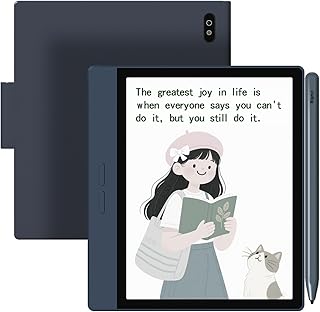


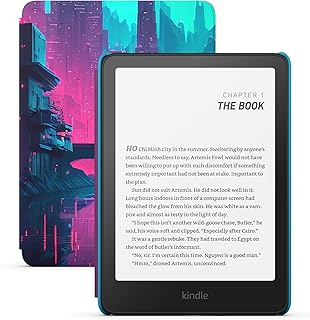




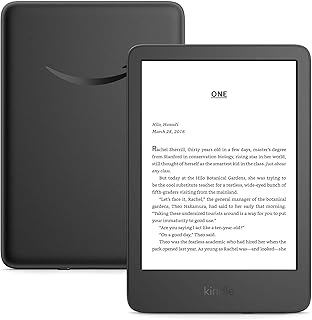


Choosing an ebook reader is less about finding the device with the longest specification list and more about matching the screen, lighting, software, storage, portability and reading ecosystem to the way you actually read. For Canadian buyers, factors such as access to English and French ebooks, library borrowing, retailer compatibility, battery expectations, warranty terms, and pricing in Canadian dollars can make one reader a much better value than another.
The best smart buy ebook readers should provide a comfortable reading experience while avoiding unnecessary features that increase cost without improving everyday use. A dedicated e-reader can be particularly appealing for readers who want a distraction-free device, a lightweight alternative to carrying multiple books, and a display designed specifically for long reading sessions.
Popular ecosystems and brands include Amazon Kindle, Kobo, PocketBook and BOOX. Each takes a different approach to content access, operating systems, note-taking, colour, file compatibility and device design. Rather than choosing purely by brand, compare the characteristics that matter most to your reading habits.
A useful comparison should go beyond processor speed or storage capacity. Most dedicated ebook readers are already sufficiently responsive for turning pages, adjusting settings and navigating a personal library. The more meaningful differences are usually found in screen technology, software, ecosystem restrictions, physical controls, waterproofing, file support and specialised features.
Screen size strongly affects portability and readability. Compact readers are convenient for commuting, bedtime reading and carrying in a small bag. Larger models are better suited to PDFs, textbooks, graphic material, manga and documents where frequent zooming would otherwise be necessary.
Resolution matters because text clarity is one of the main advantages of an E Ink reader. A high-density display can make small text, punctuation and fine letter shapes appear cleaner. However, screen quality is not determined by resolution alone. Panel generation, front-light design, contrast, refresh behaviour and the software's font rendering can all affect the final reading experience.
Dedicated ebook readers typically use E Ink rather than the LCD or OLED panels found on tablets and smartphones. E Ink is designed to reflect ambient light, giving it a paper-like appearance rather than producing an illuminated image in the same way as a conventional tablet.
This distinction is particularly important for buyers who intend to read for long periods. A tablet may be the better choice when video, web browsing, colour-rich media, gaming and general-purpose applications are important. An e-reader is usually more focused on reading and related tasks.
Built-in lighting makes an ebook reader usable in dim environments without requiring an external lamp. Basic front lighting lets you adjust brightness, while more advanced systems may allow warmer and cooler tones.
A warmer light setting can be useful for evening reading because it changes the visual character of the display. Buyers who regularly read in bed should check whether the model offers the lighting controls they prefer instead of assuming every illuminated e-reader has identical functionality.
These categories are guidelines rather than strict rules. A reader with larger text settings may find a compact screen perfectly comfortable, while someone who reads technical PDFs may prefer a much larger panel.
Colour E Ink has expanded the range of dedicated reading devices, but colour is not automatically an upgrade for every reader. If the majority of your library consists of novels and text-heavy nonfiction, a high-quality monochrome display may offer everything you need.
Colour becomes more useful when your reading material contains illustrations, charts, children's books, comics, magazines, highlighted passages or educational diagrams.
Colour E Ink should not be evaluated by the same visual standard as a phone or tablet. Colour E Ink is designed around reflective, low-power display technology, so colours can appear more muted than on an emissive screen.
The reading ecosystem can be more important than individual hardware specifications. Before selecting a device, consider where you purchase ebooks, how you borrow library titles, which file formats you use and whether you already have a large digital library.
Kindle devices are closely associated with Amazon's ebook ecosystem and are available in several form factors, from compact readers to larger devices designed for writing and note-taking. Kindle can be a straightforward option for readers who already purchase most ebooks through Amazon and want an integrated experience.
When comparing Kindle models, pay attention to screen size, storage, lighting controls, waterproofing, physical design and whether the particular model includes the features you actually need.
Kobo is particularly relevant to Canadian shoppers because it has a strong presence in the Canadian ebook market. Kobo devices cover several categories, including compact readers, larger-screen models and colour E Ink options.
Kobo's ecosystem should be evaluated separately from the hardware. Readers should consider store compatibility, library borrowing options, supported formats and the way the device handles books obtained from different sources.
PocketBook devices can appeal to readers who place a high value on broad file-format support and flexible document handling. If you regularly obtain books and documents from multiple legitimate sources, reviewing the exact supported formats can be especially important.
BOOX takes a different approach by offering Android-based E Ink devices in several sizes and configurations. These can be attractive to users who want access to a broader selection of applications on an E Ink display.
The flexibility comes with additional complexity. An Android-based e-reader may require more configuration and app management than a purpose-built reading device. Buyers should decide whether that flexibility genuinely improves their workflow.
Not all ebooks are obtained from the same source, and different devices can handle formats differently. Common ebook and document formats include EPUB, PDF, MOBI in legacy contexts, TXT, HTML and various office or image-based files.
Compatibility also depends on digital rights management. A device may technically support a file format while still being unable to open a particular protected ebook purchased from another ecosystem.
Before buying, make a list of the formats and sources you actually use. This is especially important if your library includes ebooks purchased from multiple stores, personal documents, public-domain books, technical PDFs or files transferred from a computer.
For many Canadian readers, library access is one of the most important buying considerations. Library ebook availability can depend on the library system, province, municipality, lending platform, publisher licensing and the specific title.
Do not assume that a particular e-reader will provide identical access to every library service. Check your own public library's current digital lending options and confirm whether the device you are considering works with the service and workflow you intend to use.
For frequent library users, compatibility may be more valuable than a small difference in screen resolution or storage. A reader that fits naturally into your borrowing habits can save considerable frustration over the life of the device.
Ebooks are generally small compared with movies and high-resolution games, so basic reading libraries rarely require enormous storage. However, storage requirements increase when you keep PDFs, comics, audiobooks, image-heavy publications or large technical collections on the device.
Battery performance depends on how the device is used. Wi-Fi activity, Bluetooth, front-light brightness, audiobook playback, frequent page refreshes, note-taking, application use and reading habits can all influence battery consumption.
Instead of focusing exclusively on a claimed battery duration, consider whether the device fits your charging routine. For a reader who travels frequently, long practical battery life can be more important than having the newest processor.
Battery longevity also differs from battery life per charge. Battery life describes how long a charge lasts under particular usage conditions, while long-term battery health concerns how the rechargeable battery behaves after extended use.
Water resistance can be a valuable convenience feature for readers who enjoy reading near a pool, at the beach or in the bath. However, buyers should distinguish water resistance from being completely waterproof.
Check the manufacturer's stated protection rating and limitations for the exact model. Ports, covers, physical damage and improper use can affect protection. Water resistance should be treated as an added safeguard rather than permission to deliberately expose electronics to unnecessary water.
Most modern ebook readers rely heavily on touchscreens, but some models include dedicated physical page-turn buttons. Neither approach is universally better.
A touchscreen creates a clean, simple interface and provides familiar navigation. Physical buttons can be useful when reading one-handed, wearing gloves or holding the device without placing a finger across the display.
Readers who frequently use an e-reader while commuting or relaxing in one hand should consider the physical controls as part of the overall ergonomics rather than treating them as a minor specification.
An ebook reader may be held for hours at a time, making weight and balance more important than they initially appear. A device with a large display can be excellent for documents but less comfortable for extended one-handed reading.
Consider where you normally read. Bedside reading, commuting, travelling, sitting at a desk and reading outdoors can all favour different designs.
E Ink displays behave differently from conventional smartphone and tablet screens. Page changes can involve visible refresh behaviour, particularly when the device is configured for a full refresh.
Modern readers use different refresh strategies to make page turning and interface navigation feel smoother. Some models offer configurable refresh modes that trade visual cleanliness against responsiveness or power consumption.
For ordinary novels, page-turn responsiveness may be sufficient on many modern readers. If you intend to browse websites, use Android applications, annotate documents or scroll through complex PDFs, refresh behaviour becomes much more important.
One of the easiest mistakes is buying a small e-reader for a workload dominated by PDFs. A PDF normally preserves the original page layout rather than behaving like reflowable ebook text. On a small display, an entire PDF page can become difficult to read without zooming and panning.
If you mainly read novels, a compact screen can work extremely well. If you regularly read academic papers, manuals, newspapers, engineering documents, legal documents or scanned books, a larger screen can provide a significantly better experience.
Some ebook readers now function as digital notebooks as well as reading devices. Stylus support can be useful for handwritten notes, annotations, planning, sketches and document review.
However, a note-taking reader should not automatically be considered a replacement for a conventional tablet. App support, writing latency, colour capability, file export, handwriting conversion, screen size and document management all influence the experience.
If note-taking is a secondary feature, a standard reader with simple annotation tools may be enough. If handwritten work is central to your workflow, compare large-screen writing models separately from conventional ebook readers.
Typography is one of the strongest reasons to choose an ebook reader over a printed book. Digital text can often be resized, reformatted and adjusted to suit individual preferences.
Useful reading controls may include font size, font family, line spacing, margins, alignment and boldness. Some readers also provide accessibility-oriented options that can make text easier to read.
Before purchasing, check the range of typography controls available on the exact model and within the books or document formats you intend to use. Not every document behaves like a standard reflowable ebook.
Some ebook readers provide a dark or inverted display mode. This can appeal to readers who prefer lighter text against a darker background, particularly in low-light environments.
The usefulness of dark mode varies by device and personal preference. It should be considered an additional reading option rather than a deciding factor unless you already know that you prefer inverted displays.
Connectivity determines how easily books, updates and other content can reach the device. Wi-Fi is standard on many modern readers, while Bluetooth can be useful for compatible headphones or speakers on devices that support audio.
Cellular connectivity is a more specialised feature. For most users, a Wi-Fi connection is enough because books can be downloaded before leaving home. Frequent travellers may value greater connectivity, but it should be weighed against the additional cost and complexity.
Some e-reader product lines have different configurations or editions that can affect the software experience. When comparing listings, read the exact product description carefully rather than assuming two visually similar devices are identical.
Pay attention to whether the configuration includes promotional content, additional accessories or other differences. The cheapest listing is not necessarily the best overall value if the configuration lacks a feature you specifically want.
A good deal is not simply the lowest advertised price. The better approach is to determine whether the device offers the features you need at a price that makes sense compared with competing models.
Checking these details helps prevent a common affiliate-shopping mistake: focusing on a discount percentage before confirming that the product itself is appropriate for your needs.
Paying more can be justified when the additional features will be used regularly. A premium reader may provide a larger or higher-quality display, better lighting controls, waterproofing, physical buttons, colour, increased storage, a stylus or a more sophisticated software experience.
Premium features become less compelling when they solve problems you do not have. Someone who reads one or two novels at home each week may not benefit substantially from advanced note-taking capabilities or a very large display.
A basic reader can be an excellent purchase when your primary requirement is comfortable access to ordinary ebooks. If you mainly read novels and do not need colour, handwriting, large PDF support or advanced applications, spending more may produce diminishing returns.
Budget-conscious buyers should still verify display quality, lighting, storage, software support, charging method, ecosystem compatibility and long-term usability. Cutting unnecessary features is sensible; compromising on the core reading experience is not.
A larger display is not automatically better. It can improve PDFs and large-format content while making the device heavier and less convenient to carry.
Hardware specifications cannot compensate for an ecosystem that does not fit your existing purchases or library habits. Check content compatibility before making a decision.
File formats and digital rights management are separate considerations. An ebook's format alone does not guarantee that it can be opened on every reader.
Colour can be useful, but text-focused readers may prefer to prioritise contrast, portability and reading comfort.
This can lead to constant zooming and panning. If documents are central to your reading, screen size should be one of the first criteria you evaluate.
A protective case can materially change the weight, dimensions and handling of an e-reader. Consider the complete setup rather than the bare device alone.
Battery estimates depend on usage conditions. Compare charging convenience and expected usage patterns rather than treating every manufacturer's battery figure as directly comparable.
Look for a comfortable six- to seven-inch display, strong text clarity, adjustable front lighting, useful font controls, low weight and dependable battery performance. Extra note-taking functions may be unnecessary unless you specifically want them.
Students should consider PDF handling, screen size, annotation tools, search functionality, highlighting, storage and the ability to move documents between devices. A larger display can be worthwhile for textbooks and research papers.
Portability, battery life, durability, lighting and water resistance can be particularly useful. Download books before travelling so that reading does not depend on having a reliable internet connection.
Consider screen size, colour capability, storage and refresh behaviour. A larger display can reduce the need for zooming, while colour E Ink can provide a more suitable experience for colour artwork than monochrome readers.
Prioritize screen size, document navigation, zooming, cropping, annotation and responsiveness. A larger device can be more useful than a compact reader even if it sacrifices some portability.
Look for stylus support, writing responsiveness, handwriting tools, document annotation, export options and sufficient screen area. Treat note-taking as a separate buying category rather than simply adding it to a conventional ebook-reader comparison.
A case can protect the display and exterior while making the reader easier to hold. Some cases add substantial weight, so compare the combined weight if portability is important.
A screen protector can provide an additional layer of protection, although the effect on glare, touch sensitivity and the appearance of an E Ink display should be considered.
For compatible note-taking devices, a stylus can transform the reader into a digital notebook. Verify compatibility with the exact model before purchasing.
Most readers can be charged using common USB-based equipment, but connector types and included accessories can vary. Check the exact package contents rather than assuming a particular charger is included.
Customer reviews can provide useful information, but they should be interpreted carefully. Look for recurring comments about the same issue rather than relying on one extremely positive or negative review.
Reviews are most valuable when combined with specifications and your own requirements. A feature that one buyer considers unnecessary may be essential to another reader.
Instead of comparing every available model, start by identifying your reading profile. This makes the buying decision much easier.
When two devices have similar displays and prices, compare the differences that affect daily use rather than focusing on minor specification variations.
For example, physical page-turn buttons may be more valuable to a one-handed reader than a modest increase in storage. Conversely, a student who reads hundreds of PDFs may benefit more from a larger screen than from waterproofing. Someone who already owns a substantial ebook library may place ecosystem compatibility above almost every hardware feature.
A practical decision can therefore be reduced to five questions: What do you read? Where do you get your books? Where do you normally read? Which features will you use every week? Which compromises are you unwilling to accept?
E Ink panels are designed for everyday reading but should still be handled carefully. Avoid placing heavy objects directly on the screen and use an appropriate case when carrying the reader in a bag.
Install official firmware updates when appropriate. Updates can improve compatibility, fix software issues and add or refine functionality.
Remove documents you no longer need if storage becomes crowded. Keeping a well-organised library can also make search and navigation easier.
Avoid unnecessary strain on the charging cable and connector. If the reader is water resistant, follow the manufacturer's instructions regarding charging ports and exposure to moisture.
Use a soft, suitable cloth and avoid aggressive cleaning products. Excess moisture should never be allowed to enter openings or ports.
Long-term value comes from a combination of comfortable hardware and dependable software. A reader that feels excellent for the first few weeks but does not fit your ebook sources may become frustrating over time. Likewise, a device with excellent ecosystem compatibility may still be a poor choice if its size or ergonomics do not suit your reading style.
Prioritize the features you will use repeatedly: display quality, lighting, typography, portability, content access, document support and battery convenience. These characteristics tend to matter far more than benchmark numbers that have little impact on ordinary page turning.
The answer depends on whether reading is the primary purpose of the device.
There is no universal winner. An ebook reader and a tablet can serve different purposes, and some readers may find value in owning both.
The best ebook reader depends on your budget, preferred ebook ecosystem, reading material and desired features. Kindle, Kobo, PocketBook and BOOX each serve different types of readers, so the best choice is the model that matches your actual requirements rather than simply the most expensive option.
No. They are separate ecosystems with different stores, software experiences and approaches to content compatibility. Buyers should check where they obtain ebooks and how they use library services before deciding between them.
Kobo is an important option for Canadian readers and should be included in comparisons, particularly for shoppers interested in Kobo's ecosystem and compatible library-reading options. The right choice still depends on the reader's individual content sources and requirements.
Kindle products have a significant presence in the Canadian market, but specific models, configurations and pricing can change. Check the current Canadian listing for the exact model before purchasing.
For people who read regularly, a dedicated ebook reader can still be a useful purchase because it provides a focused reading environment, a lightweight digital library and an E Ink display. Whether it is worth buying depends on how often you read and whether its advantages matter to you.
Colour is most useful for comics, illustrated books, magazines, educational material and documents where colour coding matters. For primarily text-based novels, monochrome E Ink can remain the more straightforward choice.
Larger readers are better for certain workloads, particularly PDFs, textbooks, technical documents and graphic content. Smaller readers are generally easier to carry and hold for extended periods. Screen size should therefore be matched to content rather than treated as a simple quality ranking.
For ordinary novels, even modest storage can hold a substantial collection. Larger capacities become more useful for comics, PDFs, audiobooks and image-heavy content. Choose based on what you intend to store locally.
Many ebook readers can display PDFs, but the experience varies considerably by screen size and software. Small readers can require frequent zooming and panning, making larger-screen models more appropriate for document-heavy reading.
Library ebook access depends on the library system, lending platform, title licensing and device compatibility. Check your local library's current instructions before purchasing an e-reader specifically for library borrowing.
EPUB is a widely used ebook format, but support and handling can differ between devices and ecosystems. Digital rights management can also affect whether a particular EPUB can be opened on a specific reader.
Usually not for general-purpose computing. A dedicated reader is optimised for reading, whereas a tablet is designed for a much wider range of applications and media. Advanced E Ink devices can bridge some of the gap but still have different display and performance characteristics.
Verify the exact model, generation, screen size, storage, lighting, waterproofing, buttons, supported formats, ecosystem compatibility, library compatibility, accessories and current Canadian price. Also check whether the product listing refers to the precise configuration you want.
Not necessarily. A previous-generation model can be the smarter purchase when it already provides the display, software and features you need. Compare the practical differences between generations rather than paying more simply because a model is newer.
The strongest ebook reader purchase is the one that removes friction from your reading routine. Start with your books and documents, then work backwards toward the hardware. If you mostly read novels, prioritise screen comfort, typography, lighting, weight and ecosystem compatibility. If you read PDFs, increase the importance of screen size and document tools. If you read comics or illustrated content, evaluate colour, storage and display dimensions. If you take handwritten notes, compare stylus and note-taking capabilities separately.
When comparing the top 10 ebook readers, avoid treating a single specification as the deciding factor. A slightly smaller screen may be preferable for daily commuting, while a larger device may be dramatically better for technical documents. A colour model may be ideal for illustrated content but unnecessary for someone who reads only novels. A flexible Android-based device may be perfect for an experienced user but more complicated than necessary for someone who simply wants to open a book and read.
For Canadian shoppers, the final step should be to compare the exact configuration, current Canadian pricing, seller information, verified customer feedback, ecosystem compatibility and return or warranty terms before purchasing. Product specifications and availability can change, so confirm the latest information for the model you are considering.
A smart ebook reader purchase is not about finding one device that is objectively best for everyone. It is about finding the strongest combination of display quality, reading comfort, software, content access, file compatibility, portability and useful features for your own reading habits. Use the comparison criteria above to narrow the market, then verify the exact model and current Canadian purchase details before making your decision.