
♥ Wishlist
Compare 47 DVD Players and Recorders for Home Entertainment products in Canada. Reviews, ratings, pros, cons and buying advice updated for October 2026.
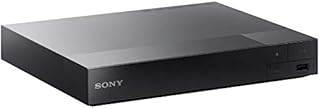


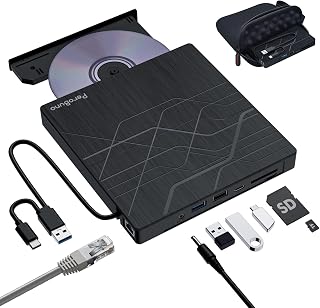


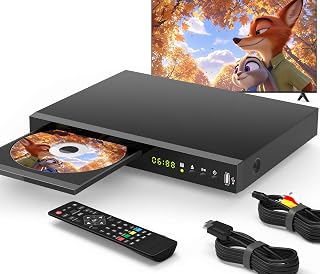


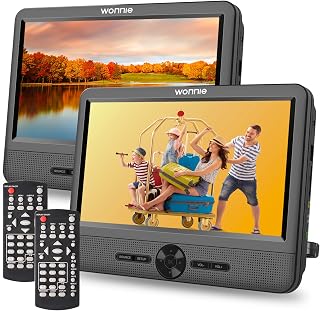


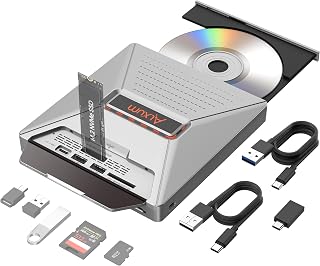


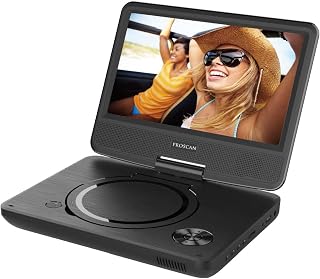
Choosing a DVD player or recorder in 2026 is less straightforward than it may appear. Modern televisions increasingly focus on streaming, while many households still have DVD collections, home-recorded discs, family videos, archived television recordings, and older media that cannot easily be replaced. The right device therefore depends on whether you simply want reliable playback, need to record television content, want to digitise or preserve older recordings, or require compatibility with a particular collection of discs.
For Canadian shoppers, compatibility deserves particular attention. DVD players are not universally interchangeable across regions, recording features vary substantially between models, and older televisions may use connections that newer equipment does not provide. Before comparing deals, identify the discs and media you actually intend to use, the television connections available in your home, and whether recording is genuinely required.
The biggest buying mistake is confusing a DVD player with a DVD recorder. A standard DVD player is designed primarily to read and play compatible discs. A DVD recorder adds the ability to record certain content onto recordable media, although the exact recording sources and supported disc formats vary by model.
A DVD player is usually the better choice if your primary requirement is watching commercially produced DVDs or compatible home-recorded discs. It is generally simpler to operate and avoids paying for recording functionality you may never use.
A DVD recorder becomes more relevant when recording is an important part of the intended setup. However, shoppers should examine exactly what the recorder can record and from which inputs. Recording capability should never be assumed simply because a product is described as a DVD recorder.
HDMI is one of the most important connections to check when pairing a DVD device with a modern television. A television may have plenty of HDMI inputs while having no composite or component inputs, making HDMI output considerably more convenient.
Check the actual output configuration rather than assuming that every DVD player includes HDMI. If your television only accepts HDMI for the relevant source, choosing a device with a native HDMI output can simplify installation and reduce the need for additional adapters.
DVD video has lower native resolution than modern 4K television displays. Some DVD players include upscaling circuitry that converts the output signal to a higher-resolution format suitable for a modern television.
Upscaling does not turn a standard-definition DVD into genuine native 4K content. It can, however, make integration with newer televisions more convenient and may produce a cleaner-looking image than a poorly configured legacy connection. The television itself also plays an important role in how the final image appears.
Audio requirements vary considerably between basic television setups and dedicated home-theatre systems. Look for the connection type your sound equipment actually accepts rather than selecting a player based solely on the number of available ports.
A USB port can be useful, but its presence does not guarantee universal media playback. Supported video, audio, image, file-system, and codec formats differ between devices. If USB playback is important, verify the supported formats in the manufacturer's specifications before buying.
Remote controls are easy to overlook during a technical comparison, yet they strongly affect everyday usability. A good remote should make common functions such as play, pause, stop, chapter navigation, subtitle selection, audio selection, menu access, and disc control easy to locate.
For older users or secondary-room installations, large clearly labelled buttons can be more valuable than a remote filled with rarely used functions.
Disc compatibility is one of the most important considerations for Canadian buyers. Canada traditionally falls within DVD Region 1, so shoppers with imported discs should verify the region requirements before purchasing.
A DVD player designed for Canadian Region 1 discs should not automatically be assumed to play every DVD purchased internationally. Region restrictions can prevent playback even when the physical disc looks identical.
Canadian shoppers who have purchased DVDs from the United States will generally want to pay attention to Region 1 compatibility. Those with collections imported from Europe, Asia, or other regions should investigate the exact regional requirements of their discs before selecting a player.
Video standards are another potential compatibility issue when using imported or older media. NTSC is associated with North American television systems, while PAL is commonly associated with many European and other international markets.
If your collection contains imported DVDs, do not rely solely on the player's ability to read the disc physically. Check whether the complete playback chain supports the relevant video standard and whether the television can display the resulting signal correctly.
Not every DVD-shaped disc has identical functionality. Playback and recording support can include different formats, and the precise compatibility depends on the device.
When buying a recorder, check both the formats it can record and the formats it can play. These are not necessarily identical.
Do not assume that a DVD recorder can record from every connected source. Recording may depend on the available analogue or digital inputs, the type of source device, copy-protection restrictions, and the recorder's own hardware and software limitations.
DVD recorders commonly offer different recording modes that trade recording time against image quality. Higher-quality modes generally use more disc capacity, while longer-duration modes sacrifice image quality to accommodate more content.
If preservation quality matters, compare the available recording modes instead of choosing a recorder solely on the basis of the maximum advertised recording time.
Some recording workflows require a disc to be finalised before it can be played in other compatible DVD players. This is particularly important when recordings are intended to be shared with another household or transferred between different pieces of equipment.
Timer recording can be useful for scheduled content, but shoppers should check how the timer is programmed and what source equipment must remain powered or connected. The presence of a timer feature does not necessarily mean the recorder can independently tune every modern television service.
A DVD player may be perfectly functional while still being inconvenient to connect to a modern television. Before buying, inspect the ports on both devices.
For standard DVDs, the quality of the source disc remains a major limitation. A premium television cannot recover detail that was never present on the original DVD. Nevertheless, player processing, output configuration, connection quality, and television processing can affect the final viewing experience.
For most buyers, the sensible approach is to prioritise reliable disc compatibility and correct HDMI connectivity before paying a large premium for sophisticated video processing. If your main library consists of standard DVDs, an appropriately specified player can be more practical than an unnecessarily complex model.
DVD players contain moving parts, including a disc mechanism and optical pickup system. A product that looks inexpensive on paper may not be a good value if its construction, controls, or disc mechanism are poorly suited to regular use.
When comparing products, examine the manufacturer's specifications, warranty information, customer feedback from reputable retailers, and the availability of replacement accessories where relevant. Established electronics brands such as Sony, Panasonic, LG, Philips, Toshiba, and Magnavox are useful names to consider when researching the category, but the brand alone should never replace model-specific evaluation.
Traditional tray-loading mechanisms are familiar and generally straightforward. Slot-loading designs can offer a different physical arrangement, but they may not be ideal for every household or installation. Consider where the device will sit and how much clearance is available around it.
Mechanical disc drives can produce audible sounds during loading, seeking, and playback. If the player will be positioned close to the viewing position, customer feedback can provide useful information about perceived operating noise. Treat individual reports as anecdotal rather than as controlled testing.
If you regularly watch imported DVDs or multilingual releases, convenient subtitle and audio-track controls can make a meaningful difference. Verify support at the disc and player level because available languages are ultimately determined by the content stored on the disc.
Resume functionality can be valuable for casual viewing, particularly when a player is used for long movies or television series. However, resume behaviour can vary depending on whether the disc is removed, the device is powered off, or another disc is inserted.
Families may want parental-control functionality, but implementation varies. Review the exact controls offered by the device and remember that restrictions may also depend on the disc's own content-control features.
A clear front-panel display can be useful in a dark room or when the remote is unavailable. Basic physical controls for power, playback, and disc ejection are also useful as a backup.
When comparing products for a Canadian buying guide, avoid ranking them by a single specification. A better comparison considers the complete use case.
Recording functionality can make a device more complicated without adding value for someone who only wants to watch DVDs. If recording is not part of your requirements, focus on playback compatibility and connections instead.
Region restrictions, recording formats, video standards, and disc condition can all affect playback. Check your collection before choosing a device.
A player with excellent specifications is not useful if its output does not match the available television inputs without additional equipment. Always compare both ends of the connection.
Upscaling improves how lower-resolution material is output for a higher-resolution display. It does not convert an ordinary DVD into native 4K video.
Brand reputation can be a useful starting point, but models within the same brand can differ significantly in connectivity, supported formats, recording functions, and user interface.
DVD condition matters. Scratches, fingerprints, disc warping, recording errors, and degradation can cause playback problems that are unrelated to the player itself. If you buy second-hand discs, inspect their physical condition and consider testing important recordings before relying on them for archival purposes.
Look for a straightforward player with dependable compatibility, HDMI output, a practical remote, and the disc formats you use. There is little reason to prioritise recording functions if you never intend to record.
First identify the television's available inputs. Legacy televisions may require composite or component connections, while newer models increasingly favour HDMI. Choose the player around the television rather than buying first and solving connectivity afterward.
Prioritise compatibility and ease of navigation. If the collection includes imported titles, determine the regions represented in the collection before buying.
Pay particular attention to recordable disc formats. Home-recorded media is more varied than commercially manufactured DVDs, so compatibility with DVD-R, DVD+R, rewritable formats, and other relevant media should be confirmed against the manufacturer's documentation.
Compare recorders based on their actual recording workflow rather than simply looking for the word “recorder” in the product name. Examine recording inputs, supported media, recording modes, timer functions, finalisation requirements, and content restrictions.
A simple, compact player can make sense where DVD playback is occasional. Prioritise easy operation, a convenient connection to the available television, and a remote that is easy to understand.
The phrase “smart buy” should not be confused with “smart TV.” A DVD player does not need internet connectivity to perform its core function. In many cases, a simple dedicated player is preferable because it focuses on physical-media playback without adding unnecessary features.
If streaming is important, compare the capabilities of your television, streaming device, or media player separately. A DVD player's main job is to handle compatible physical media reliably.
A Blu-ray player may be worth considering if you want broader physical-media compatibility. Blu-ray hardware is designed for Blu-ray discs as well as compatible DVD playback, although exact capabilities vary by model.
If your collection consists exclusively of DVDs and you have no interest in Blu-ray media, a dedicated DVD player can still be a sensible purchase. If you are building a long-term physical-media setup, however, comparing DVD-only players with Blu-ray players can help determine whether the additional capability justifies the purchase price.
Streaming is convenient, but physical media offers a different ownership and access model. A DVD collection does not depend on a streaming catalogue remaining available, and older titles can sometimes be difficult to find on subscription services.
DVDs can therefore remain useful for collectors, households with established libraries, people preserving family recordings, and viewers who prefer physical ownership. The right choice depends on how you consume media rather than on which technology is newest.
Good maintenance can help keep a disc player functioning properly, although no maintenance routine can guarantee indefinite operation of mechanical or optical components.
A “no disc” message does not automatically mean that the player has failed. Start with basic compatibility and condition checks.
If multiple known-compatible discs fail consistently, the optical drive or another internal component may require service or replacement. Avoid assuming that a cleaning disc or generic repair method will solve every mechanical or optical problem.
A low advertised price is not automatically the best deal. When comparing DVD player and recorder offers, evaluate the complete specification and ownership requirements.
Product specification sheets can contain a large amount of technical information. The most important details are the ones that affect your actual setup.
Before purchasing one of the best DVD players or recorders for your Canadian home, use this final checklist:
The best choice depends on the buyer's requirements. For straightforward DVD playback, prioritise compatibility, HDMI connectivity, dependable operation, and ease of use. For recording, place greater emphasis on recording formats, supported inputs, recording modes, and timer functionality.
Yes, they can still be worthwhile for people who own DVD collections, use physical media regularly, need access to older content, or want a simple way to play compatible discs without relying on streaming availability.
Many can be used with modern televisions when their outputs and the television's inputs are compatible. A DVD remains standard-definition media, however, so a 4K television does not turn the source into native 4K video. If a player offers upscaling, the television receives a higher-resolution output signal generated from the DVD source.
Not necessarily. Recording capability depends on the recorder's inputs, the television or source device, the signal type, and applicable copy-protection or service restrictions. Check the specific recorder's documentation before assuming that modern television content can be recorded.
Canada is traditionally associated with DVD Region 1. If you own imported DVDs, verify the region compatibility of both the discs and the player before purchasing.
HDMI is highly convenient for modern televisions because it can carry compatible digital video and audio through one connection. If your television relies on HDMI inputs, selecting a player with a suitable HDMI output can make setup considerably easier.
No. Upscaling changes the output resolution of lower-resolution source material, but it cannot recreate image detail that was not stored on the DVD. Blu-ray and DVD use different source formats and capabilities.
Established consumer-electronics names such as Sony, Panasonic, LG, Philips, Toshiba, and Magnavox can be useful starting points for research. The best choice should still be determined by the specifications and compatibility of the exact model rather than brand recognition alone.
If you only need DVD playback, a DVD player may be sufficient. If you want the option to play Blu-ray discs as well, comparing a Blu-ray player with dedicated DVD models may provide better long-term flexibility.
Check the supported recording formats, recording sources, input connections, recording modes, timer functions, finalisation requirements, playback compatibility, and any restrictions that apply to the content you intend to record.
No. The ideal player is the one whose capabilities match your requirements. Paying more for features you will never use does not necessarily provide better value. For many buyers, reliable compatibility and appropriate connections matter more than an extensive feature list.
The smartest way to choose among the best DVD players and recorders in Canada is to start with your media collection and equipment rather than the product's marketing claims. Determine whether you need playback or recording, identify your DVD regions and formats, inspect your television and audio connections, and then compare models on the features that genuinely affect your setup.
For a basic DVD collection, a reliable player with appropriate connectivity may be all you need. For home-recorded discs or recording projects, compatibility becomes much more important. And if you are building a physical-media system for the long term, it is worth comparing DVD-only equipment with Blu-ray alternatives before making the final decision.
Before purchasing, compare the exact model specifications, current Canadian retailer pricing, verified customer feedback, included accessories, warranty information, and availability. Taking these steps can help you avoid compatibility problems and select a DVD player or recorder that fits your actual needs rather than simply choosing the product with the most features or the largest advertised discount.