

♥ Wishlist
Compare 45 Projection Screens for Home, Office & Entertainment products in Canada. Reviews, ratings, pros, cons and buying advice updated for October 2026.


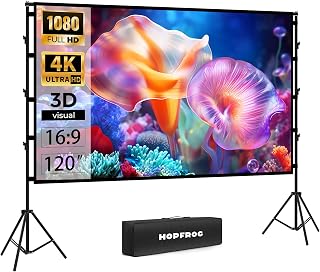


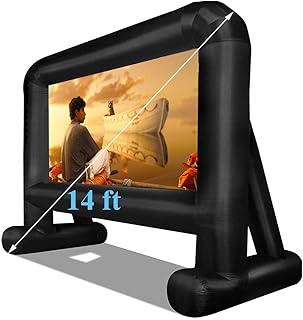


Choosing a projection screen in Canada involves more than selecting the largest screen that fits a room. Screen size, aspect ratio, viewing distance, gain, material, installation method, ambient light and projector placement can all affect the final image. A screen that performs well in a dark home theatre may be a poor choice for a bright living room, while a portable model that works for occasional movie nights may not be suitable for a permanent media room.
This independent buying guide explains the most important factors to consider when comparing projection screens in Canada in 2026. It is designed for shoppers researching smart-buy projection screen deals, home cinema screens, projector screens for living rooms, portable screens, motorized screens and fixed-frame options. Rather than focusing only on price, compare the specifications, construction, installation requirements and compatibility with your projector before making a purchase.
Brands commonly encountered in the projection-screen market include Elite Screens, Silver Ticket Products, VIVOHOME, YABER, Epson and other established home-entertainment manufacturers. Brand reputation can be useful, but the specific screen model and material remain more important than the logo alone.
A smart purchase is not necessarily the cheapest projection screen. It is the screen that matches the projector, room and viewing habits without paying for features you do not need.
For example, a basic manual pull-down screen can be a sensible choice for a dedicated room where the screen is installed permanently but used only occasionally. A motorized screen may be more convenient when the screen needs to disappear after use. A fixed-frame screen can make more sense for a dedicated home theatre where appearance and a consistently flat surface are priorities.
When comparing deals, look beyond the headline price and evaluate the complete specification.
Fixed-frame screens are designed for permanent installation. A tensioned screen material is stretched across a rigid frame, creating a flat viewing surface. This design is particularly attractive for dedicated home theatres, media rooms and gaming spaces.
The main advantage is surface consistency. A properly assembled fixed-frame screen does not need to be rolled up after every viewing session, so there is less concern about repeated retracting and extending of the material.
The main disadvantage is flexibility. Once installed, the screen occupies a defined section of wall and cannot easily be moved. Measure the wall carefully before purchasing.
Motorized screens use an electric mechanism to lower and retract the screen. They can provide a clean appearance when the screen is not being used and are particularly useful in multi-purpose rooms.
Before buying, check the motorized screen's dimensions, power requirements, control method, mounting options and drop length. Some installations require enough ceiling or wall clearance for the casing and screen movement.
Motorized models can also require more careful installation than simple manual screens. Consider the location of power outlets and whether the chosen control system fits your setup.
Manual screens are mechanically simple and often appeal to buyers who want a practical projection surface without adding electrical controls. The screen is pulled down when needed and retracted afterward.
A manual screen can be particularly useful in bedrooms, classrooms, offices and occasional-use entertainment areas. The important consideration is whether the screen remains sufficiently flat when extended.
Portable screens are designed for flexibility. They can be useful for temporary home cinema setups, presentations, outdoor movie events and rooms where a permanent installation is impractical.
Portability involves trade-offs. A lightweight screen may be easier to transport but can require additional support or careful setup. Look at the folded dimensions, stand construction, setup procedure and screen tension rather than judging portability from weight alone.
Floor-rising designs can provide a practical solution when drilling into walls or ceilings is undesirable. The screen rises from a floor-mounted housing and retracts after use.
These models are worth considering for rooms with limited wall-mounting options. However, make sure furniture, speakers, cabinets and other objects do not interfere with the screen's movement.
Screen size should be selected according to viewing distance and projector capabilities, not simply by choosing the largest available option.
A very large screen can be uncomfortable if viewers sit too close. Conversely, a screen that is too small may make subtitles, detailed game interfaces and cinematic imagery less immersive.
Start by measuring the distance between the expected seating position and the screen wall. Then consider the projector's recommended image size and throw characteristics. A projector may technically produce a large image, but that does not automatically mean the largest compatible screen is the best choice.
Also measure the physical wall. The advertised diagonal measurement does not describe the complete installation footprint. Frames, borders, housings and mounting brackets can increase the required space.
Common projection screen sizes include approximately 80-inch, 92-inch, 100-inch, 110-inch, 120-inch, 135-inch and larger formats. The right choice depends on room dimensions and seating distance.
A 100-inch screen may be a comfortable middle ground for many home cinema environments, while a 120-inch screen can create a more immersive experience when the room and projector support it.
Do not assume that bigger automatically means better. Image brightness, resolution and viewing distance all matter.
Aspect ratio describes the relationship between screen width and height. Selecting the correct ratio can prevent unwanted unused areas or awkward image framing.
16:9 is one of the most common choices for home entertainment. It suits many modern television-style video sources, streaming services, gaming systems and general-purpose home cinema applications.
For a mixed-use media room, 16:9 is often a practical starting point.
16:10 screens can be useful in environments where computers and business displays are important. They provide additional vertical image space compared with a 16:9 surface.
4:3 is an older display format that remains relevant for some presentations, educational environments and legacy content. It is generally less suited to a modern movie-focused home theatre.
Ultra-wide cinema formats can create an impressive movie experience when paired with compatible projector equipment and suitable content. They require more careful planning because not every source uses the same aspect ratio.
If the primary purpose is watching a broad range of streaming content and television-style programming, a conventional widescreen screen may be easier to live with.
Gain is one of the most frequently misunderstood projection-screen specifications. In simple terms, it describes how strongly a screen reflects projected light toward viewers compared with a reference surface.
A higher-gain screen can increase perceived brightness in the preferred viewing direction. However, higher gain can also affect viewing-angle performance and image uniformity depending on the screen material.
Lower-gain surfaces generally distribute reflected light more broadly. This can be useful when viewers sit across a wide seating area.
Do not choose a screen based solely on its gain number. Consider projector brightness, seating arrangement, ambient light and the screen material together.
The screen surface is responsible for reflecting the projector's image toward the audience. Different materials can produce different characteristics in brightness, viewing angle, colour reproduction and ambient-light performance.
Matte white is a versatile choice for many home cinema applications. It generally aims to provide broad viewing angles and balanced image presentation.
It can be particularly suitable when the projector is positioned centrally and the room can be reasonably darkened.
Grey surfaces can be useful when perceived black levels and contrast are important. They may also be considered for rooms where some ambient light cannot be eliminated.
However, a grey screen can reduce overall perceived brightness compared with a suitable white surface. Projector brightness therefore needs to be considered carefully.
Ambient-light-rejecting, or ALR, screen materials are engineered to control the direction in which projected light is reflected. Some designs are intended to reduce the visual impact of light arriving from specific directions.
ALR technology can be valuable in living rooms and other spaces that cannot be completely darkened. It is not a universal solution, however. The projector's position, screen geometry, room lighting and material design all influence the result.
One of the biggest buying mistakes is selecting a screen first and attempting to make the projector fit afterward.
Check your projector's supported resolutions, throw distance, image-size range, brightness and lens characteristics. Then determine whether the screen size and aspect ratio are appropriate.
For example, a high-resolution projector can benefit from a high-quality screen surface that preserves detail. A lower-brightness projector may not be an ideal match for an extremely large screen, particularly in a room with significant ambient light.
Ultra-short-throw projectors require especially careful screen selection. The steep projection angle can make surface imperfections more noticeable, and some UST projectors are designed to work with specialized screen materials.
Black borders can help visually frame the projected image. They can also make small alignment imperfections less noticeable and create a more cinema-like appearance.
Flatness is critical. Waves, wrinkles and surface distortions can become distracting, especially when displaying subtitles, computer text or fast-moving scenes.
Fixed-frame designs naturally provide strong surface tension when correctly assembled. Retractable screens require greater attention to construction and tensioning.
A black backing layer can help prevent unwanted light passing through the material and can improve the screen's suitability for certain installation environments.
If the seating arrangement includes several positions spread across the room, viewing angle becomes more important. A screen optimized for a narrow viewing direction may not be ideal for a large family or group viewing setup.
For retractable screens, inspect the casing and mechanism. A well-designed housing protects the screen when retracted and can improve the overall appearance of the installation.
A dedicated home cinema gives you greater freedom to optimize the screen. You can control room lighting, seating position, wall placement and projector location.
For this type of room, fixed-frame screens are often worth considering because they maintain a consistently flat surface. Screen material can then be selected according to projector brightness and the desired image characteristics.
A dedicated theatre also makes it easier to use a larger screen without compromising furniture placement or everyday room functionality.
Living rooms require a different approach. The screen may need to coexist with windows, furniture, lighting fixtures and wall decorations.
A retractable motorized screen can be convenient because it can disappear when movies are not being watched. A manual screen can also work where electrical installation is not desirable.
For rooms with significant daylight, investigate screen material carefully rather than assuming a brighter projector alone will solve the problem.
Gamers should consider more than screen size. Image clarity, surface uniformity and the projector's own gaming characteristics can influence the experience.
A large screen can create a highly immersive gaming environment, but excessive size can make some interfaces difficult to view from short distances. Make sure the screen size matches the seating position.
Fast-moving games can also reveal surface irregularities that may be less obvious during casual video viewing. A consistently flat screen is therefore an important consideration.
Outdoor projection requires additional planning. Wind, moisture, uneven ground, ambient lighting and transportation can all affect the setup.
Portable outdoor screens should be evaluated for stability and anchoring requirements. Never assume that a lightweight screen is automatically suitable for windy conditions.
Outdoor setups also benefit from realistic expectations. Even a high-quality projection screen cannot eliminate strong surrounding light. For the best image, schedule viewing after sunset and position the screen away from direct artificial lighting.
Brand selection can help narrow a crowded market, but the model specification should remain the final deciding factor.
Elite Screens is a well-known name in projection products and offers multiple screen formats, installation styles and surface options. Buyers can compare its fixed-frame, manual and motorized designs according to room requirements.
Silver Ticket Products is frequently considered by home theatre shoppers looking for fixed-frame projection screens. Its product range makes it useful for comparing screen sizes, frame designs and materials.
VIVOHOME offers a broad selection of home and event equipment, including projection-screen products. It can be worth comparing when portability and budget are important considerations.
YABER is primarily associated with projector and home entertainment equipment. When comparing compatible screens, consider the exact projector model and intended setup rather than relying only on brand familiarity.
Epson is an established projector manufacturer with products across home entertainment and professional applications. Its ecosystem can be useful to consider when matching screen characteristics with projector requirements.
These brands are examples to compare, not automatic recommendations. A less expensive screen with appropriate specifications can be a better purchase than a premium-branded model that does not suit your room.
A discounted price does not necessarily represent the best value. When comparing deals, create a shortlist based on specifications first and price second.
Maximum size is not always maximum quality. If the projector is not bright enough or the seating position is too close, a very large screen can create a disappointing experience.
Buying a 16:9 screen for a setup dominated by another format can result in unused space or unwanted image framing. Match the screen to the content you watch most often.
The cheapest screen may save money initially but can be a poor value if the surface develops waves, the frame is difficult to assemble or the dimensions do not suit the room.
Measure everything. Ceiling height, wall width, furniture position, projector location and screen housing dimensions can all affect installation.
Projectors differ significantly in brightness, throw distance, lens position and projection technology. Screen compatibility should be evaluated as part of the complete system.
A standard screen may perform very differently in a dark theatre and a bright living room. Consider window placement, lamps, ceiling lights and reflective walls.
Wrinkles and waves can be particularly distracting on large screens. Pay attention to tensioning and construction quality before purchasing.
Screen selection should not happen in isolation from projector brightness. A large screen spreads the projector's light over a greater area, so perceived brightness can decrease as image size increases.
Screen gain can influence perceived brightness, but gain should not be treated as a simple brightness multiplier. Viewing angle and image uniformity also matter.
If you are comparing a large screen for a living room, look at the complete combination of projector brightness, screen size, screen material and ambient light. This approach is more useful than searching for the highest-gain screen available.
There is no universally superior design. Each type solves a different installation problem.
Installation quality can influence the viewing experience almost as much as screen selection.
Before drilling, locate suitable mounting points and confirm that the wall or ceiling can support the equipment. Use mounting hardware appropriate for the construction of the installation surface.
Measure from multiple points rather than assuming the wall is perfectly square. A slightly uneven installation can make the screen appear tilted or misaligned.
For fixed-frame models, follow the manufacturer's assembly sequence carefully. Uneven frame tension can create visible surface problems.
For retractable models, make sure the screen has sufficient vertical clearance to extend fully without hitting furniture or other objects.
Projection screens generally require less maintenance than many electronic components, but the surface should still be treated carefully.
Do not assume that every screen material can be cleaned in the same way. Specialized surfaces may have coatings that require specific care.
Projection screen specifications can look confusing because manufacturers may list several dimensions and technical measurements.
The diagonal is measured from one corner of the viewing area to the opposite corner. It does not necessarily represent the complete outside dimensions of the screen.
The viewing area indicates the portion intended to display the projected image. Compare this measurement when determining how much usable picture you will receive.
Overall dimensions may include borders, frames, housings or mounting structures. These measurements are essential when checking whether the screen will fit on a particular wall.
Gain provides information about how the screen reflects projected light. Compare it alongside viewing angle and material type.
Aspect ratio describes the width-to-height relationship of the screen. Common formats include 16:9, 16:10 and 4:3.
Viewing angle helps indicate how widely the screen can be viewed before brightness or image characteristics change significantly.
Budget shoppers should prioritize fundamentals rather than unnecessary features.
A good-value screen should have dimensions appropriate for the room, a suitable aspect ratio, a reasonably flat surface and construction that matches the intended installation. If a motorized mechanism is not required, choosing a manual or fixed-frame screen can reduce complexity.
Do not compromise excessively on screen surface quality simply to obtain a larger diagonal size. A smaller, better-suited screen can provide a more satisfying result than an oversized budget model.
Premium buyers should focus on system compatibility and installation quality rather than paying for specifications that will not improve their particular setup.
Depending on the room, useful premium features may include advanced screen materials, improved tensioning, refined frame construction, motorized operation, specialized ambient-light management and more sophisticated installation options.
The projector itself remains a major part of image quality. A premium screen cannot compensate for an unsuitable projector, poor placement or excessive ambient light.
Small rooms require careful attention to viewing distance. A huge screen may dominate the room and create an uncomfortable viewing angle.
Measure the distance from the seating position to the intended screen location. Consider where the projector can physically be installed and whether its throw range supports the desired image size.
In compact rooms, a smaller fixed-frame or retractable screen can offer a better balance between immersion and comfort.
Large rooms offer more flexibility but also create additional demands on projector brightness and screen size.
If the seating is spread widely across the room, consider viewing angle when selecting screen material. If the screen is very large, check that the projector can produce sufficient brightness for the intended environment.
Large installations also benefit from careful wall measurements and consideration of speaker placement. A screen should not obstruct speakers or create an awkward relationship between the image and seating position.
For streaming-focused home cinema, a widescreen format is usually a sensible starting point. However, movies and television programs do not all use identical aspect ratios.
Think about how you prefer to watch content. Some viewers prioritize maximum image size, while others prefer a consistent screen format with minimal unused areas.
A screen with a good-quality surface and appropriate size can provide a stronger improvement than simply choosing a more expensive frame or motor.
Presentation environments often prioritize versatility. If the screen will display documents, spreadsheets, slides and video, consider a format that works well with the computers and projectors used most frequently.
Portable screens can be useful for temporary presentations, while wall-mounted or ceiling-mounted models may suit conference rooms and classrooms.
Text readability makes surface quality particularly important. Fine wrinkles or unevenness that might be tolerated during a movie can become distracting when displaying detailed presentation slides.
Business environments may require frequent setup and reconfiguration. In these cases, durability, ease of operation and installation flexibility can be more important than cinematic features.
Consider how often the screen will be deployed, who will operate it and whether the room serves multiple purposes. A motorized model can reduce setup effort in a frequently used meeting room, while a portable model may be more practical for mobile presentations.
Customer reviews can provide useful information, but they should be evaluated carefully.
Focus on reviews that discuss the exact model and describe specific usage conditions. Comments about installation, surface flatness, packaging, operation and long-term usability can be more useful than generic statements about whether the product is “good.”
Compare multiple reviews rather than relying on a single positive or negative comment. Pay particular attention to recurring issues and determine whether those issues are relevant to your intended setup.
Also distinguish between complaints about the screen itself and complaints caused by an unsuitable projector, incorrect installation or unrealistic expectations.
Prices and promotions can change frequently, so a deal should be evaluated at the time of purchase rather than based on an old advertised price.
Start by defining your requirements. Record the preferred screen size, aspect ratio, installation type, projector model and room lighting conditions. Then compare suitable products rather than browsing every screen available.
After creating a shortlist, compare specifications and current customer feedback for each exact model. Finally, check the current retailer price, shipping terms, return policy and warranty information before completing the purchase.
This approach reduces the risk of buying a heavily discounted screen that does not actually match your setup.
The best screen depends on the projector, room dimensions, viewing distance and lighting. Fixed-frame screens are often worth considering for dedicated theatres because they can provide a consistently flat surface, while the ideal material depends on the projector and room.
A 100-inch screen can be a practical choice for many home entertainment rooms, but suitability depends on viewing distance, projector capabilities and available wall space. Measure the room before deciding.
Motorized screens can be worthwhile when convenience and a clean retractable installation are important. They are less necessary when a fixed-frame or manual screen already meets your needs.
Neither design is universally better. Fixed-frame screens are attractive for permanent installations and consistent surface flatness. Pull-down screens offer greater flexibility when the screen needs to disappear after use.
There is no single material that is best for every bright room. Ambient-light-rejecting materials can be useful in certain lighting conditions, but compatibility with projector placement and the direction of ambient light must be considered.
A suitable screen can provide a more consistent and controlled projection surface than an ordinary wall. The improvement depends on the wall, screen material, projector and viewing environment.
Yes, projection onto a wall is possible, particularly for casual use. However, wall colour, texture, flatness and reflectivity can affect the image. A dedicated projection screen provides a purpose-designed surface.
Not automatically. Grey screens can be useful in some setups where contrast and ambient light are concerns, while white screens can provide broad viewing characteristics and strong versatility. The projector and room should determine the choice.
The appropriate gain depends on projector brightness, seating arrangement, room conditions and screen material. Avoid selecting gain as an isolated specification.
Portable screens can work well for outdoor viewing when they are designed for stable setup and suitable conditions. Wind and uneven ground are important considerations, and outdoor image quality also depends heavily on surrounding light.
For general home entertainment, 16:9 is a common and versatile choice. Movie-focused systems may use wider formats, but the correct ratio depends on the content and projector setup.
Follow the cleaning instructions provided for the exact screen material. Avoid harsh chemicals, abrasive cleaning methods and unnecessary contact with specialized surfaces.
Ratings can be useful, but they should not replace specification checks. Read reviews for the exact model and look for recurring comments about installation, flatness, material quality and operation.
The right projection screen is the one that works as part of a complete viewing system. Screen size, projector performance, aspect ratio, material, gain, viewing angle and room lighting all interact.
For a dedicated cinema, investigate fixed-frame designs and prioritize a flat, well-matched screen surface. For a multi-purpose living room, a retractable motorized or manual screen may provide greater flexibility. For temporary setups, portable screens can be more practical. If ambient light is unavoidable, investigate specialized screen materials while checking compatibility with the projector.
When comparing the top projection screen deals of 2026, do not let a large discount determine the purchase by itself. Compare the exact dimensions, surface material, gain, aspect ratio, installation method and projector compatibility. Then check current customer feedback, retailer terms and the latest price before buying.
For Canadian shoppers, the strongest smart-buy decision is ultimately the screen that delivers the right image size and viewing characteristics for the room without unnecessary features or installation complications. A careful specification-first comparison can help you spend the budget where it will make the greatest practical difference.