

♥ Wishlist
Compare 26 Printers & Scanners for Home, Office & Everyday Printing products in Canada. Reviews, ratings, pros, cons and buying advice updated for October 2026.

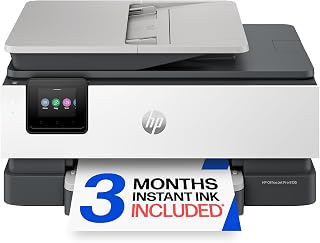

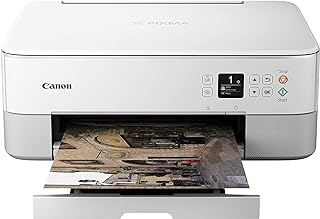
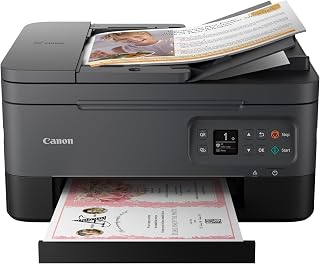


Choosing a printer or scanner in Canada involves more than comparing the advertised purchase price. A smart buying decision should consider print technology, running costs, connectivity, paper handling, scan quality, maintenance requirements, and the type of documents you expect to process. A model that appears inexpensive at checkout can become less economical if replacement ink or toner is costly or difficult to source.
This buying guide is designed to help Canadian shoppers compare printers and scanners according to real-world requirements. Whether you need a compact printer for occasional home use, an all-in-one device for school and work, a colour model for creative projects, or a higher-volume machine for a home office, the right choice depends on how you plan to use it.
All-in-one inkjet printers combine printing, scanning and usually copying in one device. They are a practical choice for households, students and home offices that need several functions without purchasing separate machines.
Inkjet technology is particularly useful when colour output matters. Many models can handle photographs, presentations, school projects and everyday documents. When comparing an inkjet all-in-one, pay attention to the ink system, cartridge configuration, automatic document feeder, duplex printing and wireless connectivity.
Laser printers are commonly considered for users who primarily print documents. They use toner rather than liquid ink and can be well suited to regular black-and-white printing.
When comparing laser models, examine the recommended workload, paper capacity, print speed, duplex capability and toner options. A compact monochrome laser printer can make sense for text-heavy home-office work, while a colour laser model may be more appropriate when professional-looking colour documents are required regularly.
Ink tank printers use refillable reservoirs instead of conventional disposable cartridges. They can be attractive to households, educators, small offices and other users who print frequently.
The initial purchase price should not be the only consideration. Compare the refill system, included ink capacity, replacement ink availability, maintenance procedure and manufacturer's guidance for long periods of inactivity.
A dedicated scanner can be preferable when scanning is a major part of your workflow. Document-focused models may include automatic document feeders designed for processing multiple pages.
For users who regularly digitize paperwork, compare scan speed, feeder capacity, duplex scanning, supported paper sizes, optical resolution and software compatibility rather than focusing only on the headline resolution number.
Print quality should be judged according to the material you actually print. Text documents, spreadsheets, photographs and graphics place different demands on a printer.
Manufacturers typically specify print speed using standardized testing conditions, but your actual experience can vary depending on document complexity, print quality settings, connection method and whether the device needs time to warm up or process a job.
Do not select a printer solely because it has the highest advertised pages-per-minute figure. Occasional users may benefit more from ease of use and compact design, while people printing large batches should give greater weight to sustained productivity and paper capacity.
An automatic document feeder, commonly called an ADF, can save considerable time when scanning or copying multiple pages. It is especially useful for invoices, forms, contracts, school paperwork and business documents.
If you frequently scan two-sided documents, check whether the ADF supports automatic duplex scanning. This capability can be more valuable than a higher optical resolution specification for routine document workflows.
Automatic two-sided printing can reduce paper consumption and make longer documents easier to manage. It is worth prioritizing for home offices, students and anyone who routinely prints multi-page documents.
Check whether duplex printing is automatic or requires manually turning the paper. These are different user experiences even when both specifications mention two-sided printing.
Wi-Fi printing is useful when several devices need access to the same printer. Before purchasing, consider compatibility with the computers, tablets and smartphones you actually use.
Several established manufacturers offer printers and scanners across different price and usage categories. Comparing brands can help narrow the search, but the brand name alone should not determine the purchase.
When comparing products from these brands, evaluate the individual model rather than assuming every device from a particular manufacturer offers the same running costs, features or connectivity.
The purchase price is only one part of the cost of owning a printer. Ink, toner, paper, maintenance materials and replacement components can become more important over time.
A useful comparison starts by estimating your monthly printing volume. Someone printing only a few pages each month may reasonably prioritize a low upfront cost and convenient features. A frequent printer user should pay much closer attention to consumable costs and page yields.
Traditional cartridge-based inkjet printers can be convenient for occasional use, but cartridge prices and replacement frequency should be considered before purchase. Check compatible cartridge numbers and manufacturer-provided yield information for the specific model.
Do not assume that the cheapest cartridge is automatically the best value. Page yield, print coverage and the number of cartridges required can all affect the effective cost of printing.
Laser printers use toner cartridges. For users with substantial document-printing needs, toner yield can be an important comparison factor.
Look for information about standard and high-yield cartridges where available. Compare the expected number of pages with the cartridge price rather than comparing cartridge prices alone.
Refillable ink systems can be appealing to people who print frequently because ink is supplied in bottles rather than conventional cartridges. However, shoppers should still compare the initial device cost, replacement bottle availability and the manufacturer's recommended maintenance process.
If you print only a few documents from time to time, simplicity may be more important than maximum speed. A compact multifunction printer with Wi-Fi, scanning and copying can cover common household requirements.
Before purchasing, consider how frequently the printer may sit unused. Follow the manufacturer's maintenance instructions for periods of inactivity and compare models based on how easily they fit your routine.
Students often need a mixture of text documents, forms, assignments and occasional colour pages. An affordable multifunction printer with wireless connectivity and automatic duplex printing can be useful.
Paper handling also matters. If the printer will be used for long assignments, a practical paper tray and reliable two-sided printing can be more useful than premium photo features.
Home-office users should evaluate the printer as a productivity tool. Automatic document feeding, duplex printing, wireless networking and dependable scanning can reduce repetitive tasks.
Print volume should guide the technology choice. Regular document printing may make a laser or ink tank model worth considering, while mixed colour requirements can favour a capable multifunction inkjet.
Photographic printing requires different priorities from ordinary document printing. Look at colour capability, supported media, print resolution, borderless printing options and the manufacturer's recommended photo paper.
Dedicated photo printers can make sense for specialized users, while multifunction inkjet models may be more practical for households that need both photographs and documents.
Optical resolution describes the scanner's ability to capture detail. Higher numbers can be useful for photographs, artwork and specialized scanning, but extremely high resolution is not necessary for ordinary paperwork.
For documents, workflow features such as an ADF, duplex scanning and software support can have a greater practical impact than maximizing resolution.
Colour depth affects the amount of colour information captured by a scanner. It becomes more relevant when scanning photographs, artwork or images that require detailed tonal reproduction.
A flatbed scanner is versatile because individual pages, books, photographs and other objects can be placed directly on the scanning surface. A sheet-fed scanner is optimized for feeding individual documents through the device.
Some multifunction printers combine a flatbed scanner with an ADF, providing greater flexibility for households and offices.
Paper compatibility is an easy specification to overlook. Standard office paper is only one possible media type. Depending on the model, a printer may support envelopes, heavier paper, labels, photo paper or other specialized media.
Modern printers can support printing from computers and mobile devices, but the exact features differ by model and operating system. Check the manufacturer's current compatibility information before buying.
A printer that is easy to connect can be more valuable than one with advanced features that you never use. Consider whether everyone in your household or office needs independent wireless access and whether the printer can be placed conveniently without running a cable across the room.
Network-connected printers are computing devices and should be treated accordingly. This is particularly important for home offices and workplaces that handle confidential documents.
A low purchase price does not necessarily mean low ownership cost. Always compare consumables, estimated usage and features alongside the initial price.
Printer technology should match workload. A device designed for light household use may not be the best fit for frequent document production.
High-end specifications are not automatically better for every buyer. If you only print occasional documents, advanced photographic capabilities or extensive paper-handling features may add complexity without providing meaningful value.
Buyers sometimes focus heavily on printing and overlook scanning. If you regularly digitize paperwork, confirm that the scanner has the feeder, duplex capability and resolution required for your workflow.
Before committing to a printer, identify the correct consumables and check their availability through reputable Canadian retailers. This helps avoid purchasing a device that becomes inconvenient or expensive to maintain.
A useful comparison should consider more than star ratings. Customer feedback can provide insight into usability, but specifications and ownership requirements should also be evaluated.
Customer reviews are most useful when they are read alongside specifications. Look for recurring comments rather than relying on one unusually positive or negative review.
Pay particular attention to feedback concerning setup, wireless connectivity, paper feeding, print quality, scanning, software, consumable replacement and long-term usability. A review describing a specific use case is usually more informative than a vague statement about whether the product is good or bad.
Measure the available workspace before ordering a printer. Multifunction models can require more depth and clearance than expected, especially when the scanner lid, paper tray or output mechanism is open.
Also consider ventilation, access to paper and consumables, proximity to a power outlet and the location of your wireless router if connection quality could be affected.
Dust and paper debris can affect feeding and print quality. Follow the manufacturer's cleaning instructions rather than using unsuitable household cleaning products.
Paper that is damp, damaged or poorly stored can contribute to feeding problems. Keep paper in a dry environment and use media appropriate for the printer.
Inkjet printers can require periodic maintenance, particularly when they are used infrequently. Follow the manufacturer's recommendations for printhead maintenance and storage rather than repeatedly running unnecessary cleaning cycles.
Use the correct cartridge, toner or ink refill specified for your model. Confirm the exact model number before purchasing replacement supplies because similarly named printers can use different consumables.
A multifunction printer can be a strong option when space and convenience matter. One device can handle printing, copying and scanning without requiring separate equipment.
For many households and small offices, this combination can simplify document workflows. However, buyers who require intensive scanning or specialized photographic output may benefit from dedicated equipment instead.
Separate devices can be preferable when one function is significantly more important than the others. A business that scans hundreds of documents may prioritize a dedicated document scanner, while a photography enthusiast may prefer equipment specifically designed for high-quality image printing.
The best configuration depends on workload, available space, budget and the level of specialization required.
Printer pricing can change between retailers and over time, so a listed price should be treated as a point-in-time comparison rather than a permanent value. Compare the same model number across reputable Canadian retailers to determine whether an apparent discount represents a meaningful saving.
Also compare bundles carefully. A printer bundled with paper or additional consumables may have a different overall value from the same printer sold alone. Check exactly what is included rather than assuming every package contains the same supplies.
A smart buy is not necessarily the cheapest printer or the printer with the longest feature list. It is the model whose capabilities, operating costs and workflow fit the buyer's requirements.
For light users, simplicity and multifunction capability can be important. For frequent document printing, running costs and productivity deserve more attention. For families, wireless access and versatile paper handling can improve convenience. For home offices, scanning, duplex printing and reliable connectivity may carry greater weight.
The strongest purchasing decision comes from balancing these factors instead of relying on a single rating, specification or promotional price.
There is no single best type for every Canadian household. An all-in-one inkjet can suit mixed printing and scanning needs, while a monochrome laser printer may be preferable for households that mainly print text documents. Frequent colour printing can also make an ink tank model worth considering.
An all-in-one printer can be worthwhile if you need printing, scanning and copying. It can reduce the amount of equipment required and save workspace. If you only print and never scan or copy, a single-function printer may be more appropriate.
Neither technology is universally better. Laser printers can be particularly suitable for text-heavy workloads, while inkjet printers offer strong versatility for colour documents and photographs. The right choice depends on printing volume, output type and operating costs.
Ink tank printers can be appealing for frequent colour printing because they use refillable reservoirs. Buyers should still compare the specific model's ink system, maintenance requirements, replacement ink and total cost.
An ADF is valuable if you regularly scan or copy multiple pages. For occasional single-page scanning, a flatbed scanner alone may be sufficient.
It is especially useful for people who frequently print multi-page documents. It can make two-sided printing more convenient and may reduce paper use.
Check the exact printer model and the manufacturer's specified consumable number. Compare page yield and pricing where reliable information is available, and verify that the consumable is appropriate for the Canadian version of the device.
Choose according to your workload. High-volume document users may value speed, while photographers and users producing colour graphics may place greater emphasis on output quality. For many households, a balanced combination is preferable.
Reviews are useful but should not be the only source of information. Compare verified customer feedback with manufacturer specifications, consumable requirements, connectivity options, paper handling and your expected workload.
There is no universal replacement schedule. A printer can remain useful as long as it meets your requirements and replacement consumables remain practical. Consider replacement when reliability, compatibility, repairability or operating costs no longer make the existing device suitable.
The best printer or scanner deal in Canada is the one that delivers the right combination of functionality, reliability, convenience and ongoing value for your specific workload. Start by deciding what you print and scan, how frequently you use the device and which features genuinely matter.
Then compare suitable models from established manufacturers such as Canon, HP, Epson, Brother and Lexmark. Review the exact specifications, consumable requirements, connectivity options and verified customer feedback before making a decision.
For the most accurate purchasing comparison, check current Canadian retailer prices and availability immediately before buying because deals, stock levels and product bundles can change throughout 2026.