

♥ Wishlist
Compare 52 Microphones for Podcasting, Streaming, Recording & More products in Canada. Reviews, ratings, pros, cons and buying advice updated for October 2026.


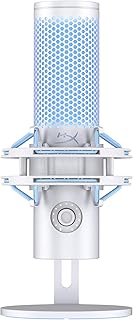


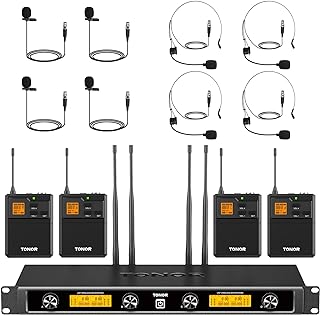

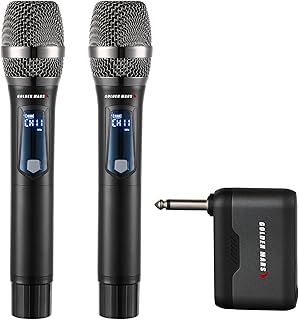


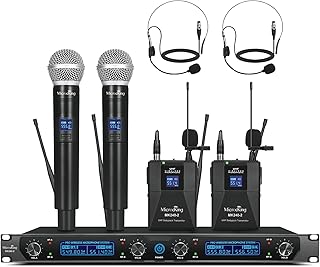


Choosing a microphone in 2026 involves more than comparing star ratings or looking for the lowest advertised price. The right model depends on how you plan to use it, what device you will connect it to, the recording environment, and the level of control you expect over your audio. A microphone that works well for a home podcast setup may not be the best choice for gaming, music recording, online meetings, streaming, voice-over work, or outdoor content creation.
This buying guide focuses on the factors that matter when comparing smart microphone deals in Canada. Use the specifications, connectivity options, pickup patterns, controls, accessories, and intended applications to narrow down the choices. Product specifications and prices can change, so always check the current listing details and verified customer feedback before purchasing.
The best microphone is not necessarily the most expensive model. It is the one whose design and technical characteristics match your use case. Start by identifying what you record most often, where you record it, and how much equipment you want to manage.
Connectivity is one of the most important differences between microphone categories. USB microphones connect directly to compatible computers and other supported devices, while XLR microphones generally require an audio interface, mixer, or another compatible piece of recording equipment.
USB microphones are convenient for beginners, streamers, podcasters, remote workers, and creators who want a relatively straightforward setup. The microphone handles the conversion to a digital audio signal, reducing the amount of additional equipment required.
A USB model can be a smart choice when simplicity is more important than building a larger recording system. Before buying, confirm the supported operating systems and connection type. Some newer products may use USB-C, while others may include adapters or different connection options.
XLR microphones are common in professional and semi-professional recording environments. They provide greater flexibility when used with an appropriate audio interface or mixer and can fit into a more expandable recording chain.
The trade-off is increased equipment requirements. An XLR microphone alone may not be enough for a complete recording setup. You may also need an interface, suitable cables, a microphone stand or arm, and potentially additional accessories.
Neither connection is automatically better for every Canadian buyer. USB is often more practical for a simple computer-based setup. XLR becomes more attractive when you want to expand your equipment, use multiple microphones, or integrate the microphone into a dedicated audio system.
Microphone type affects how a product responds to sound and its recording environment.
Dynamic microphones are often considered practical for spoken-word applications and environments where background noise needs to be controlled. Their operating characteristics can make them useful for untreated rooms, gaming spaces, broadcasting, and live applications.
However, a dynamic microphone still requires sensible microphone placement. Moving too far away can reduce vocal presence, while speaking too closely can produce excessive low-frequency emphasis and other unwanted effects.
Condenser microphones are commonly chosen when detailed sound capture is important. They can be suitable for vocals, podcasts, voice-over work, acoustic instruments, and controlled recording spaces.
Their sensitivity can also make room noise, computer fans, keyboard sounds, traffic, and reflections more noticeable. A condenser microphone therefore does not automatically produce better results in every environment.
The polar pattern describes the directions from which a microphone is designed to capture sound. Understanding this specification can help you avoid choosing a microphone that does not suit your recording situation.
Cardioid microphones primarily focus on sound from the front while reducing sensitivity toward the rear. This is a popular pattern for individual speakers, streaming, podcasting, voice-over recording, and many desktop setups.
Omnidirectional microphones capture sound from a much broader area around the microphone. They can be useful for certain meetings, group recording situations, ambient applications, and specialised recording requirements.
Bidirectional microphones capture sound from the front and rear while reducing sound from the sides. This can be useful for specific two-person recording arrangements.
Some microphones offer multiple selectable polar patterns. These models can provide additional flexibility if you use the microphone for different recording scenarios. The added versatility may be valuable, but it can also increase cost and complexity.
Frequency response indicates the range of frequencies a microphone is designed to capture. Do not assume that a wider numerical range automatically means superior sound. The shape of the response across that range can be more relevant to the resulting character of speech or music.
Sensitivity describes how effectively a microphone converts acoustic pressure into an electrical signal. A more sensitive microphone may capture quieter sounds more readily, but that does not make it universally better. Your room, recording distance, preamp or interface, and desired signal level all matter.
Maximum sound pressure level, often abbreviated as maximum SPL, indicates how much acoustic input a microphone can handle before significant distortion becomes a concern. This specification can be especially relevant for loud vocals, instruments, and high-volume recording situations.
Self-noise refers to noise generated by the microphone's own electronics or internal components. Lower self-noise can be particularly useful for quiet sources and detailed recordings where unwanted background noise is more noticeable.
For digital microphones, bit depth and sample rate describe aspects of digital audio conversion. Higher numbers are not automatically a guarantee of better recordings. The rest of the recording chain, microphone quality, acoustic environment, software settings, and production workflow also influence the final result.
A headphone output can make it easier to monitor your voice while recording. Direct monitoring can help you identify background noise, excessive gain, distortion, handling sounds, or other problems before they become part of the finished recording.
If you regularly record podcasts, streams, interviews, or voice-overs, consider whether the microphone provides convenient headphone monitoring and whether it includes a useful volume control. Check whether monitoring is direct or routed through software, as these approaches can behave differently in terms of latency.
Convenient physical controls can make a microphone easier to use during live sessions. A gain control lets you adjust the input level, while a mute button can quickly disable the microphone when you are streaming, gaming, or participating in an online meeting.
Some models may also provide controls for headphone volume, monitoring mix, lighting, or pickup-pattern selection. These features can be useful, but they should not replace evaluation of the microphone's core performance and compatibility.
Even a high-quality microphone can produce disappointing results when positioned incorrectly. For speech recording, experiment with the distance and angle rather than simply placing the microphone as close to your mouth as possible.
Accessories can improve the practicality of a microphone setup. A pop filter can help reduce strong plosive sounds created by certain spoken consonants. A windscreen can also provide protection against airflow and may be useful in particular recording environments.
Do not assume every accessory is universally compatible. Check the microphone's physical dimensions and mounting arrangement before purchasing additional equipment.
The support system can have a significant effect on everyday usability. A desktop stand is compact and straightforward, while a boom arm can free desk space and make positioning easier.
A shock mount may help reduce mechanical vibrations transmitted through the stand. This can be particularly useful when the desk is frequently touched or when the microphone is mounted on an arm.
Before choosing accessories, check the microphone's weight, mounting thread, dimensions, and included hardware. A microphone arm that cannot safely support the microphone is not a suitable match.
Gaming and streaming setups often combine voice, keyboard activity, computer fans, game audio, and room noise. The ideal microphone therefore depends heavily on the environment.
Look for a microphone that offers convenient gain adjustment, a reliable connection, and monitoring options. A cardioid pattern can be useful when the speaker is positioned in front of the microphone and unwanted sound comes primarily from the sides or rear.
Software compatibility can also matter. Some gaming microphones provide additional control through manufacturer software, but software features should be treated as a secondary consideration if the core microphone specifications do not fit your needs.
Podcasting places particular importance on speech clarity, consistent positioning, and practical workflow. If multiple people are recording, consider how many microphone inputs your system requires and whether each speaker can be positioned appropriately.
USB microphones can simplify single-person recording, while XLR microphones may make more sense for expandable setups. For a multi-person podcast, the recording interface and input configuration can be just as important as the microphones themselves.
Music recording requires more careful consideration because different instruments produce very different sound characteristics. A microphone suitable for spoken vocals may not be the ideal choice for guitar, percussion, brass, or other sources.
Pay attention to frequency response, maximum SPL, microphone type, polar pattern, and the rest of the recording chain. If you are building a studio system, also consider how the microphone will work with your audio interface, preamp, monitoring equipment, and room acoustics.
For work calls and online meetings, ease of use is usually more important than advanced studio specifications. A microphone should provide clear speech without requiring a complicated setup.
USB connectivity can be convenient for computers, but verify operating-system compatibility and the available connection ports. A physical mute button can also be valuable when you regularly participate in meetings.
The phrase “smart microphone” can describe products with different combinations of digital controls, software support, voice-processing capabilities, connectivity, or integrated controls. Do not judge a microphone solely by the word “smart” in its product description.
Instead, identify the specific function behind the feature. Software-based controls, automatic gain functions, noise-processing tools, monitoring controls, and device compatibility can all have different practical value depending on your workflow.
Noise cancellation and noise reduction are frequently highlighted in microphone marketing, but these terms can refer to different technologies and processing methods. A microphone with noise-processing features can help in some environments, but it cannot completely eliminate every unwanted sound.
Physical room conditions remain important. Fans, air conditioners, traffic, nearby conversations, keyboards, and reflective walls can all affect recordings. Good microphone placement and sensible gain settings should therefore be considered alongside any digital processing features.
Before purchasing, confirm that the microphone works with the device you actually intend to use. A product designed for desktop computers may not behave identically when connected to a tablet, gaming console, smartphone, or other device.
When comparing microphone deals, it can be useful to examine established manufacturers alongside newer brands. The right choice should still be based on the individual model rather than brand recognition alone.
A higher price does not guarantee a better match. Consider connectivity, pickup pattern, microphone type, controls, accessories, and intended application before comparing prices.
A microphone designed to capture detailed sound may reveal room reflections and background noise. Consider your environment before choosing a highly sensitive model.
Multi-pattern recording, RGB lighting, advanced software controls, multiple connection modes, and other features can be useful, but unnecessary features can increase complexity without improving your particular workflow.
The microphone is only one part of the setup. Depending on the model, you may need a stand, boom arm, shock mount, pop filter, XLR cable, audio interface, or suitable adapter.
A microphone may technically work with your equipment but still be awkward on your desk. Check the dimensions, weight, mounting system, and available desk space before ordering.
Ratings can help identify common ownership experiences, but individual reviewers may use microphones in completely different environments. Read recent verified customer reviews for comments about compatibility, durability, setup, sound quality, software, and recurring problems.
When several models appear similar, compare them systematically rather than relying on the product title.
Different users should approach the shortlist differently. A first-time buyer may benefit most from straightforward USB operation. A serious content creator may value monitoring and control features. A musician may need an XLR setup with an audio interface. A professional studio user may have very different priorities regarding microphone character and recording-chain compatibility.
Buying a better microphone is only one way to improve recordings. Positioning, room conditions, gain staging, and monitoring can have a major impact on perceived audio quality.
Reduce unnecessary background noise where possible. Close windows, move noisy equipment farther away, and avoid placing the microphone next to a loud computer fan.
Maintain a relatively consistent speaking distance. Large changes in distance can cause noticeable changes in volume and tonal balance.
Too little gain can produce a weak signal, while excessive gain can introduce unwanted noise or clipping. Adjust the input level while monitoring your loudest expected speech or sound source.
Headphones make it easier to identify problems that may be difficult to hear through speakers. Listen for hum, hiss, room reflections, keyboard sounds, plosives, and distortion.
Customer reviews are most useful when you focus on specific experiences rather than simply counting positive ratings. Look for repeated comments from buyers using the microphone for the same purpose as you.
Because marketplace listings and customer feedback can change, verify current reviews and specifications immediately before purchasing.
A genuine value opportunity is not simply the microphone with the biggest apparent discount. A better approach is to compare the product's current price with its specifications, included accessories, intended use, and competing models.
For example, a cheaper USB microphone may represent better value for a beginner than a more expensive XLR microphone if the buyer does not already own an audio interface. Conversely, an XLR model can make more sense for someone who already has compatible recording equipment and plans to expand the setup.
A USB microphone is often a practical starting point for users who want a simple computer-based recording setup. However, the best option depends on the intended use and the recording environment.
No. A more expensive microphone may provide advanced capabilities or different sound characteristics, but it may not be the best fit for every user. Compatibility, room conditions, microphone type, and intended application should be considered first.
Both can work well. USB is convenient for simple setups, particularly for individual creators. XLR offers greater flexibility for expandable recording systems and multi-microphone configurations when paired with suitable equipment.
The best streaming microphone depends on the streaming environment, computer setup, desired controls, microphone placement, and budget. Compare voice clarity, pickup pattern, monitoring, connectivity, and mounting options rather than choosing solely by popularity.
Not necessarily. A desktop stand can be sufficient. A boom arm becomes useful when you want more flexible positioning, improved desk space, or easier adjustment between recording sessions.
A pop filter can help reduce plosive sounds during speech and vocal recording. Whether you need one depends on the microphone design, recording technique, and included accessories.
No microphone can guarantee a completely silent recording environment. Pickup pattern, microphone placement, room acoustics, gain settings, and software processing all influence background noise.
RGB lighting is primarily an aesthetic feature. It may be useful for a visually focused streaming setup, but it should not take priority over microphone performance, connectivity, monitoring, and compatibility.
There is no universal replacement schedule. A microphone can remain useful for many years when properly maintained. Replacement usually makes more sense when your requirements change, the equipment develops a fault, or a newer model provides capabilities that are genuinely useful for your workflow.
Before selecting one of the microphones in a current Canadian deal roundup, confirm the fundamentals first. The right purchase should fit your recording purpose, equipment, environment, and preferred workflow.
A useful microphone comparison should focus on practical fit rather than simply identifying a product with the highest specification numbers. Consider the complete ownership experience: how the microphone connects, how it is positioned, how it behaves in your recording environment, which controls are available, what accessories are required, and whether the product fits your existing equipment.
For Canadian shoppers, current price, retailer conditions, delivery options, taxes, availability, and product configuration can change. Always review the current listing before making a purchase. The best deal is ultimately the microphone that delivers the functions you actually need without requiring unnecessary equipment or features.