

♥ Wishlist
Compare 62 Cord Management Accessories & Supplies products in Canada. Reviews, ratings, pros, cons and buying advice updated for October 2026.


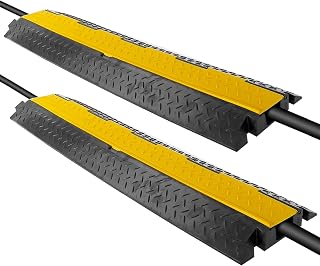


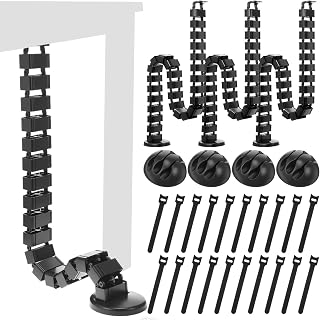

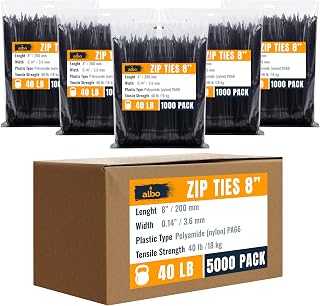


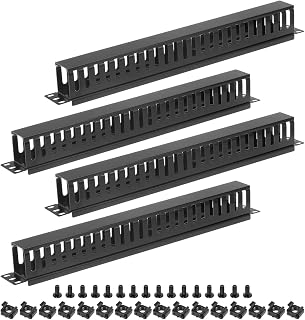


Choosing cord management accessories is less about finding the largest bundle of clips or ties and more about matching the management system to the type, location and number of cables you need to control. A solution that works well behind a computer desk may be unsuitable for a television cabinet, kitchen appliance area, workshop, charging station or entertainment centre.
For Canadian shoppers, it is also worth considering room temperature, seasonal humidity, surface materials, cable thickness, plug size and whether the installation is temporary or intended to remain in place for years. Before buying, identify where the cables will run, how frequently they need to be moved and whether you need simple organisation or a more complete cable-management system.
A smart purchase solves a specific cable-management problem without creating another one. The best accessory should keep cables organised while allowing appropriate movement, ventilation and access to plugs and connectors.
There is no universal best cord-management accessory. Different products solve different problems, and combining several simple accessories can often produce a cleaner and more maintainable setup than relying on one oversized organiser.
Adhesive clips are among the simplest ways to keep charging leads and smaller cables from falling behind a desk. Brands such as 3M and Command are commonly associated with adhesive mounting products, while dedicated cable-management brands also offer holders designed specifically for wires.
Pay attention to the adhesive and mounting surface rather than assuming that any adhesive clip will work everywhere. Painted walls, unfinished wood, glass, metal, laminate and textured surfaces can behave differently. The weight and stiffness of the cable also affect how securely a small holder stays in position.
Hook-and-loop straps are particularly useful for people who frequently change their technology setup. Unlike disposable-style ties, reusable straps can be opened when you add, remove or replace a cable.
VELCRO-style fastening systems are widely recognised for this type of application, but shoppers should compare strap width, length, fastening strength and adjustability. A very narrow strap may be adequate for a phone charger but less convenient for a thick group of computer cables.
Cable sleeves provide a cleaner appearance by bringing multiple wires together. They can be especially useful around monitors, gaming systems, televisions and workstations where several cables travel in the same general direction.
When comparing sleeves, check how they open and close. A sleeve that is easy to install but difficult to reopen may become frustrating when you need to replace a monitor, add a USB device or disconnect a power cable.
An under-desk tray can transform a cluttered workstation by giving power cords, monitor cables, docking-station leads and peripheral cables a dedicated route underneath the desktop. This approach is particularly useful when several cables need to remain connected permanently.
Before buying, measure the underside of the desk and consider the position of desk legs, drawers and other structural components. Also check the tray's dimensions and mounting method. A tray that fits on paper may interfere with a drawer or leave insufficient clearance for a power strip.
Cable-management boxes can hide excess cord length and reduce the visual impact of power strips. They are particularly attractive for television consoles, desks and charging areas where several cables converge in one location.
Do not choose a cable box solely because it hides everything. The enclosure should be appropriately sized and should not create an unsuitable environment for electrical equipment. Follow the instructions for the particular power strip and organiser, and avoid enclosing equipment in a way that interferes with its required ventilation.
The material affects durability, flexibility, appearance and installation. Silicone and soft polymers can be useful where flexibility matters, while rigid plastic is often selected for structured cable routing. Fabric sleeves can provide a softer appearance, whereas hook-and-loop material is designed around repeated opening and closing.
For accessories that will be installed underneath desks or behind furniture, inspect the construction rather than focusing only on appearance. Thin components may be perfectly suitable for lightweight cables but less appropriate for larger bundles.
Capacity is one of the easiest specifications to overlook. A product may appear large enough until several thick power cords are inserted. Measure the approximate combined diameter of the cable group and allow room for future additions.
For cable ties, straps and sleeves, buying the correct length matters. Excessively short products can be difficult to install, while oversized straps can leave unnecessary material around small cable bundles.
Adjustability is especially valuable for home offices because cable configurations often change. If you regularly upgrade monitors, laptops, docking stations, speakers or networking equipment, reusable solutions can reduce replacement waste and installation time.
Compare adhesive mounting, screws, clips, magnetic attachment and other installation approaches according to the surface and intended duration of use. Adhesive products can be convenient where drilling is undesirable, but they should not automatically be treated as suitable for every wall, desk finish or cable load.
A cable-management system should remain manageable after the first installation. If you expect to replace devices regularly, choose products that allow individual cables to be removed without dismantling the entire bundle.
This is one reason reusable hook-and-loop straps can be preferable to permanent fastening for computer desks, gaming stations and home offices.
A home office usually benefits from a combination of under-desk routing, reusable straps and smaller cable holders. The objective is to separate the cables that need to move from those that can remain permanently routed.
For a desk with a laptop dock, external monitors, speakers, USB accessories and network equipment, separating power cables from data and peripheral cables can also make troubleshooting easier. The goal is not necessarily to hide every cable but to make the entire setup understandable and serviceable.
Television setups often contain HDMI cables, power cords, streaming-device leads, speaker connections, game-console cables and network connections. A sleeve or raceway can help consolidate visible cables, while clips or ties can control shorter runs behind the cabinet.
Measure the route from the television to the equipment before purchasing. Consider connector dimensions as well as cable length because some large connectors need more clearance than the cable itself.
Gaming desks can accumulate more cables than conventional workstations because a single setup may include a gaming PC or console, multiple displays, speakers, a headset, keyboard, mouse, controller chargers, networking equipment and lighting accessories.
A practical approach is to create zones. Keep permanent cables bundled underneath the desk, route frequently moved cables separately, and use small holders where controllers or charging cables are placed.
A dedicated charging station can benefit from small cable holders positioned near the devices being charged. The holder should keep the connector accessible without forcing the cable into a sharp bend.
If several charging cables share one area, consider a combination of individual holders and a small bundle-management solution. This is generally easier to maintain than placing every cable into one large sleeve.
Canadian shoppers should compare specifications rather than assuming that a product suitable for another market is automatically appropriate for every installation. Check the product documentation for electrical compatibility when an organiser incorporates or is designed around power equipment.
For ordinary passive cable-management products such as clips, straps, sleeves and trays, the most important considerations are generally mechanical: dimensions, materials, mounting method, cable capacity and intended use. For products that interact directly with electrical equipment, read the manufacturer's safety and installation instructions carefully.
It is also sensible to compare delivery estimates, seller information, return conditions and current pricing through the retailer before purchasing. Availability and prices can change, particularly during major Canadian shopping periods.
A large quantity does not necessarily represent better value. A bundle of small clips may be inexpensive but unsuitable for thick power cords or larger cable groups. Always compare the stated dimensions and intended cable size.
If a cable is disconnected regularly, a permanent installation can become inconvenient. Reusable hook-and-loop straps or accessible clips are often more practical for cables that need regular adjustment.
Adhesive products depend heavily on the surface, cleanliness and installation conditions. Before attaching a holder, check the manufacturer's instructions and confirm that the intended surface is suitable.
Forcing too many cables into a sleeve, box or clip can reduce usability and may place unnecessary strain on cables and mounting points. Select a product with suitable capacity rather than trying to maximise every available millimetre.
A perfectly hidden cable is not necessarily a well-managed cable. If accessing one connection requires removing an entire bundle, the system may become frustrating over time. Leave logical access points for commonly replaced devices.
Home offices and entertainment systems tend to evolve. A small amount of spare capacity can make it easier to add a monitor, charger, speaker, network device or other peripheral later.
When comparing several products, use the same criteria for each option instead of relying primarily on appearance or the number of pieces in a package.
Silicone and flexible polymers can work well for small cable holders because they can accommodate movement and cable insertion. Their suitability depends on the specific construction and application.
Plastic is common in clips, trays, raceways and boxes because it can provide a lightweight and structured solution. Compare thickness and construction quality where durability is important.
Fabric is frequently used in cable sleeves and can provide a softer visual appearance. Check the opening mechanism and internal capacity before buying.
Hook-and-loop material is particularly useful when the cable bundle needs to be adjusted repeatedly. Compare strap width, length and fastening design.
Metal may be used in some trays, brackets and structured management systems where additional rigidity is desirable. Check dimensions, mounting hardware and the manufacturer's intended application.
Start by disconnecting unnecessary cables rather than attempting to organise everything immediately. Remove cables that are no longer used, identify the remaining connections and group them according to their destination.
Cable management is not a one-time project. Dust accumulates behind desks and entertainment units, devices get replaced and new accessories are added. A system that is easy to modify will generally remain useful for longer.
Cord organisers should improve organisation without interfering with the safe operation of electrical equipment. Passive cable-management accessories should not be treated as substitutes for electrical safety equipment or professional electrical installation.
Avoid crushing, sharply bending or excessively compressing cables. Do not use an organiser in a way that obstructs required ventilation around power equipment. Keep damaged cords out of service and follow the manufacturer's instructions for power strips, adapters and other electrical products.
When a project involves fixed electrical wiring, wall outlets, concealed wiring or modifications to a building's electrical system, use the appropriate professional guidance rather than treating a cable-management accessory as an electrical installation solution.
Brand familiarity can help when comparing construction quality and product ecosystems, but the brand name should not replace specification checking. Depending on the type of accessory, shoppers may encounter products from brands such as 3M, Command, VELCRO, JOTO, Anker, UGREEN and Belkin.
These brands cover different categories and product types, so compare the actual product specifications rather than assuming that every accessory from a particular brand is appropriate for every cable-management application.
Not always. Basic reusable straps and simple clips can provide excellent functionality for straightforward setups. Paying more can make sense when you need a larger capacity system, a more refined installation, easier reconfiguration or construction suited to a demanding environment.
Instead of comparing price alone, calculate the cost of the complete solution. A product that solves the problem with fewer components may be better value than a large inexpensive assortment containing pieces you will never use.
A kit can make sense when you are organising an entire workstation or entertainment area and need several types of accessories at once. Kits can provide clips, straps, sleeves and other components that work together visually and functionally.
Individual products may be preferable when you already know exactly what you need. For example, someone with a simple two-cable charging station may have little reason to purchase a large multi-piece kit.
Customer reviews can provide useful information when used alongside technical specifications. Look for repeated comments about installation, adhesive performance, cable capacity, durability and ease of reconfiguration rather than focusing only on the overall star rating.
Pay particular attention to reviews from buyers with a setup similar to yours. A product that performs well for thin charging cables may receive very different feedback when used with multiple heavy power cords.
The best approach depends on the number of cables and how often they move. A combination of an under-desk tray, reusable hook-and-loop straps and small cable holders is a flexible starting point for many desk configurations.
They solve different problems. A sleeve is useful when several cables need to appear as one organised bundle, while cable ties are better for securing or grouping cables at specific points. Many setups benefit from using both.
Adhesive cable clips can be suitable for appropriate cable-management applications when installed according to the manufacturer's instructions. The surface, cable weight, mounting conditions and product specifications all matter.
Reusable hook-and-loop straps are generally more convenient when you expect to add, remove or replace cables. A more permanent fastening approach may be suitable for cable groups that are unlikely to change, provided it is appropriate for the application.
There is no universal number. Count your cables, measure the routing distances and identify the points where cables need support. Buying according to the actual layout is usually more effective than choosing a package based solely on piece count.
Yes, suitable cable-management products can help organise television connections, but they should be installed without obstructing ventilation or placing inappropriate strain on cables and connectors. Follow the instructions for the television, connected equipment and organiser.
A standing desk requires additional attention to cable movement. Choose routing that accommodates the desk's full range of motion and leaves enough slack for cables to move naturally without pulling on connectors.
Depending on the surface and application, adhesive clips, suitable surface-mounted raceways or furniture-based routing can provide alternatives to drilling. Always check the mounting product's instructions and surface compatibility.
It depends on the specific equipment and installation. Avoid tightly compressing mixed cable groups, and follow the guidance supplied with the relevant electrical and electronic equipment. Where cable-routing requirements are unclear, consult the applicable manufacturer's documentation.
Small cable holders positioned near the edge of the desk can keep frequently used charging connectors accessible. Choose a holder compatible with the cable diameter and mounting surface, and leave enough slack for normal use.
Before selecting a cord management accessory, review the complete setup rather than buying based on appearance alone.
The best cord management purchase is the one that fits the actual cable layout, not necessarily the product with the largest number of pieces or the most elaborate appearance. Small adhesive holders can solve simple charging-cable problems, reusable hook-and-loop straps work well for changing cable bundles, sleeves can improve the appearance of grouped wires, and trays or raceways can provide a more structured solution for larger installations.
For Canadian buyers comparing options in 2026, focus on dimensions, cable capacity, materials, mounting method, reusability, accessibility and the intended environment. Compare specifications carefully, read relevant customer feedback and check current retailer information before making a purchase. A well-planned system should make cables easier to identify, move, maintain and replace while keeping the surrounding workspace cleaner and more practical.