

♥ Wishlist
Compare 57 Body Mounted Cameras for Hands-Free Recording products in Canada. Reviews, ratings, pros, cons and buying advice updated for October 2026.


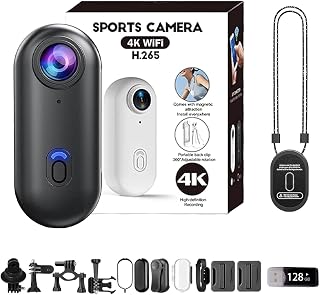


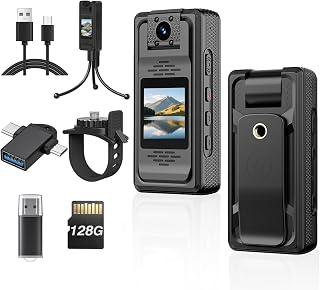


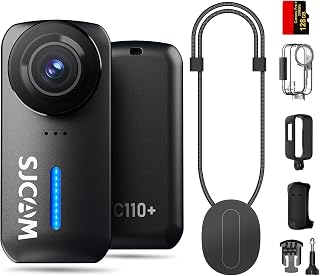


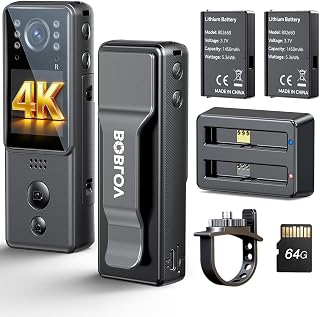

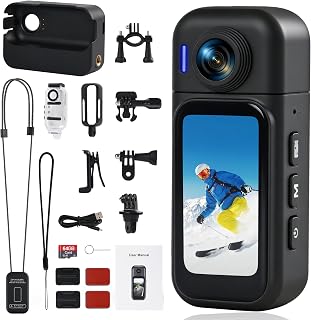


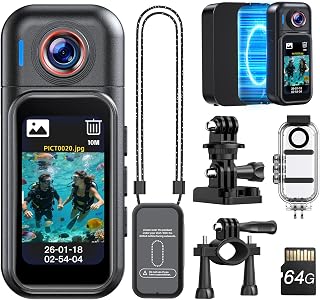


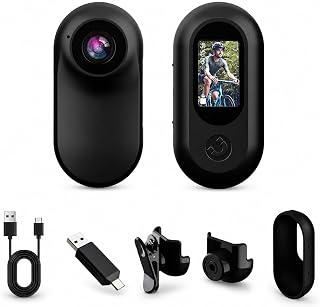


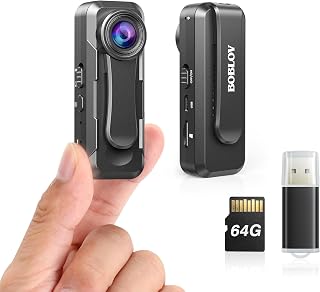


A body mounted camera can be useful for hands-free video recording while walking, cycling, working, travelling, documenting outdoor activities, or capturing events where holding a conventional camera is inconvenient. The right choice depends on more than video resolution. Mounting security, battery endurance, storage, low-light performance, audio quality, weather resistance, controls, file handling, and privacy considerations can all affect whether a camera is genuinely practical for everyday use.
For Canadian shoppers, it is also worth considering the conditions in which the camera will be used. Cold temperatures can reduce practical battery performance, while rain, snow, dust, gloves, changing daylight, and bulky winter clothing can influence how comfortably a camera can be mounted and operated.
The best body mounted camera is not necessarily the model with the highest advertised resolution. A strong option should balance image quality with dependable mounting, convenient controls, adequate battery life, durable construction, and a recording setup that fits the intended activity.
The terms body camera, wearable camera, action camera, and body mounted camera are sometimes used interchangeably, but they can describe different types of equipment. Understanding the distinction helps prevent buying a camera that looks suitable on paper but does not match the intended use.
Dedicated body-worn cameras are designed around hands-free recording and are often built with wearable mounting in mind. Depending on the model, features can include front-facing recording indicators, physical controls, compact construction, timestamp functions, or other features intended for continuous personal recording.
Action cameras such as GoPro and DJI are primarily designed for active video capture, but their compact size and broad accessory ecosystems can make them suitable for chest, helmet, shoulder, backpack, or other mounting positions. They can be particularly attractive when stabilization and high-quality action footage are more important than dedicated body-camera functions.
Products from brands such as Insta360 can provide a different approach by capturing a much wider field of view. This can be useful when the wearer wants flexibility to choose the viewing angle later, although storage requirements, editing workflow, battery consumption, and mounting position deserve careful consideration.
Resolution describes the amount of image detail captured by the camera. Common specifications include Full HD, 2.7K, and 4K. Higher resolution can provide more detail and greater flexibility when cropping footage, but it can also increase file sizes and storage requirements.
For a body mounted camera, resolution should therefore be evaluated alongside stabilization, lens quality, exposure performance, and battery endurance. A camera with a very high resolution setting is not automatically the better choice if the footage becomes difficult to use because of motion blur, poor stabilization, or insufficient battery capacity.
Frame rate affects the appearance of motion. Lower frame rates are often adequate for ordinary documentation, while higher frame rates can produce smoother motion and provide more flexibility for slow-motion editing.
When comparing cameras, check which frame rates are actually available at each resolution. Some devices advertise high frame rates but restrict certain combinations of resolution, stabilization, or other recording features.
Stabilization is particularly important for a wearable camera because the body naturally produces movement. Walking, running, cycling, and climbing can create noticeable shake even when the camera itself is securely attached.
Compare the available stabilization modes and consider whether stabilization remains available at the resolution and frame rate you intend to use. A wider field of view can also influence how much apparent movement is visible in the final footage.
A wide-angle lens can capture more of the surroundings, which is useful for outdoor activities and situations where the wearer cannot precisely aim the camera. However, extremely wide perspectives can introduce distortion or make distant subjects appear smaller.
For chest-mounted recording, the field of view should also be evaluated in relation to the mounting angle. A camera pointed too high may capture excessive sky, while one mounted too low may record mostly the ground or clothing.
Video specifications alone do not tell you how well a camera performs after sunset or indoors. Sensor characteristics, lens aperture, image processing, stabilization, and exposure control can all influence low-light footage.
If the camera will be used during Canadian evenings, winter commutes, indoor work, or other dim conditions, look beyond the headline resolution and examine sample footage and manufacturer specifications where available.
Built-in microphones can be sufficient for casual recording, but body-mounted cameras can encounter significant wind and clothing noise. The position of the microphone relative to the user's body and mounting accessories can affect intelligibility.
If spoken commentary is important, check whether the camera supports external microphones or other audio accessories. Also consider whether waterproof housings or protective cases cover the microphone openings and change recorded sound.
Battery capacity is one of the most important practical considerations for a camera intended to record while worn. Manufacturer battery figures may depend on settings such as resolution, frame rate, stabilization, wireless connectivity, display usage, and temperature.
Battery performance and usability can change considerably in cold environments. If a camera will be used outdoors during winter, do not evaluate battery life solely on ideal indoor conditions. Keep spare batteries warm when appropriate, follow the manufacturer's operating-temperature guidance, and avoid exposing the camera to condensation during rapid temperature changes.
High-resolution video can consume substantial storage space. Before purchasing a body mounted camera, determine whether it accepts a memory card and identify the supported card type and capacity from the manufacturer's specifications.
It is also useful to consider the complete recording workflow. A camera that records high-quality video but has limited storage may require frequent file transfers. Conversely, a model with removable storage can make it easier to carry additional cards for extended trips, provided the cards meet the required specifications.
Storage requirements depend on resolution, frame rate, compression, bitrate, and recording duration. Instead of assuming that a particular memory-card capacity will last a fixed number of hours, check the manufacturer's stated recording estimates for the exact recording settings you plan to use.
A body mounted camera can only perform well if it is positioned securely. Different activities call for different mounting solutions.
Do not assume that every action camera accessory fits every wearable camera. Check the mounting interface, included adapters, screw type, proprietary connectors, accessory ecosystem, and maximum recommended mounting configuration.
A camera that feels comfortable for five minutes may become irritating after several hours. Weight, shape, mounting pressure, cable placement, and the position of the camera all influence long-term comfort.
For extended wear, consider whether the camera protrudes far enough to catch on clothing or equipment. A compact design can also reduce unwanted movement caused by leverage between the camera and its mounting point.
Outdoor users should distinguish between water resistance, weather resistance, and full waterproofing. These descriptions are not interchangeable. Always check the manufacturer's specifications for the camera itself and for any housing or protective case being used.
For Canadian conditions, consider exposure to rain, snow, road spray, mud, dust, freezing temperatures, and rapid changes in temperature. If a camera is not designed for the intended conditions, an accessory housing may or may not provide the required protection, so compatibility should be verified before use.
Wearable recording creates a usability challenge: the camera may be attached somewhere that makes its screen difficult to see. Physical controls and clear recording indicators can therefore be more useful than a large touchscreen.
Consider whether you can start and stop recording without removing the camera. Voice control, a remote, smartphone control, or a prominent physical button may be valuable depending on the model and environment.
If the camera will be used outdoors during winter, tiny touch controls can be inconvenient when wearing gloves. Physical buttons with a clear tactile response can make recording easier when the camera is mounted on a jacket, backpack, bicycle, or chest harness.
Wireless connectivity can make it easier to preview clips, adjust settings, transfer selected files, or control the camera from a compatible smartphone. However, wireless features can also consume additional battery power.
When comparing models, consider the entire workflow from recording to final storage. If footage needs to be transferred frequently, compatibility with your phone, computer, operating system, and preferred editing software can be more important than a long list of connectivity features.
Some cameras rely heavily on companion applications for configuration, editing, firmware updates, or file management. Others can be operated with minimal software involvement.
Loop recording can continuously overwrite older footage when storage becomes full. This can be useful for certain documentation scenarios, but users should understand exactly how files are protected, overwritten, and saved before relying on the feature.
Some wearable cameras offer recording shortcuts or automatic behaviours intended to reduce the number of steps required to begin capturing video. These features can be convenient, but it is important to understand what triggers recording and how the feature affects battery life.
Timestamp functionality can be useful when accurate chronological organisation is important. Check whether timestamps are embedded permanently into the video, stored as metadata, or simply displayed within the camera interface.
A screen makes it easier to frame a shot and adjust settings, while a screenless camera can potentially offer a simpler, more compact wearable design. The better choice depends on whether framing flexibility or minimal size is the priority.
Night recording modes vary substantially between cameras. Look for information about actual low-light capability, infrared functionality where applicable, exposure behaviour, and whether the desired night mode is compatible with normal wearable mounting.
Brand reputation can help narrow a large selection, but the brand name alone should not determine a purchase. Compare the specific model's specifications, accessory compatibility, software support, storage requirements, and intended use.
Brand availability, individual model specifications, accessories, and retailer stock can change. Always verify the exact model before making a purchase.
Cyclists should prioritize stabilization, secure mounting, weather resistance, battery endurance, and a field of view that captures useful road context. A chest or helmet position can provide different perspectives, so the camera's accessory compatibility matters.
Hikers should consider battery life, weight, weather protection, low-light performance, and ease of operation. If the camera will be used on long trips, removable storage and spare-battery options may be especially valuable.
Travel users may prefer a compact camera that is quick to mount, easy to charge, and straightforward to transfer to a smartphone or laptop. Storage capacity becomes important when travelling without regular access to a computer.
For work-related documentation, prioritize secure mounting, clear audio, simple recording controls, reliable storage, and appropriate privacy practices. Depending on the workplace, there may also be policies governing when and where recording is permitted.
For casual everyday use, convenience can matter more than extreme specifications. A lightweight camera with a simple recording button, dependable mounting solution, acceptable stabilization, and straightforward file transfer may be more practical than a feature-heavy model that is difficult to operate.
Using a wearable camera in public does not automatically mean that every recording situation is legally or ethically straightforward. Privacy expectations, workplace rules, consent requirements, provincial or territorial laws, and the circumstances in which a recording is made can all matter.
Before recording other people, private conversations, workplaces, schools, healthcare environments, residential properties, or sensitive situations, understand the rules that apply to your circumstances. Businesses and professional users should also consider their organization's privacy policies and applicable Canadian privacy requirements.
A responsible camera setup should make it possible to stop recording when recording is inappropriate. Users should also think carefully before sharing footage publicly, particularly when identifiable people, children, private information, vehicle details, addresses, or sensitive events appear in the recording.
Buying based solely on 4K or another resolution figure can overlook stabilization, battery life, lens quality, audio, storage, and mounting. Video quality is a system rather than a single specification.
A camera can have excellent specifications and still produce poor wearable footage if the mounting solution is unstable or poorly positioned. Confirm that suitable mounts are available before purchasing.
Water protection does not necessarily mean resistance to impact, freezing temperatures, dust, salt, chemicals, or prolonged immersion. Check the exact operating limitations stated by the manufacturer.
High-resolution recording can fill storage quickly. Consider the duration of your typical recording sessions and how frequently you can transfer or replace stored media.
Advertised battery figures are not necessarily representative of every recording configuration. High-resolution recording, stabilization, wireless connectivity, cold weather, and frequent screen use can all influence practical endurance.
Universal-looking mounts are not always genuinely universal. Verify the mounting system and accessory requirements for the exact camera model.
A video may look excellent while the accompanying audio is difficult to understand. If spoken information is important, investigate microphone placement and external-audio support before buying.
Customer reviews can reveal useful information about usability, durability, battery behaviour, mounting convenience, software reliability, and everyday handling. However, reviews should be interpreted alongside objective specifications.
Manufacturers often present headline specifications prominently, but important limitations may appear elsewhere in the technical documentation. When comparing cameras, look for the exact combination of features you intend to use.
For example, a camera may support a high resolution but have different stabilization capabilities at that setting. Another model may offer an impressive frame rate but only at a lower resolution. A third may provide excellent battery estimates under conditions that differ from your normal recording setup.
The most useful comparison therefore asks: What can this camera actually do in my intended configuration?
There is no single price point that represents the best value for every Canadian shopper. A basic camera may be sufficient for occasional documentation, while a more advanced action or wearable camera can make sense when stabilization, image quality, ruggedness, or advanced recording modes are priorities.
Instead of comparing purchase prices alone, calculate the total setup cost. Include required memory cards, mounts, protective cases, spare batteries, charging accessories, and other equipment necessary for your intended use.
A camera that costs less initially may provide poorer value if essential accessories are expensive or difficult to obtain. Conversely, a premium camera may offer capabilities that an occasional user will never use.
A dedicated body camera is not automatically the best solution. An action camera may be preferable if you want strong stabilization, high-quality outdoor footage, extensive mounting options, interchangeable perspectives, or an established editing ecosystem.
On the other hand, a dedicated body-worn camera may be more appropriate when straightforward wearable recording, compact operation, physical controls, and purpose-built body mounting are higher priorities.
A 360-degree camera can be attractive when you do not want to decide the exact viewing direction before recording. Because a much wider scene can be captured, the final framing can often be selected during editing.
The trade-off is a potentially more involved workflow. Users should consider storage requirements, editing software, battery life, camera placement, and whether the final footage will actually benefit from a 360-degree perspective.
Correct positioning can improve footage without changing the camera. Mount the camera securely and angle it so the horizon and main area of interest are appropriately framed. Before an important outing, record a short test clip and review it from the actual mounting position.
For chest-mounted cameras, check whether clothing, straps, hands, or equipment enter the frame. For helmet-mounted cameras, consider how head movement affects composition. For shoulder or backpack mounts, verify that the camera remains stable while walking and turning.
When comparing ten potential body mounted cameras, avoid ranking them solely by a single specification. A more useful approach is to score each model against the factors that matter most to your particular use case.
The best choice depends on how and where you plan to use it. Compare stabilization, battery endurance, mounting compatibility, video quality, weather protection, storage, audio, and ease of use rather than choosing solely by brand or resolution.
The legality of recording depends on the circumstances, location, purpose, and applicable privacy and recording laws. Workplace policies and provincial or territorial requirements may also apply. Users should understand the rules relevant to their specific situation before recording other people or private conversations.
Many cameras can be used outdoors, but the manufacturer's stated operating-temperature limits should be checked. Cold conditions can affect battery performance, and moving a cold camera into a warm environment can create condensation concerns.
No. 4K can provide additional detail and cropping flexibility, but Full HD or another lower resolution may be sufficient for users who prioritize longer recording times, smaller files, or simpler storage.
There is no universally best position. Chest mounts are useful for forward-facing activities, helmet mounts provide a higher viewpoint, and shoulder or backpack mounts can provide alternative perspectives. Choose the position that remains secure and captures the intended scene.
Many do, but microphone configuration varies. Check microphone placement, wind handling, audio settings, and external-microphone compatibility if sound quality is important.
It depends on the camera. Some models use removable storage while others rely on internal memory or a combination of storage methods. Check the exact specifications before purchasing accessories.
Yes. Compact action cameras from brands such as GoPro and DJI can be used with appropriate mounting accessories. They can be particularly suitable when stabilization, action footage, and accessory flexibility are priorities.
They can be useful when capturing a broad field of view is more important than conventional forward-facing framing. However, the editing workflow and storage requirements should be considered before choosing this type of camera.
Start with the features you actually need. If your use is occasional and straightforward, a basic model may be sufficient. If you need stronger stabilization, better low-light performance, advanced mounting, longer recording flexibility, or a more sophisticated workflow, a higher-end option may provide better value.
The strongest way to compare smart buy body mounted cameras in Canada is to begin with the recording situation rather than the product specification sheet. Decide where the camera will be worn, how long it needs to record, what environmental conditions it will encounter, how important audio is, and how the footage will ultimately be stored and shared.
Then compare the shortlisted models using the same criteria: video quality, stabilization, field of view, battery performance, storage, mounting compatibility, weather protection, controls, connectivity, accessories, and total setup cost. Check the latest manufacturer specifications and current retailer information before purchasing because models, bundles, accessories, prices, and availability can change throughout 2026.
For Canadian buyers, the best value is usually the camera that delivers the capabilities you genuinely need without forcing you to pay for specifications or accessories that will rarely be used. A carefully matched camera and mounting system can be more useful than simply choosing the model with the most impressive headline specifications.