
Best Computers for Home, Work & Everyday Use Products online Canada
Explore our real-time updated product directory index curated for performance, verified star metrics, and historical consumer trust rankings.
Explore Sub-Collections
16 Sections Found
Computer Accessories & Peripherals
Computer Components for Building, Upgrading & Maintaining PCs
Computer Monitors for Work, Gaming & Everyday Use in Canada
Computers & Tablets for Work, Study & Everyday Use

Data Storage Devices for Reliable File Storage and Backup

External Computer Components for Storage, Connectivity & More
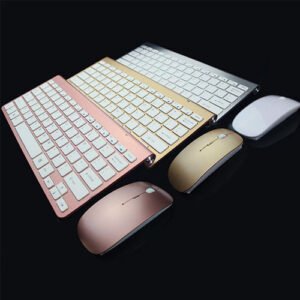
Keyboard and Mouse
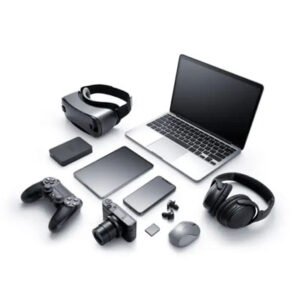
Laptop Accessories for Work, Study, Travel and Everyday Computing
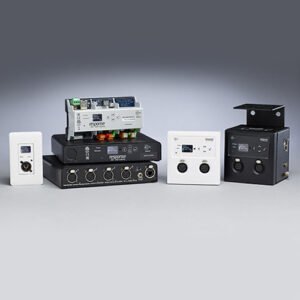
Networking Products for Reliable Home and Office Connections
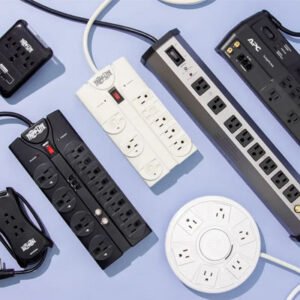
Power Strips & Surge Protectors
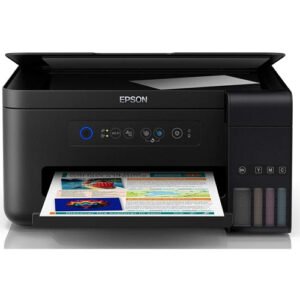
Printers for Home, Office, School & Everyday Printing in Canada

Scanners for Documents, Photos & Everyday Office Use

Servers for Business, Storage & IT Workloads in Canada
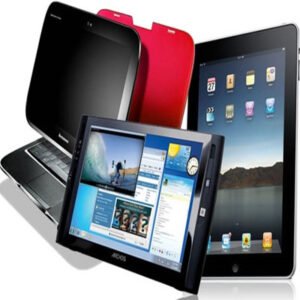
Tablet Accessories for Canadian Shoppers
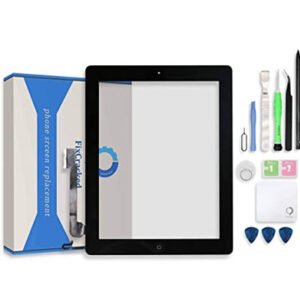
Tablet Replacement Parts

Video Projectors for Computers
Verified Deal Selections
13 Items Indexed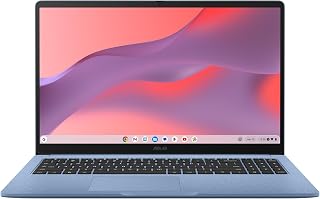


Choosing the right computer starts with understanding how you plan to use it. A system for email, browsing and documents can have very different requirements from a computer intended for demanding creative applications, multitasking or other performance-intensive workloads. The Computers category brings together options for shoppers who want to compare systems according to their everyday requirements rather than choosing based on appearance alone.
For Canadian households, a computer can serve many roles. It may be used for remote work, online learning, budgeting, communication, streaming, photo management, research or general web use. When comparing computers, consider the applications you use most frequently and the type of performance those tasks require. This makes it easier to avoid paying for specifications you do not need while still leaving enough capacity for future use.
Consider the Computer Type
Desktop computers remain a practical choice for home offices, workstations and fixed setups where portability is not essential. A desktop can be paired with a suitable monitor, keyboard and mouse to create a comfortable workstation. Desktop systems can also be useful when you want a dedicated computer in a particular room or workspace.
When shopping for a computer, consider where it will be installed and how much space is available. A compact system may suit a smaller desk, while a larger desktop configuration may provide greater flexibility for a dedicated workstation. Checking dimensions and connection requirements before purchase can help ensure the computer fits your existing setup.
Key Specifications to Compare
The processor is one of the most important specifications because it affects how a computer handles applications and multitasking. Memory, commonly listed as RAM, also matters when several programs or browser tabs are open at the same time. Storage determines how much room is available for documents, applications, photographs, videos and other files.
Storage type can influence responsiveness as well. Solid-state storage is commonly valued for fast system and application access, while the amount of storage determines how much content you can keep locally. If you regularly work with large files, review storage capacity carefully rather than selecting a computer based only on processor specifications.
Match Performance to Your Workload
For everyday browsing, office documents, email and general household tasks, a balanced configuration may be sufficient. Students can look for a system that handles web research, productivity software, video calls and coursework comfortably. Professionals may need additional memory or processing capability depending on the software used for their work.
More demanding activities can require stronger hardware. Creative workflows, specialised applications and intensive multitasking may benefit from higher-performance processors, additional memory and suitable graphics capabilities. Instead of focusing on one specification, consider how the processor, memory, storage and graphics hardware work together for your intended workload.
Think About Connectivity & Expansion
Ports and connectivity can be important when building a computer setup. Depending on your equipment, you may need connections for displays, external storage, keyboards, mice, networking equipment, audio devices or other peripherals. Reviewing available connections before purchasing can reduce the need for additional adapters or hubs.
Expansion can also matter for shoppers planning to keep a computer for several years. If you expect your storage or memory requirements to increase, investigate whether the system supports future upgrades. The ability to expand a computer can be useful when your needs change over time.
Choose a Computer for Your Space
Workspace considerations are easy to overlook when comparing specifications. Measure the available desk area and consider the placement of the computer, monitor and accessories. A computer that suits your performance requirements should also work comfortably within your home office, study area or entertainment space.
For shared household spaces, factors such as cable management, noise, accessibility and ease of use may also influence the decision. A well-planned setup can make everyday computing more comfortable and convenient.
Shopping for Computers in Canada
Canadian shoppers should compare the complete product specification rather than relying solely on a product name or headline feature. Pay attention to the included hardware, storage capacity, memory, processor, graphics capabilities, connectivity and physical dimensions. Pricing in Canadian dollars can also make it easier to compare the overall value of different configurations.
Before purchasing, check whether the computer meets your current requirements and whether it leaves enough room for expected future needs. A thoughtful comparison can help you choose a system that remains useful as your software, files and daily computing habits evolve.
Find the Right Computer for Your Routine
The right computer depends on the balance between performance, features, physical size and budget. Start by identifying the tasks that matter most, then compare the specifications that directly support those tasks. Whether you need a dependable home computer, a workstation for professional use or a capable system for study and personal activities, focusing on practical requirements makes the buying process clearer.
Introduction
Find computers for a wide range of home, work, study and everyday needs. Whether you are replacing an older system, setting up a home office, supporting remote work or looking for a capable desktop computer, this category helps you explore computer options based on performance, size, features and intended use. Canadian shoppers can compare the specifications that matter most before choosing a system that fits their workspace and budget.
Frequently Asked Questions
What should I consider when buying a computer?
Consider the computer's processor, RAM, storage capacity, graphics capabilities, connectivity, physical size and compatibility with the applications you plan to use.
How much RAM should a computer have?
The appropriate amount of RAM depends on your workload. Basic browsing and office tasks have different requirements from demanding professional applications, intensive multitasking or other performance-heavy workloads.
Is SSD storage important when choosing a computer?
SSD storage can provide fast system and application access. When comparing computers, consider both the type of storage and its total capacity to make sure it suits your files and applications.
What type of computer is suitable for home use?
A home computer should match the tasks you regularly perform, such as browsing, email, documents, video calls, entertainment and managing personal files. Choose specifications that provide enough performance for those activities.
What computer specifications are important for work?
Processor performance, RAM, storage and connectivity are key considerations. The ideal configuration depends on the professional software, multitasking requirements and file sizes involved in your work.
Should I consider future upgrades when buying a computer?
Yes. If you expect your computing needs to grow, check whether the system supports upgrades such as additional memory or storage. This can provide more flexibility over the computer's usable life.
How do I choose a computer for a small desk?
Measure the available space first, then compare the computer's physical dimensions and connection requirements. A compact system can be useful when desk space is limited, provided its specifications meet your needs.
Frequently Asked Questions (FAQ)
❓ How are these Computers for Home, Work & Everyday Use options ranked?
Our custom data engine continuously scans product entries to verify high-performing items that carry a consistent rating above 4.2 stars, filtering out unreliable listings or items with artificial review jumps.
❓ Does clicking outbound links increase my checkout price?
Absolutely not. All generated product buttons use standard, secure commercial tracking tags. The item cost values reflect the official live marketplace catalog pricing identically.
❓ How often are the pricing deals updated on this page?
Our data tables utilize automated cache transients refreshed continuously throughout the week to fetch the freshest inventory nodes, live pricing metrics, and tracking structures.
❓ Are these products backed by standard consumer warranties?
Yes. Because our directory routes you directly to the verified official listing pages on Amazon, your purchases qualify for complete merchant protections, returns, and original brand manufacturing warranties.