
Best Servers for Business, Storage & IT Workloads in Canada Products online Canada
Explore our real-time updated product directory index curated for performance, verified star metrics, and historical consumer trust rankings.
Verified Deal Selections
60 Items Indexed

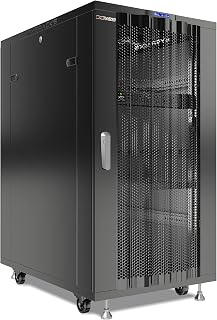

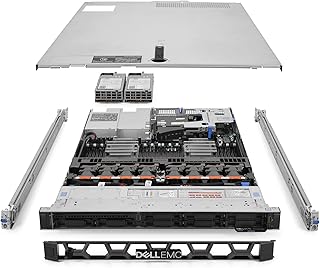


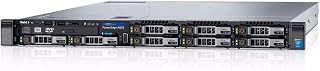


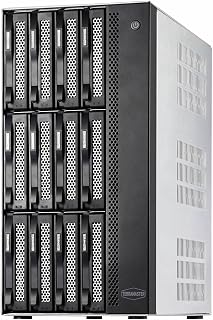


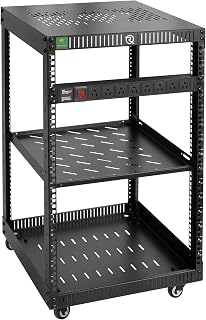


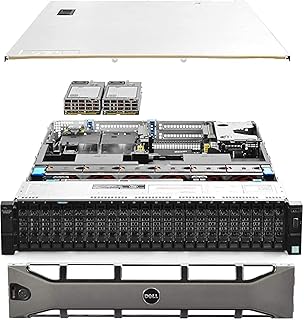

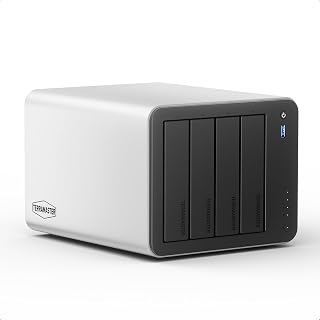


Servers provide the computing foundation for many business and technology environments. Unlike standard desktop computers, server systems are designed to handle continuous workloads, support multiple users and manage shared resources. Canadian shoppers can explore server hardware for offices, data storage, application hosting, virtual machines, development environments and other professional requirements.
When choosing a server, start by identifying the workload it needs to handle. A small business file server may have different requirements from a system running databases, virtual machines or business applications. Processor performance, memory capacity and storage configuration can all affect how effectively a server handles its intended tasks.
Choose the Right Server Configuration
Server configurations vary considerably. Tower servers are useful when a conventional server room or rack is not required. Rack servers are designed to fit standard server racks and can be suitable for businesses managing several systems in a dedicated IT space. Compact systems may also appeal to smaller offices, labs and specialised environments where space is limited.
Storage is another important consideration. Depending on the workload, you may need multiple drive bays, high-capacity hard drives, solid-state storage or a combination of storage technologies. RAID support can also be relevant when designing storage around redundancy and performance requirements. Always check compatibility between the server, storage devices and any required controllers before purchasing.
Server Processors and Memory
The processor affects how a server handles applications and concurrent workloads. Systems intended for virtualisation, databases or intensive applications may require more processing resources than basic file and print workloads. Memory is equally important, particularly when several applications or virtual machines need to operate at the same time.
Consider the number of users, applications and services the server will support. It is also useful to review the available memory slots and processor architecture if future upgrades are part of your plans. A configuration with suitable expansion options can make it easier to adapt the system as requirements change.
Server Storage and Expansion
Storage requirements depend on the type and volume of data being managed. Businesses handling documents, media, databases or backups may need substantial capacity. Drive bays, storage interfaces and expansion slots should therefore be checked before selecting a server.
Expansion capability can also matter for growing organisations. PCIe slots, additional drive bays, networking options and supported memory configurations may provide flexibility for future upgrades. Check the manufacturer's specifications for supported components and maximum capacities.
Networking and Connectivity
Reliable network connectivity is central to most server environments. Depending on the system and workload, you may need standard Ethernet connectivity or higher-speed networking. Review the number and type of network ports, supported speeds and available expansion options when comparing models.
Canadian businesses should also consider the physical environment where the server will operate. Rack dimensions, power requirements, cooling, noise and available space can all influence which configuration is practical. A server intended for a dedicated equipment room may have different requirements from one installed in a small office.
Servers for Businesses, Home Labs and Professional Projects
Server hardware is not limited to large organisations. Small businesses can use servers for centralised files, backups and internal applications. IT professionals and developers may use them for testing, virtualisation, networking projects and software environments. Home-lab users can also build systems for learning, storage and experimentation.
Before purchasing, compare the complete specifications rather than focusing on one component. Processor generation, core count, memory, storage interfaces, drive-bay capacity, network connectivity, expansion slots and operating-system compatibility can all affect suitability. It is also important to check whether storage drives, operating systems, rails or other accessories are included or need to be purchased separately.
Compare Server Hardware for Canadian Shoppers
Shopping for servers in Canada means considering the intended workload, available installation space and long-term expansion needs. Compare specifications carefully and check product documentation for compatibility, supported configurations and power requirements. Pricing can vary based on processor class, memory, storage and included components, so comparing complete configurations can help you understand the overall value of each option.
Explore the Servers category on UseBuyOnline to research available server hardware and identify configurations that match your computing, storage and infrastructure requirements.
Introduction
Find server hardware for a wide range of Canadian business, professional and personal computing needs. The Servers category brings together equipment designed to support file storage, applications, databases, virtualisation, networking and other demanding workloads. Whether you are building a small office infrastructure, expanding an existing IT environment or setting up a home lab, you can compare server options based on processing power, memory, storage capacity, expandability and connectivity.
Frequently Asked Questions
What is a server?
A server is a computer system designed to provide services, applications, storage or other resources to other computers and users over a network. Servers are commonly used for file sharing, databases, virtualisation, applications, backups and web services.
What type of server should a small business consider?
The right server depends on the business workload, number of users, storage requirements and available space. Tower servers can suit some small offices, while rack servers may be appropriate for businesses with dedicated IT infrastructure.
How much RAM does a server need?
Memory requirements depend on the applications and number of workloads running on the server. Basic file services may require less memory than virtualisation, databases or other resource-intensive applications. Check the software requirements and supported server memory configurations before buying.
Are rack servers suitable for home labs?
Rack servers can be used in home labs when the user has suitable rack space, power and cooling. However, tower or compact server systems may be more practical where space, noise or dedicated rack infrastructure is limited.
What should I check before buying a server?
Review the processor, memory capacity, storage bays, supported drives, network connectivity, expansion slots, power requirements and physical dimensions. Also confirm compatibility with the operating system, applications and other hardware you plan to use.
Can server storage be upgraded later?
Many server systems provide expansion options, but the available upgrade path varies by model. Check the number of drive bays, supported storage interfaces, controller capabilities and maximum supported capacity before purchasing.
Do servers use more power than desktop computers?
Power consumption varies by server configuration and workload. Systems with higher-performance processors, multiple drives and additional components can consume more power than typical desktop computers. Check the manufacturer's power specifications for the specific model.
Frequently Asked Questions (FAQ)
❓ How are these Servers for Business, Storage & IT Workloads in Canada options ranked?
Our custom data engine continuously scans product entries to verify high-performing items that carry a consistent rating above 4.2 stars, filtering out unreliable listings or items with artificial review jumps.
❓ Does clicking outbound links increase my checkout price?
Absolutely not. All generated product buttons use standard, secure commercial tracking tags. The item cost values reflect the official live marketplace catalog pricing identically.
❓ How often are the pricing deals updated on this page?
Our data tables utilize automated cache transients refreshed continuously throughout the week to fetch the freshest inventory nodes, live pricing metrics, and tracking structures.
❓ Are these products backed by standard consumer warranties?
Yes. Because our directory routes you directly to the verified official listing pages on Amazon, your purchases qualify for complete merchant protections, returns, and original brand manufacturing warranties.