

♥ Wishlist
Compare 47 Home Entertainment Furniture for Stylish, Organised Entertainment Spaces products in Canada. Reviews, ratings, pros, cons and buying advice updated for October 2026.
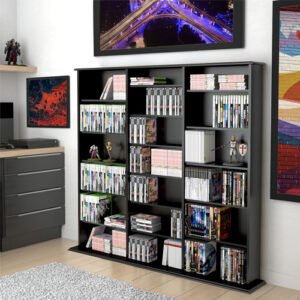
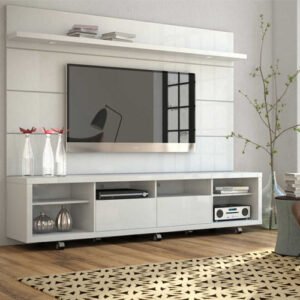


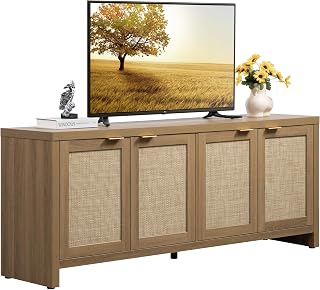


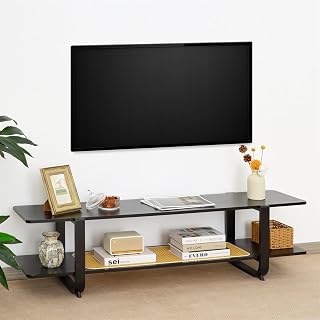


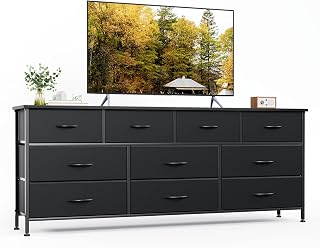
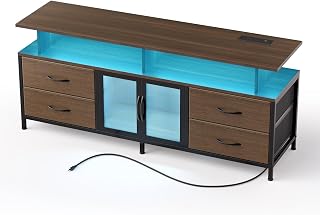


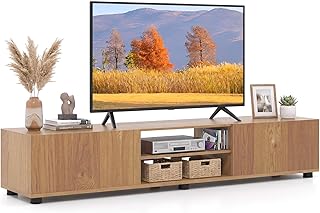


Choosing home entertainment furniture is about more than finding an attractive cabinet at a low price. The right piece needs to accommodate your television, media devices, cables, accessories and room layout while remaining stable and practical for everyday use. Canadian buyers should also consider the dimensions of their living space, the weight of their equipment, available storage and the differences between compact furniture for apartments and larger entertainment centres for family rooms.
For 2026, a smart buying decision starts with specifications rather than appearance alone. Compare the overall dimensions, usable shelf space, maximum supported weight where stated, material construction, ventilation provisions, cable-management features, door configuration and assembly requirements. Customer feedback can provide additional insight into real-world usability, but reviews should be assessed alongside manufacturer specifications rather than used as the only selection criterion.
A smart buy balances functionality, construction, compatibility and long-term usefulness. The cheapest entertainment stand is not necessarily the best value if it cannot support your television, provides inadequate ventilation or leaves cables difficult to manage. Likewise, a premium-looking entertainment centre may be unsuitable if its dimensions overwhelm a small Canadian apartment or condominium.
A television stand and a full entertainment centre solve different problems. A compact TV stand is often the better choice when floor space is limited or when the television is already mounted on a wall. It can provide a low storage surface for a streaming device, gaming console, soundbar and other accessories without dominating the room.
A larger entertainment centre is more appropriate when you need substantial storage or want the television to form the central visual feature of a living room. Some designs combine open shelving with enclosed cabinets, allowing frequently used equipment to remain accessible while controllers, discs, remotes and other accessories can be kept out of sight.
Before choosing between them, measure the wall and floor area rather than estimating by eye. Also account for baseboards, electrical outlets, nearby windows, doors and walking routes. A piece that fits the television perfectly can still be impractical if it blocks an outlet or restricts access to another part of the room.
The television size alone does not determine the correct furniture dimensions. Modern televisions can have very different stand configurations, bezel widths and leg positions. Measure the actual television, including its feet or pedestal if you are not wall mounting it.
For a freestanding television, check the width between the television's feet and compare it with the usable top surface of the stand. The furniture should provide an appropriately stable platform rather than forcing the television feet onto an unsuitable edge or overhang.
Depth matters as well. A shallow unit can be attractive in a compact room, but it may not provide enough room for a television base, soundbar or connected equipment. Conversely, excessive depth can reduce walking space and make a room feel crowded.
Larger televisions can make furniture proportions especially important. A narrow cabinet beneath a very wide screen may look visually unbalanced, while an oversized entertainment centre can consume unnecessary floor space. For larger displays, evaluate the width of the complete setup, the television's support points and the location of other components.
For 65-inch, 75-inch and larger televisions, do not assume that a product described as suitable for a particular screen size will automatically work with every television of that size. Screen dimensions do not account for differences in feet placement, television weight or chassis design. Always verify the actual measurements and weight specifications for both products.
Material choice affects appearance, structural characteristics, maintenance and perceived value. Common furniture construction includes engineered wood, MDF, particleboard, solid wood, metal and combinations of these materials.
Engineered wood and MDF are widely used for contemporary entertainment furniture because they can support a range of finishes and configurations. They are often used for cabinets, shelving and decorative panels. When comparing products, look beyond the material name and examine thickness, construction method, shelf support and the quality of the hardware.
Particleboard can be a practical choice for budget-oriented furniture, particularly when the design is properly reinforced. However, construction quality matters. Inspect the specifications and assembly system, especially when the furniture will carry a heavy television or multiple devices.
Solid wood can provide a distinctive appearance and substantial feel. Different wood species have different characteristics, so a product described simply as wooden furniture should not automatically be treated as equivalent to a solid hardwood cabinet.
Metal is frequently combined with wood-based panels or glass. A metal frame can create a modern appearance and may contribute to structural rigidity, but the complete construction should be assessed rather than judging the frame alone.
Open shelving is useful when you want quick access to gaming consoles, media players, speakers or accessories. It can also make a compact room appear less visually heavy. The disadvantage is that equipment and cables remain visible, and open shelves generally require more frequent dusting.
Closed cabinets provide a cleaner appearance and useful concealed storage. They can be particularly helpful for households with many small accessories. However, enclosed compartments need appropriate ventilation when used for heat-generating electronics. Do not place devices inside an enclosed compartment unless the furniture and equipment instructions permit that arrangement.
Modern entertainment systems can involve HDMI cables, power cords, network cables, USB connections, speaker wiring and charging leads. Without a planned cable route, even attractive furniture can quickly look untidy.
Look for rear cable-management openings, channels or spaces between shelves. Before purchasing, identify where the wall outlet and other connections are located. A cabinet with excellent front storage can still be inconvenient if cables cannot reach the television or equipment without bending sharply or becoming trapped.
Entertainment furniture should work with the thermal requirements of the electronics placed inside it. Gaming consoles, amplifiers, receivers, media servers and other electronics can produce heat during operation. A cabinet that looks neat but restricts airflow may not be an appropriate location for heat-producing equipment.
When comparing furniture, inspect the shelf layout and rear panel. Open-backed compartments can make cable routing easier and may provide more airflow. If the cabinet uses doors, verify that the equipment manufacturer permits operation in that type of enclosure and follow the ventilation instructions for each device.
A television stand may also need to accommodate a soundbar. Measure the soundbar's width, height and depth before choosing furniture. Pay attention to the relationship between the soundbar and television screen because a tall cabinet, raised shelf or decorative panel could interfere with placement or potentially obstruct part of the display.
If you use a Dolby Atmos or other surround-oriented audio system, consider whether the furniture allows speakers to be positioned according to the audio manufacturer's recommendations. Entertainment furniture should support the audio system rather than forcing speakers into unsuitable enclosed spaces.
Gaming setups can require more storage and cable access than a basic television installation. A console, controllers, charging station, headset, games and accessories can quickly fill a small cabinet.
Brands such as Sony, Microsoft and Nintendo produce hardware with different dimensions and ventilation requirements, so furniture compatibility should always be checked against the specific console rather than the brand name alone.
Compact living spaces benefit from furniture that provides useful storage without excessive depth. A low-profile TV stand can work particularly well where floor space is limited. Wall-mounted televisions can also reduce the footprint of the overall setup, although the furniture still needs to accommodate associated electronics and accessories.
For apartments and condominiums, measure elevators, stairways, doorways and turning areas when purchasing larger furniture. A unit that fits the destination wall may still be difficult to move into the room if its packaged or assembled dimensions exceed the available access route.
Large rooms present the opposite challenge: furniture can appear undersized when surrounded by too much empty space. A wider entertainment console or larger media centre can create a more balanced focal point while providing additional storage.
Do not fill a large room simply because space is available. Consider the viewing distance, seating arrangement and location of other furniture. The television, seating and entertainment unit should work together as one functional zone.
Entertainment furniture is available in many visual styles, but appearance should be evaluated alongside construction and usability.
Floating or wall-mounted furniture can create an uncluttered appearance and make floor cleaning easier. It can also be useful where floor space is limited. However, installation requires an appropriate wall structure and suitable mounting hardware. Never assume that every wall can safely support a particular cabinet.
Freestanding furniture is generally easier to reposition and does not require the same type of wall installation. It can be a more flexible option for renters or households that frequently rearrange rooms.
Stability deserves particular attention when selecting furniture designed to hold a television and electronics. Follow the furniture manufacturer's assembly instructions carefully and use any supplied anti-tip hardware where applicable.
Keep heavy equipment positioned according to the manufacturer's recommendations and avoid creating an unstable load by placing heavy items on high shelves. In homes with children or pets, consider additional stability measures appropriate to the furniture and room.
When comparing several products, create a simple specification checklist instead of judging photographs alone. This makes it easier to identify which model genuinely fits your requirements.
Customer reviews can help identify practical issues that are difficult to understand from a specification sheet. Look for recurring comments about assembly, shelf positioning, stability, finish quality, damaged components, missing hardware or whether the final product matches its listed dimensions.
Do not treat a single positive or negative review as definitive. A more useful approach is to look for patterns across multiple reviews and then compare those observations with the manufacturer's published specifications. Verified-purchase indicators can add context, but they do not replace careful product comparison.
A stated screen-size range does not guarantee compatibility with every television. Check actual width, depth, feet placement and weight.
Depth affects walking space and determines whether your television, soundbar and equipment can fit comfortably.
A beautiful cabinet can become frustrating when power cords and HDMI cables cannot be routed cleanly.
Electronics should not be placed in locations that conflict with their required airflow.
Some entertainment furniture requires substantial assembly. Check the instructions, hardware and expected assembly requirements before purchasing.
Think beyond today's equipment. Controllers, remotes, headphones, streaming devices and future upgrades can require more storage than expected.
Oversized furniture can reduce usable floor space and make smaller rooms feel crowded. Measure the complete installation area first.
A genuine value purchase is not simply the product with the lowest listed price. Consider what is included in the design and whether you would need additional furniture or accessories to make the setup functional.
When comparing deals, evaluate the total feature set: storage capacity, construction, cable management, ventilation, dimensions and assembly requirements. A slightly more expensive option can offer better practical value if it solves several requirements at once, while a cheaper model may be the better choice when your needs are basic.
Because retailer prices and promotions can change, check the current price, shipping information, availability and applicable purchase terms directly with the retailer before making a final decision.
Brand familiarity can provide a useful starting point, but it should not replace specification-based comparison. Depending on the furniture style and product category, Canadian shoppers may encounter brands such as Walker Edison, Sauder, Ameriwood Home, Bestier, FITUEYES and VASAGLE. Availability and product ranges can vary, so check the specific model rather than assuming that every product from a brand has the same construction or features.
For electronics placed on or inside the furniture, brands such as Samsung, LG, Sony, TCL, Hisense, Roku, Sonos, Bose, Apple, Amazon, Microsoft and Nintendo may have different equipment dimensions and installation requirements. Always verify compatibility with the exact device.
A future-ready entertainment cabinet does not need to predict every technology upgrade. Instead, choose flexible features that remain useful as equipment changes.
Flexible storage is particularly valuable because televisions, streaming devices and gaming equipment can change considerably over several years.
Begin by positioning the furniture according to the room layout rather than immediately installing every device. Confirm that power outlets and cable connections are accessible. Next, place the television or complete the approved wall installation, followed by the larger electronic components.
Regular maintenance helps preserve the appearance of entertainment furniture. Dust open shelves and surfaces using a method appropriate for the material and finish. Avoid excessive moisture around engineered wood, electrical equipment and unfinished surfaces. For specific finishes, follow the furniture manufacturer's cleaning recommendations.
Periodically inspect assembled furniture for loose fasteners or hardware, particularly after moving or rearranging it. Do not exceed stated shelf or weight limits. Keep cable openings and ventilation areas free from accumulated dust and clutter.
Before choosing one of the best home entertainment furniture deals in Canada, use this checklist to narrow down the options:
The best option depends on television size, room dimensions, equipment, storage needs and preferred style. A good choice should safely accommodate the television and provide practical access to electronics, cables and accessories.
Measure the television and its actual stand footprint rather than relying only on the advertised screen size. Compare those measurements with the furniture's usable top surface and stated weight capacity.
Not necessarily. A wider stand can provide more storage and visual balance, but it also consumes more floor space. Choose a width that suits the television, equipment and room layout.
A wider furniture piece can provide a balanced appearance and additional usable space, but there is no universal requirement that applies to every room or furniture design. Stability, manufacturer specifications and room proportions should take priority.
MDF can be a practical material for entertainment furniture, particularly when combined with appropriate thickness, reinforcement and quality hardware. Evaluate the complete construction rather than the material name alone.
Ventilation becomes particularly important when electronics that produce heat are placed inside or around enclosed compartments. Follow the ventilation requirements supplied with each electronic device.
Prioritise adequate console space, ventilation, cable management, stable shelving and storage for controllers and accessories. Check the exact dimensions of your gaming hardware before buying.
Yes, provided the stand offers sufficient surface space and height for the soundbar and the arrangement does not interfere with the television or the soundbar manufacturer's placement requirements.
Cable management is important for both appearance and accessibility. Rear openings and dedicated routing areas can make it easier to connect, disconnect and reorganise equipment.
They can be suitable when the compartment provides adequate airflow and the console manufacturer's requirements are followed. Do not assume that an enclosed cabinet is appropriate simply because the console fits physically.
A compact, appropriately deep TV stand with useful storage is often practical for a small apartment. Measure the room, walking clearance and access route before choosing larger furniture.
Compare dimensions, materials, weight capacity, storage, ventilation, cable management, assembly requirements and current retailer pricing. Looking at the total feature set gives a more useful picture of value than comparing price alone.
Ratings can be useful, but they should be considered alongside detailed reviews and manufacturer specifications. Pay particular attention to recurring feedback about assembly, dimensions, stability, finish quality and long-term usability.
No single furniture design suits every home. Canadian shoppers should consider their room size, television dimensions, equipment, storage requirements, interior style and installation conditions before selecting a product.
The smartest way to choose home entertainment furniture in Canada is to treat the purchase as part of the complete entertainment system. Start with measurements, equipment requirements and room layout. Then compare construction, storage, ventilation, cable management and stability before considering appearance and price.
For 2026 purchases, product specifications and retailer information should be checked close to the time of purchase because prices, availability, configurations and promotions can change. Compare several suitable models, read recent customer feedback for recurring practical issues and verify the exact dimensions of both your television and electronic equipment.
The right entertainment furniture should make the entire setup easier to use, organise and maintain. Whether you need a compact TV console for a Canadian apartment, a spacious entertainment centre for a family room or a gaming-focused media cabinet, a specification-led comparison can help you identify the option that offers the best fit for your particular needs.