

♥ Wishlist
Compare 49 Flash Cards for Learning, Studying & Skill Practice products in Canada. Reviews, ratings, pros, cons and buying advice updated for October 2026.


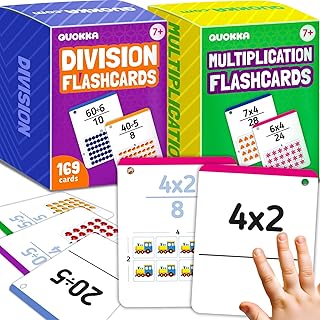


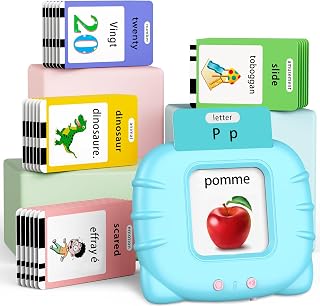
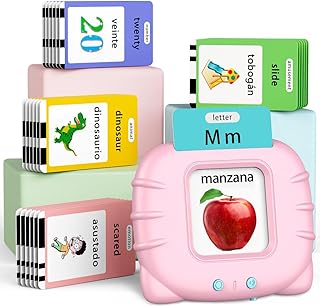


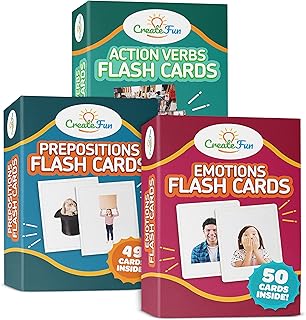

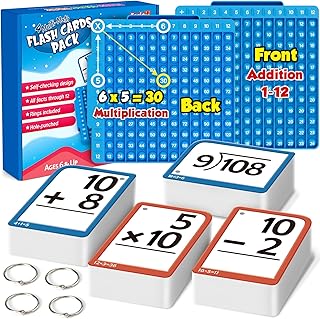


Choosing the right smart flash cards is about more than finding the lowest price. The best option depends on how the cards are used, the learner's age, the subject being studied, the preferred learning method, and whether you want physical cards, an electronic learning device, or a flash-card system supported by a mobile app.
For Canadian buyers, it is also worth checking compatibility, language support, battery requirements, replacement costs, Canadian availability, retailer policies, and the total cost of ownership before choosing a product. A flash-card system that looks inexpensive initially may become less attractive if it requires proprietary accessories, subscriptions, replacement cards, or additional content.
Smart flash cards are learning tools designed to make traditional question-and-answer cards more interactive or efficient. Depending on the product, they may use digital displays, audio, scanning technology, electronic readers, mobile applications, or spaced-repetition software to help users review information.
Traditional flash cards remain useful because they are simple, portable, and inexpensive. Smart alternatives can add features such as pronunciation support, automated review schedules, progress tracking, multimedia content, searchable decks, and synchronisation between devices.
The term "smart flash cards" can therefore describe several different product types. Understanding the distinction is important before comparing deals.
Digital flash-card applications turn a smartphone, tablet, or computer into a study system. Popular platforms such as Anki, Quizlet, Brainscape, and StudySmarter provide different combinations of digital decks, review tools, progress tracking, and study features.
These systems can be particularly useful for students who already carry a smartphone or tablet and want access to their study materials without carrying physical cards.
Dedicated learning devices are designed specifically for study rather than general smartphone use. Depending on the model, features may include buttons, screens, audio playback, rechargeable batteries, and built-in learning content.
Dedicated hardware can be attractive for younger learners or for families that prefer to limit access to unrelated apps and notifications while studying.
Some children's learning systems combine physical cards with an electronic reader, speaker, scanner, or companion application. The user may place or scan a card and receive audio, visual information, pronunciation, questions, or other interactive feedback.
These products can make early learning more engaging, particularly for vocabulary, letters, numbers, animals, objects, and basic language development.
A hybrid system combines the simplicity of physical cards with digital features. For example, printed cards may be supported by an app that provides additional activities, pronunciation, tracking, or expanded content.
This format can be a practical choice when several family members need to use the cards or when a learner benefits from physically handling study materials.
Consider how the system actually helps with recall. A sophisticated interface does not automatically make a flash-card product more effective. Look for features that encourage active recall, repeated review, and appropriate spacing between study sessions.
Spaced repetition is an important consideration for learners who need to remember information over a long period. Instead of reviewing every card equally often, a spaced-repetition system can prioritise material that needs more practice while showing familiar information less frequently.
If long-term memorisation is your primary goal, investigate how the product handles difficult, easy, and previously mastered cards rather than focusing only on screen size or appearance.
Preloaded content can save considerable preparation time, but the quality and relevance of that content matter. Check whether the included material matches the learner's age, school level, subject, curriculum, or study objective.
A system that allows users to create custom cards can be more flexible because you can build decks around class notes, vocabulary lists, professional terminology, exam preparation, or personal interests.
Customisation is particularly valuable for secondary students, university students, language learners, and professionals. Check whether you can create, edit, organise, duplicate, import, export, and delete cards easily.
Audio can be useful for language learning and pronunciation practice. Before buying, check whether audio is included, whether it can be used offline, and whether pronunciation content supports the language or regional variation you need.
If the product uses a display, consider readability, brightness, viewing angle, text size, and whether the screen remains comfortable during extended study sessions. A large display is not necessarily better if the interface is difficult to navigate.
Battery requirements can have a major impact on convenience. Check the charging method, estimated battery life provided by the manufacturer, charging time, and whether the device can operate while charging when applicable.
For children's products, also consider whether the charging port and cable are easy for an adult to manage and whether the device is likely to be used in locations where charging is inconvenient.
Users creating large numbers of study decks should check available storage and synchronisation options. Cloud synchronisation can be useful when switching between a phone, tablet, and computer, but it may require an account or internet connection.
Offline access can be important for commuting, travelling, classrooms with device restrictions, or locations with unreliable internet service. Determine which functions remain available without an internet connection before purchasing.
School students often benefit from a straightforward interface and the ability to create subject-specific decks. Mathematics terminology, science definitions, historical dates, vocabulary, geography, and language learning can all be organised into separate review groups.
Parents should also consider durability, ease of use, distraction levels, and whether the device requires access to social media or unrelated applications.
University learners may need a more advanced system capable of handling large collections of cards. Custom decks, tagging, search, synchronisation, import options, and spaced repetition can become more important than colourful designs or basic preloaded content.
Students preparing for demanding examinations should also consider how quickly cards can be created from their own notes and how efficiently difficult topics can be reviewed.
Language learners should pay particular attention to audio, pronunciation, example sentences, vocabulary organisation, and support for accented characters. A useful system should make it easy to separate vocabulary by topic or proficiency level.
Where possible, compare whether the product supports listening as well as visual recognition. Recognising a written word and understanding it when spoken are different skills.
For younger children, simplicity can be more important than a long list of advanced specifications. Look for age-appropriate content, clear controls, suitable audio volume, durable construction, and an interface that does not require complicated menus.
Parents should also check recommended age ranges and any small-part, battery, or charging considerations stated by the manufacturer.
Adults may use smart flash cards for professional terminology, certifications, languages, technical subjects, medical education, workplace procedures, or general knowledge. Custom content and efficient review systems are usually more important than children's entertainment features.
Neither format is automatically better for every learner. Physical cards provide a tactile experience and do not require charging, software updates, or a compatible device. Digital systems can store thousands of cards, automate review schedules, and make editing much faster.
Traditional flash cards have one major advantage: there is very little that can go wrong. There are no batteries, applications, accounts, firmware updates, or compatibility issues. They can also be customised with a pen or printer.
Smart systems offer greater automation. They can make it easier to organise hundreds or thousands of cards and may provide features that would be difficult to reproduce manually.
When comparing the two, consider whether the additional technology solves a genuine problem for the learner. If you only need 30 vocabulary cards, an expensive electronic system may offer little practical benefit. If you need to manage several thousand cards over months of exam preparation, digital organisation may be much more valuable.
Canadian buyers should check compatibility before purchasing any app-connected or electronic flash-card product. Confirm the supported operating systems, device requirements, application availability, account requirements, and language support.
If purchasing an imported product, also verify that the included power adapter or charging arrangement is appropriate for use in Canada. For electronic products, check the manufacturer's stated electrical requirements rather than assuming that an overseas version will be suitable.
A discount percentage alone does not establish that a deal represents good value. Compare the complete package instead.
The purchase price is only one part of the cost. Digital learning systems may have optional subscriptions, while physical or electronic products may require replacement cards, batteries, accessories, or additional content.
Before choosing a product, calculate what you are likely to spend over the period you expect to use it. A slightly more expensive product with the required features included may provide better value than a cheaper system that requires several paid additions.
Some digital flash-card services use free and paid tiers. If a particular feature is important, check whether it is included in the version you intend to use.
Pay special attention to features such as unlimited card creation, advanced statistics, synchronisation, premium study modes, AI-assisted content creation, offline access, and expanded learning libraries. The availability and pricing of these features can change, so buyers should verify the current terms before committing to a subscription.
Touchscreens, sound effects, colourful graphics, and connectivity can make a product look impressive. However, the most important question is whether the system helps the learner recall information efficiently.
A beautifully designed system may be unsuitable if it does not support the required subject or allow enough customisation. Always check the actual learning content before buying.
A low initial price can be misleading if essential functionality requires a subscription. Review the complete pricing structure before deciding which product offers the best value.
Do not assume that every flash-card app or electronic learning device works with every phone or tablet. Check supported operating systems and minimum device requirements first.
If the learner frequently studies without reliable internet access, offline functionality should be part of the buying decision.
Children's educational cards and advanced university-level flash-card systems are designed for very different needs. Check the recommended age range, content level, controls, and complexity.
Customer reviews can reveal practical issues that are difficult to identify from specifications alone. However, reviews should be evaluated carefully rather than judged by star rating alone.
When researching smart flash-card solutions, buyers may encounter established learning platforms and educational technology brands including Anki, Quizlet, Brainscape, StudySmarter, and other specialist manufacturers. The right choice depends on the specific product and current feature set rather than brand recognition alone.
For electronic children's learning products, compare established educational brands with attention to age suitability, content quality, durability, safety information, and replacement options. For software-based systems, focus more heavily on supported devices, study algorithms, content creation, synchronisation, privacy terms, and subscription requirements.
Flash cards can be useful when an examination requires accurate recall of definitions, terminology, formulas, dates, vocabulary, classifications, or other discrete pieces of information.
For effective exam preparation, avoid turning every paragraph of a textbook into a card. Instead, write questions that require the learner to retrieve a specific answer. For example, a useful card might ask for the definition of a concept, the steps in a process, or the distinction between two similar terms.
Cards should complement broader learning methods rather than replace understanding. Complex subjects often require textbooks, lectures, worked examples, practical exercises, and problem-solving alongside flash-card review.
For physical flash cards, examine the thickness and finish of the cards, corner construction, printing quality, storage method, and resistance to ordinary handling. Children's cards may need greater durability because they are likely to be handled more frequently.
For electronic devices, consider casing construction, buttons, screen protection, charging-port design, and whether replacement accessories are available. These factors can have more practical value than cosmetic design.
A flash-card system should be easy to use where studying actually takes place. Compact physical decks can be convenient for short revision sessions, while digital systems eliminate the need to carry multiple decks.
If portability is important, compare the product's dimensions, weight, carrying case, battery requirements, and offline capabilities. A system that is easy to access is more likely to fit naturally into a regular study routine.
App-connected learning products may collect account or usage information. Before creating an account, review the provider's current privacy information and understand what information is required.
Parents choosing a connected learning product for children should pay particular attention to account controls, data practices, advertising, communication features, and parental settings where applicable.
Start by comparing traditional flash cards and free or low-cost digital solutions. If the learner already owns a suitable smartphone, tablet, or computer, a software-based option may provide substantial functionality without purchasing dedicated hardware.
Look for a balanced system that combines reliable construction, useful content, customisation, and convenient review features. Avoid paying extra for functions that will not be used regularly.
Premium products make the most sense when they provide features that materially improve the study experience, such as sophisticated review scheduling, high-quality audio, large custom libraries, multi-device synchronisation, or specialised learning content.
For home use, a larger physical set or tablet-based system may be convenient. School use can place greater importance on compact storage, quiet operation, durability, and offline access. Travel use often makes battery life, portability, and offline functionality especially important.
Think about where the product will actually be used before choosing its specifications. A technically advanced system is not necessarily the best option if it is inconvenient to carry or difficult to operate in the intended environment.
Deal hunting should begin with identifying the features you actually need. Once you have a shortlist, compare the current prices across reputable Canadian retailers and marketplaces rather than choosing the first discounted listing.
Check whether a lower advertised price applies only to a specific version, bundle, colour, storage capacity, or subscription tier. Also compare what is included in each package. Two products with similar prices may provide very different amounts of usable content or functionality.
Because prices, promotions, stock levels, and retailer policies can change, verify current information immediately before purchasing.
Smart technology is not necessary for every learner. Traditional flash cards may be preferable when the study material is limited, the learner dislikes screens, charging is inconvenient, or the goal is simply to practise short sets of information.
A textbook, workbook, educational game, notebook, or hands-on activity may also be more suitable for subjects that require extended reasoning or practical application rather than simple recall.
When comparing a shortlist of smart flash-card products, use the same criteria for every option. This makes it easier to distinguish genuine value from attractive marketing.
The best option depends on the learner's age, subject, preferred learning format, required features, and budget. A digital spaced-repetition platform may be ideal for advanced study, while an interactive physical card system can be more suitable for younger learners.
Not necessarily. Digital cards provide advantages such as automated scheduling, large storage capacity, search, editing, and synchronisation. Physical cards are simple, tactile, inexpensive, and do not require batteries or software.
They can be useful when the content and interface are appropriate for the child's age. Parents should evaluate durability, audio volume, screen exposure, privacy, parental controls, and the quality of the educational content.
Yes. Language learners can use flash cards for vocabulary, definitions, pronunciation, example sentences, and recall practice. Audio and pronunciation support can be particularly useful when learning a new language.
It depends on the product. Some apps require an internet connection for certain functions, while others support offline study. Dedicated devices can also differ in their connectivity requirements, so check the manufacturer's current specifications.
Many digital flash-card systems allow users to create custom decks. The exact options for formatting, images, audio, tags, importing, exporting, and sharing vary between platforms.
They can be particularly useful for subjects involving substantial factual recall. They work best as one part of a broader study plan that also includes understanding concepts and practising the types of questions expected in the examination.
Focus on age-appropriate content, simple controls, clear audio, durable construction, suitable card size, safe battery design, and an interface that children can use without unnecessary complexity.
University students may benefit from custom decks, tagging, search, large storage capacity, synchronisation, spaced repetition, efficient card creation, and detailed progress tracking.
They can be worthwhile when their technology saves significant preparation time or improves the learner's ability to organise and review material. If the required study set is small, inexpensive physical cards or a basic digital solution may provide better value.
The strongest smart flash-card purchase is not necessarily the product with the most features or the biggest advertised discount. Start with the learning objective, then compare the content, study method, customisation, compatibility, durability, and ongoing costs.
For serious long-term study, prioritise systems that make active recall and regular review convenient. For children, place greater emphasis on age suitability, simplicity, durability, and content quality. For language learners, investigate audio and pronunciation capabilities. For university and professional study, look closely at customisation, organisation, synchronisation, and spaced-repetition features.
Before purchasing in Canada, verify the current product specifications, retailer price, availability, included accessories or content, subscription requirements, return conditions, and warranty information. Prices and offers can change throughout 2026, so treat any deal as current only after checking the latest listing.