

♥ Wishlist
Compare 53 Document Cameras for Classrooms, Teaching & Presentations products in Canada. Reviews, ratings, pros, cons and buying advice updated for October 2026.
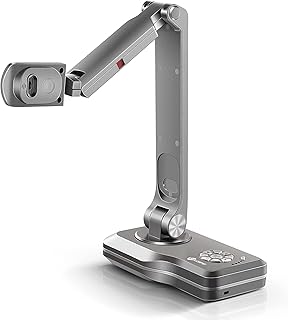


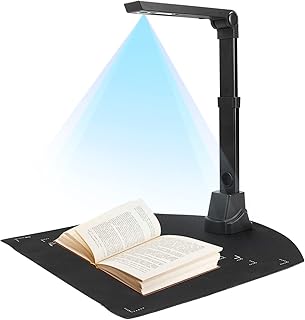


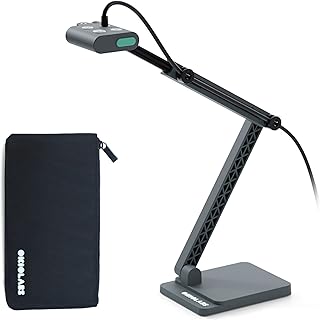


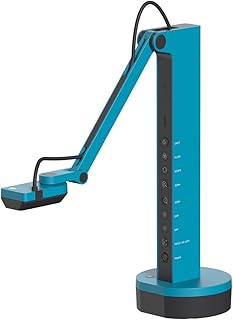
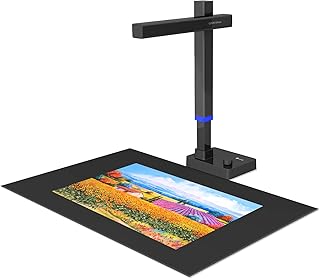


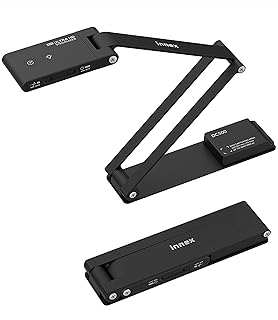


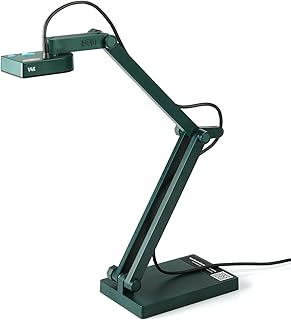


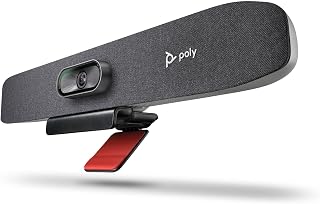


A good document camera is more than a simple overhead camera. For classrooms, remote teaching, business presentations, demonstrations, libraries, laboratories and home offices, the right model can turn physical documents, books, handwritten notes, worksheets, photographs and three-dimensional objects into clear live images on a computer or display.
When comparing document cameras in Canada, focus on the combination of image quality, compatibility, flexibility, software support, physical design and long-term reliability rather than choosing solely on resolution or a promotional price. Models from established manufacturers such as IPEVO, Lumens, AVer, HoverCam, ELMO, Epson and CZUR can differ considerably in their intended use, so specifications should always be checked against the exact model.
Prices, retailer stock, bundles, customer ratings and promotions can change throughout 2026. Before buying, verify the current Canadian price, delivery terms, compatibility and the manufacturer's latest specifications at the retailer or manufacturer listing.
A smart purchase balances the features you will actually use against the total cost of ownership. A document camera with an impressive specification sheet is not necessarily the best choice if its software is difficult to use, its mounting arm is awkward, its field of view is unsuitable for your desk or it lacks the connections required by your existing equipment.
Resolution is one of the most visible specifications when comparing document cameras, but it should not be considered in isolation. A camera may advertise a high pixel count while producing less useful results than another model with better optics, focus, sensor performance and lighting.
For ordinary worksheets, printed pages and handwriting, consistent sharpness across the viewing area is often more important than simply selecting the highest available resolution. If you regularly display small text, detailed diagrams, photographs, circuit boards, artwork or scientific samples, additional resolution can become more valuable.
Also distinguish between a camera's native optical image and software or digital enlargement. Digital zoom can enlarge the picture, but it cannot recreate detail that the sensor and lens did not capture in the first place.
Full HD models can be a practical choice for everyday teaching, presentations, video calls and document sharing. They can provide a useful balance between image quality, computer bandwidth and purchase cost when extremely fine detail is not required.
4K models can be attractive when the camera is used for highly detailed documents, artwork, demonstrations or objects where viewers need to inspect fine features. However, the value of 4K depends on the complete system, including the camera sensor, lens, lighting, software, display and connection.
Before paying extra for 4K, consider whether your display and conferencing platform can take advantage of the additional detail and whether your typical subjects are detailed enough to justify it.
Autofocus is convenient for mixed-use environments. A teacher may move from a worksheet to a textbook, then to a small object without wanting to adjust the camera manually each time.
Manual focus can be useful for controlled setups where the camera remains at a fixed height and the subject does not move. Some users may also prefer focus-lock functionality when demonstrating objects that could otherwise cause the camera to repeatedly refocus.
Frame rate becomes more important when a document camera is being used as a live demonstration tool rather than simply as a static scanner. Writing with a pen, moving a small object, turning pages or demonstrating a mechanical process benefits from a responsive live image.
For primarily static documents, resolution and text clarity may deserve greater priority. For demonstrations, examine both frame-rate specifications and real-world software support because the maximum camera specification may not represent the resolution and frame rate available in every application.
The physical design of the camera can have a major effect on everyday usability. A technically excellent camera becomes frustrating if the arm is difficult to adjust or the base moves whenever the camera head is repositioned.
Field of view determines how much of the desk or document can appear in the frame at a particular camera height. A wide field of view can be useful for large pages, textbooks, maps and demonstrations, while a narrower view can make smaller objects appear larger without relying as heavily on digital zoom.
Do not assume that a camera advertised as high resolution will automatically capture an entire A4 or letter-size page at an ideal distance. Check the manufacturer's stated capture area and mounting range for the exact model.
Canadian users may encounter both letter-size and A4 materials depending on the workplace, school, industry or source of the document. If your workflow includes different paper sizes, choose a camera with sufficient capture area and positioning flexibility.
For textbooks, magazines, maps or larger teaching materials, the maximum capture area becomes particularly important. A camera that requires frequent repositioning to capture a complete page may be less convenient than one designed for a broader working area.
Connectivity should be evaluated against the equipment already installed in your workspace.
USB models are commonly suited to computers and software-based workflows. They can be convenient for online teaching, video conferencing, recording demonstrations and applications that recognize a document camera as a video source.
Before purchasing, confirm the connector type, operating-system requirements and whether the supplied cable meets your preferred setup. Also check whether adapters are required for a modern laptop or tablet.
HDMI connectivity can be useful when you want to send the camera signal directly to a compatible display, projector or other video equipment. This can simplify a classroom or presentation setup where a computer is not intended to be in the middle of the video path.
Some document cameras are designed for more than one connection method. This can provide additional flexibility, particularly in environments where the camera may sometimes be connected to a computer and at other times directly to display equipment. Always verify the exact ports and supported output modes for the model you are considering.
If the document camera will be used for remote instruction or meetings, compatibility should be checked before purchase. The important question is not simply whether the camera connects to a computer, but whether your preferred application can recognize and use it as a video source at the desired quality.
Lighting can have a surprisingly large effect on document-camera performance. Glossy photographs, laminated worksheets and reflective objects can produce glare even with a high-quality camera.
When comparing models, consider built-in lighting, exposure controls, white-balance behavior and the ability to position the camera away from strong overhead reflections. In a classroom or office with inconsistent lighting, automatic image adjustments can make everyday use easier.
Some document cameras include audio functionality, but buyers should evaluate it separately from image quality. If the camera will be used for remote teaching or conferencing, microphone placement, room acoustics and the distance between the speaker and microphone can have a greater practical effect on communication.
If clear speech is a priority, compare the document camera's audio capabilities with the microphone already available on your computer, headset or dedicated audio equipment.
Software can turn a basic live camera into a more useful teaching and presentation tool. Depending on the manufacturer and model, available functions may include annotation, image capture, video recording, image rotation, document correction, enhancement, measurement or other presentation controls.
Software features vary significantly by model and operating system. Do not assume that a function shown in a manufacturer's software ecosystem is supported by every camera in its range.
Annotation can be valuable for teachers and presenters who want to mark important areas while displaying a document. Consider whether annotations are applied digitally through software, whether they can be saved, and whether they work reliably with your intended display or conferencing workflow.
Still-image capture is useful for saving examples, documenting demonstrations or preparing teaching materials. Video recording can be helpful for creating demonstrations that students or colleagues can watch later. Check storage requirements and the supported file formats if recording is an important part of your workflow.
For classroom use, simplicity is often more valuable than an extensive list of advanced features. A teacher may need to move rapidly between worksheets, textbooks, student work, manipulatives and live demonstrations.
Remote instruction places additional importance on software compatibility and the quality of the live video feed. A camera that produces a sharp image but requires complicated configuration may not be ideal for a teacher who needs to switch quickly between a webcam and document view.
For online teaching, consider whether the camera can be selected as a video source, whether it remains stable during extended sessions and whether its physical position leaves enough room for writing or demonstrations.
Businesses can use document cameras to present contracts, printed diagrams, physical prototypes, samples and handwritten information. In these situations, professional presentation quality and dependable operation can matter more than specialized classroom features.
For boardrooms, also consider the camera's connection to the room's display system, the distance between the presenter and the camera, available desk space and whether the equipment needs to be transported between meeting rooms.
A document camera can serve as a practical overhead demonstration camera for drawing, crafts and physical projects. If this is your intended use, look beyond flat-document specifications.
Science and technical users may need to show specimens, instruments, diagrams, components or small mechanical assemblies. Here, detail reproduction, stable focus, lighting and physical positioning can be more important than convenience features intended primarily for ordinary documents.
If you need genuine microscope-level magnification or specialized laboratory imaging, do not assume that a general-purpose document camera can replace dedicated optical equipment. Compare the required magnification and detail level with the actual capabilities of the camera.
Brand reputation can help narrow a crowded market, but the exact model still matters. Product families often include cameras designed for very different users and budgets.
These brands should be treated as starting points for comparison rather than automatic recommendations. Check the exact model's current Canadian specifications, software support, warranty terms and retailer information before making a purchase.
A document camera and a scanner solve different problems. A scanner is generally designed to create stored digital copies of documents, while a document camera is primarily designed to display physical material live.
A conventional webcam is optimized for capturing people from a relatively fixed perspective. A document camera is designed to point downward and capture documents and objects from above.
For occasional overhead demonstrations, some users may be able to adapt a webcam with a suitable mount. For frequent document presentation, a purpose-built document camera generally provides a more appropriate physical design and workflow.
Creating a simple specification checklist can make it easier to compare several models without being distracted by marketing terminology.
There is no single price that defines a good document camera. The appropriate budget depends on how frequently the equipment will be used and how demanding the imaging requirements are.
For occasional home use, spending heavily on professional features may provide little additional value. A school, training organization or business using a document camera throughout the week may benefit from investing more in reliability, connectivity, physical construction and software support.
When comparing prices, compare the complete package rather than the headline price. A seemingly inexpensive model may require additional accessories, adapters or software, while a more expensive model may include features that are genuinely useful to your workflow.
Resolution is important, but it does not guarantee superior image quality. Lens quality, sensor performance, focus, exposure and lighting all contribute to the final image.
Buying a camera without confirming its connection requirements can create unnecessary compatibility problems. Check your laptop, display, projector and conferencing equipment first.
A camera that is difficult to position can become frustrating in everyday use. Pay attention to the mechanical design, stability and adjustment range.
Software features can depend on the camera model, operating system and application. Confirm the specific combination you intend to use.
Advanced recording, annotation, connectivity or imaging functions can be valuable, but they are not automatically worth paying extra for. Match features to your actual workflow.
For Canadian buyers, verify the exact product listing, warranty conditions, included accessories, retailer policies and manufacturer support available for the model you are purchasing.
If two products appear similar, use a structured comparison rather than relying on the number of features listed on their product pages.
Proper care can help preserve image quality and reduce avoidable mechanical problems.
Yes, for users who regularly need to present physical material. The continued value of a document camera comes from its purpose-built overhead perspective rather than from simply competing with ordinary webcams.
Teachers can use one to explain worksheets and handwritten work, businesses can display physical documents or prototypes, and remote presenters can demonstrate objects without repeatedly repositioning a conventional camera. The strongest choice depends on how closely the camera's design matches that workflow.
The best document camera depends on your intended use, budget and equipment. A classroom teacher may value simplicity and flexibility, while a professional presenter may place greater emphasis on connectivity, image detail and installation. Compare the exact models against your requirements rather than choosing a single universal winner.
Yes. A document camera can provide a convenient way to show textbooks, worksheets, handwritten calculations, diagrams and physical demonstrations during online lessons. Confirm that the model works with the computer and conferencing software you plan to use.
Not necessarily. 4K can be valuable for detailed subjects, but many everyday documents can be displayed effectively at lower resolutions. Consider lens quality, focus, lighting, display resolution and software compatibility before paying a premium for 4K.
Usually not for users who need systematic document scanning and archival-quality digital files. A document camera is primarily intended for live viewing and demonstrations, although some models and software can capture still images.
It can provide an overhead video source for certain workflows, but it is designed for a different purpose. A webcam is generally better suited to face-to-face video, while a document camera is optimized for documents and objects viewed from above.
Many models are designed to connect to computers, but compatibility varies. Check the exact connector, operating-system support, drivers and application requirements before buying.
Higher resolution can help with small text, but resolution alone does not determine readability. Optical quality, focus, lighting, capture distance and the final display also influence how clearly small characters appear.
Yes. Live handwriting demonstrations are one of the practical uses for an overhead document camera. A suitable model should provide enough image clarity, responsive video and a stable position for comfortable writing.
Look for simple controls, reliable autofocus, good text clarity, a stable adjustable arm, appropriate connectivity and compatibility with the classroom's computer and display equipment.
A portable model can make sense if you regularly move between classrooms, offices or meeting rooms. If the camera will remain permanently installed, a larger model with additional connectivity or physical controls may be more appropriate.
Autofocus is particularly useful when switching between pages and three-dimensional objects. For a fixed setup with predictable subjects, manual focus or focus lock may also be sufficient.
This buying guide is intended for the 2026 Canadian market and is designed to support product comparison as specifications and purchasing conditions change. Always verify current prices, stock, specifications, customer feedback and warranty information before completing a purchase.
The smartest document-camera purchase is not necessarily the most expensive model or the one with the highest headline specification. Start with the job the camera needs to perform, then work backward through resolution, optics, autofocus, capture area, arm design, connectivity, software and support.
For Canadian shoppers, compare the exact model numbers available through trusted retailers, examine recent verified customer feedback, and confirm the manufacturer's current specifications before buying. If two cameras appear close in price, prioritize the one that fits your existing equipment and daily workflow with fewer compromises.
Use the specifications, pros and cons, customer feedback and current retailer information together when evaluating the top options. This approach makes it easier to identify a genuinely smart buy rather than simply choosing the camera with the most impressive marketing claims.